















78719 (AHMCSER) LG Refrigerator - Instructions
Keep searches simple. Use keywords, e.g. "leaking", "pump", "broken" or "fit".
broken
-
william from mashpee, MA
-
Difficulty Level:Really Easy
-
Total Repair Time:Less than 15 mins
-
Tools:Screw drivers
Was this instruction helpful to you?
Thank you for voting!
Lamp cover and case had melted
I removed the old lamp cover and case. Discovered that the last repair person had not re installed it correctly so the case had melted from the bulbs. I Removed the screws that was supposed to hold it up, assembled the case and cover, inserted the screws and anchored them in where they belong. Problem solved!
Parts Used:

-
Donna from Abilene, TX
-
Difficulty Level:Easy
-
Total Repair Time:Less than 15 mins
-
Tools:Screw drivers
Was this instruction helpful to you?
Thank you for voting!
The gasket on our bottom drawer freezer was torn
Simply used a flat head screwdriver to get the first few inches of the gasket out of its track and after that just pulled it by hand. New gasket slipped over the door, lined up the corner and pressed into in the track. Checked to see that it was snug all over and we were done. 5 minutes at the very most. Never would have noticed this. Took all the bins out of the freezer to give it a good cleaning and noticed the torn piece hanging. Our refrigerator runs much less often. Expect to see a difference in our electric bill!
Parts Used:
-
Pat from West Bend, WI
-
Difficulty Level:Really Easy
-
Total Repair Time:Less than 15 mins
-
Tools:Screw drivers
Was this instruction helpful to you?
Thank you for voting!
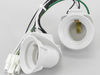
Interior Light Would Not Turn Off
Tape off the light button so door alarm does not go off. Take off the clear light shield and remove the light bulbs. Be careful, bulbs may still be HOT!! With Phillips head screw driver unscrew the light plate assy. Drop it down in a comfortable position. Disconnect the connector, unscrew the thermal sensor and remove light assy. Install new light assy into light plate assy. There is no thermal senor in the new assy. Snap light plate assy back into place and install the two screws previously taken out. Install bulbs and clear cover. Remove tape from light door switches and you are done. Lights should go on and off when door buttons are pushed in and out.
Parts Used:
-
Thomas from Bay Shore, NY
-
Difficulty Level:Really Easy
-
Total Repair Time:Less than 15 mins
-
Tools:Screw drivers
Was this instruction helpful to you?
Thank you for voting!
Plastic door latch/ cam shaft broke on left side door
Removed white plastic trim and installed new latch / cam shaft
Parts Used:
-
Reginald A. Green from Pelham, AL
-
Difficulty Level:Really Easy
-
Total Repair Time:Less than 15 mins
-
Tools:Screw drivers
Was this instruction helpful to you?
Thank you for voting!
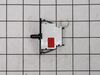
interior lights stay on
Changed door switch. Repair worked for a few days but re-occured. Possibly the other switch is bad .
Parts Used:
-
Rich from Pequannock, NJ
-
Difficulty Level:Really Easy
-
Total Repair Time:Less than 15 mins
-
Tools:Screw drivers
Was this instruction helpful to you?
Thank you for voting!