















5KSM150PSECL4 KitchenAid Mixer - Instructions
Keep searches simple. Use keywords, e.g. "leaking", "pump", "broken" or "fit".
Attachment hub stopped spinning
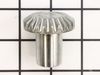
Used youtube movies to disassemble the mixer and found that the gear was stripped. I kept the screws in labeled ziploc baggies so I wouldn't forget which screws went where. Once the part arrived, it was very simple to replace the gear. I regreased the mixer and then reassembled. The trickiest part was how greasy everything was! It was also hard to get the pin through the beater hub - I found a video that suggested using a very slim screwdriver to thread the hole before inserting the pin. This was the most involved part replacement I've done on my own, and it was very satisfying to get my mixer back in working order!
Parts Used:
-
Sarah from GRAPEVINE, TX
-
Difficulty Level:Easy
-
Total Repair Time:30 - 60 mins
-
Tools:Screw drivers
1 person
found this instruction helpful.
Was this instruction helpful to you?
Thank you for voting!
Mixer making a grinding noise

-
Jamie from FLORENCE, CO
-
Difficulty Level:Really Easy
-
Total Repair Time:30 - 60 mins
-
Tools:Screw drivers
1 person
found this instruction helpful.
Was this instruction helpful to you?
Thank you for voting!
Worms Gear broken teeth from the gear.
Followed web site's videos. One step left out of video.
Parts Used:


-
Robert from Kathleen, GA
-
Difficulty Level:Really Easy
-
Total Repair Time:30 - 60 mins
-
Tools:Nutdriver, Pliers, Screw drivers, Socket set, Wrench (Adjustable)
1 person
found this instruction helpful.
Was this instruction helpful to you?
Thank you for voting!
EXTRUDER GEARS GROUND DOWN AND STOPPED WORKING
-
Matthew from MILWAUKEE, WI
-
Difficulty Level:A Bit Difficult
-
Total Repair Time:30 - 60 mins
-
Tools:Pliers, Screw drivers
1 person
found this instruction helpful.
Was this instruction helpful to you?
Thank you for voting!
Motor speed was erratic and no high speed
Removed the rear cover to inspect the speed board. Replaced motor brushes and noticed the motor body nuts were loose and 1 was completely off. Cleaned up speed board and replaced the motor body nuts, tightened with nutdriver, adjusted speedboard governor screws and with new motor brushes worked like a charm. The very rough sounding motor noise was gone and the mixer has not operated so quietly ever.
Parts Used:
-
Hilton from GREENVILLE, SC
-
Difficulty Level:Easy
-
Total Repair Time:30 - 60 mins
-
Tools:Nutdriver, Pliers, Screw drivers
1 person
found this instruction helpful.
Was this instruction helpful to you?
Thank you for voting!
Mixing bowl was no longer locking in place
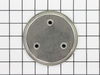
Unscrewed the existing screw cap, put the new one in place, replaced the screws. So easy!
Parts Used:
-
Amelia from AURORA, CO
-
Difficulty Level:Really Easy
-
Total Repair Time:30 - 60 mins
-
Tools:Screw drivers
1 person
found this instruction helpful.
Was this instruction helpful to you?
Thank you for voting!
old stand mixer mixing bowl base will not firmly hold newer mixing bowls
With a screw driver remove the screws holding the old base in place. With a flat head screw driver carefully pry and remove old mixer base. With 600 grit sandpaper clean and make smooth any burrs or rough spots in the mixer base recessed area. You can use some light grease and coat the outer edges of new mixer base and place in the now cleaned mixer base recessed area. The new base maybe a tight fit and not be fully seated in the recess. If a tight fit, place the piece of 2x4 piece of wood over the new part that is in the recess and carefully tap the base home using the sledge hammer. Check to see, if the base is fully seated. If not fully seated, tap again When fully seated replace the screws. You may have to adjust the height of the stand mixer head with mixer paddle attached for proper clearance between bowl and paddle. See your mixer manual for adjustment procedure
Parts Used:
-
Susan from BATTLE GROUND, WA
-
Difficulty Level:Easy
-
Total Repair Time:30 - 60 mins
-
Tools:Screw drivers
1 person
found this instruction helpful.
Was this instruction helpful to you?
Thank you for voting!
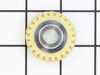
Plastic worm gear gave way (as designed) when the grain mill over-worked it.
I did exactly what the PartSelect video demonstrated after watching other DIY videos on the Internet, thus I did not remove the stand which seemed like a little too much for a simple straight forward repair. This is the second time I have replaced this gear. The first time was about 10 years ago when the bakelite gear broke on a 30 year old KitchenAid K
-45. That mixer made hundreds of loaves of bread after grinding many pounds of wheat berries. The only reason we had to replace it was that it walked off the flour dusted counter and landed on its head when my wife had her back turned. Otherwise we would still be using it. :-)
Thanks for the excellent service and instructions.
-45. That mixer made hundreds of loaves of bread after grinding many pounds of wheat berries. The only reason we had to replace it was that it walked off the flour dusted counter and landed on its head when my wife had her back turned. Otherwise we would still be using it. :-)
Thanks for the excellent service and instructions.
Parts Used:
-
Robert from CEDAR CITY, UT
-
Difficulty Level:Really Easy
-
Total Repair Time:30 - 60 mins
-
Tools:Screw drivers
1 person
found this instruction helpful.
Was this instruction helpful to you?
Thank you for voting!
Teeth on the gear were worn off.
-
Curt from SHELBY, MI
-
Difficulty Level:Easy
-
Total Repair Time:30 - 60 mins
-
Tools:Pliers, Screw drivers
1 person
found this instruction helpful.
Was this instruction helpful to you?
Thank you for voting!
Hard to knock out pins, and connecting the top to the bottom after repair
-
Sheldon from RICHMOND, TX
-
Difficulty Level:Easy
-
Total Repair Time:30 - 60 mins
-
Tools:Socket set, Wrench (Adjustable)
1 person
found this instruction helpful.
Was this instruction helpful to you?
Thank you for voting!
KitchenAid Mixer was leaking oil/grease
Replaced gasket and O-ring. Problem solved. POC (Piece of Cake).
Parts Used:

-
Russ from Lawrenceville, GA
-
Difficulty Level:Easy
-
Total Repair Time:30 - 60 mins
-
Tools:Screw drivers
1 person
found this instruction helpful.
Was this instruction helpful to you?
Thank you for voting!
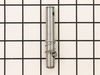
Stuck agitator shaft and dough hook
I had a sourdough batch get into the space where dough hook attaches and it got so stuck that nothing - not hot water baths, not pliers and screwdrivers got the dough hook released. I had to open up the mixer following partselect you tube instructions and replacing the parts. What was confusing to me at first is that my 45 year old mixer had an extra screw on top of the shaft that no longer is there for newer models. It took me longer than I am willing to admit to figure that the extra screw is not the result of me skimming the instructions - the original shaft and dough hook went to a friend who broke it attempting to disengage the two parts (the dough turned out to be a very strong form of glue!). The piece is working like new. I preferred the agitator shaft with a spring to hold the end piece tighter, but the new set up without a spring works just fine.
Parts Used:

-
Ana from PRT JEFFERSON, NY
-
Difficulty Level:Really Easy
-
Total Repair Time:15 - 30 mins
-
Tools:Screw drivers
1 person
found this instruction helpful.
Was this instruction helpful to you?
Thank you for voting!
Damaged gears in both machines. Been setting around for a few years broken. Gears broke way too soon.
Simply removed damaged gears. Very simple to do. Ordered gears. Replaced gears. Both working well ( so far. ) Machines are easy to dismantle. Just be sure to put the screws back in the holes you took them out of when dismantling...no lost screws. On the smaller model, took pictures of the wire positions to be sure they were replaced in the proper order. Larger model had no wires to remove.
Parts Used:
-
Ethan from MEADVILLE, PA
-
Difficulty Level:Very Easy
-
Total Repair Time:15 - 30 mins
-
Tools:Screw drivers
1 person
found this instruction helpful.
Was this instruction helpful to you?
Thank you for voting!
Pinion gear failed, broken tooth mixer stalled and mixers wouldn't turn.
Went to partselect, found model number, printed blow-up of mixer. Figured out disassenbly procedure. Drove out main pin removing mixer head from stand. Save pin. Drove out pin in mixer main shaft which allowed planetary head to be removed. Save pin.
Removed stainless steel bezel to expose screws for removal of bottom half of mixer body. Removed screws and carefully separated mixer halves using two screwdrivers as prybars. Care must be exercised to prevent chipping of paint on body.
Separated body. cleaned grease from gears to find actual problem. Removed broken geartooth and grease near broken part to make sure no small broken chips remained. Removed pinion shaft assembly, drove pin from gear releasing broken pinion/shaft. Save pin/
Cleaned grease from pinion shaft assembly using mineral spirits and a small brush to reveal how part could be disassembled. Ordered part immediately on-line. Part arrived 1 business day after it was ordered.
Reversed process for replacing pinion shaft. Applied fresh grease obtained from excess already in mixer, spun pinion shaft to make sure grease was properly distributed. Reinstalled pinion shaft assembly. CAREFULLY plugged in mixer and jogged motor to make sure all was free and that mixer worked. If you can repair this mixer, you should have enough sense to do this diagonistic. Keep fingers away from all moving parts, don't touch expposed electric wires. Plug in only after making sure switch is in off position. Jog using mixer switch. Make sure mechanism is free.
Complete re-assembly by following blow-up and reversing disassembly steps. It may be good to write down you disassemblly procedure if it is possible that you won't be reassembling within a day or two.
Removed stainless steel bezel to expose screws for removal of bottom half of mixer body. Removed screws and carefully separated mixer halves using two screwdrivers as prybars. Care must be exercised to prevent chipping of paint on body.
Separated body. cleaned grease from gears to find actual problem. Removed broken geartooth and grease near broken part to make sure no small broken chips remained. Removed pinion shaft assembly, drove pin from gear releasing broken pinion/shaft. Save pin/
Cleaned grease from pinion shaft assembly using mineral spirits and a small brush to reveal how part could be disassembled. Ordered part immediately on-line. Part arrived 1 business day after it was ordered.
Reversed process for replacing pinion shaft. Applied fresh grease obtained from excess already in mixer, spun pinion shaft to make sure grease was properly distributed. Reinstalled pinion shaft assembly. CAREFULLY plugged in mixer and jogged motor to make sure all was free and that mixer worked. If you can repair this mixer, you should have enough sense to do this diagonistic. Keep fingers away from all moving parts, don't touch expposed electric wires. Plug in only after making sure switch is in off position. Jog using mixer switch. Make sure mechanism is free.
Complete re-assembly by following blow-up and reversing disassembly steps. It may be good to write down you disassemblly procedure if it is possible that you won't be reassembling within a day or two.
Parts Used:

-
Michael from Palos Park, IL
-
Difficulty Level:Easy
-
Total Repair Time:30 - 60 mins
-
Tools:Screw drivers
1 person
found this instruction helpful.
Was this instruction helpful to you?
Thank you for voting!
The mixer broke the worm gear(the only plastic gear inside the mixer) and needed replaced.
I took apart the mixer housing and removed all the screws. The most difficult part was the two pins that needed to be removed with a metal punch. They were in fairly tight. The mixer came apart pretty easily and it was obvious which part needed to be replaced as it was broken and missing teeth. After replacing the gear and applying new grease for smooth operation, I simply put it back together and it has worked like new ever since.
Parts Used:
-
Dustin from JACKSONVILLE, NC
-
Difficulty Level:Easy
-
Total Repair Time:15 - 30 mins
-
Tools:Screw drivers
1 person
found this instruction helpful.
Was this instruction helpful to you?
Thank you for voting!