















20232 (1988) Kenmore Range - Instructions
Keep searches simple. Use keywords, e.g. "leaking", "pump", "broken" or "fit".
lights blown out

-
Gerald from WINTERVILLE, GA
-
Difficulty Level:Very Easy
-
Total Repair Time:Less than 15 mins
6 of 14 people
found this instruction helpful.
Was this instruction helpful to you?
Thank you for voting!
Up to 1 hour for oven to preheat
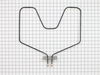
Removed 2 nuts holding the baking unit to the oven back, removed 2 nuts holding wires in place, installed new unit following procedure backwards. It takes longer to get the tools,take the oven door off, and take racks out than it does to remove and replace the baking unit.
Parts Used:
-
Joel from Avon, OH
-
Difficulty Level:Really Easy
-
Total Repair Time:15 - 30 mins
-
Tools:Screw drivers, Socket set
2 of 2 people
found this instruction helpful.
Was this instruction helpful to you?
Thank you for voting!
element burned out
Took off the door, took out the two screws in the back of the element. Then pulled the element forward, then removed the two wires. Then put it all back together with the new element.
Parts Used:
-
Jeff from Westport, IN
-
Difficulty Level:Really Easy
-
Total Repair Time:Less than 15 mins
-
Tools:Nutdriver, Screw drivers
2 of 3 people
found this instruction helpful.
Was this instruction helpful to you?
Thank you for voting!
Oven Heating element broken
Turned off power to the oven at the circuit breaker. Pulled the old heating element from the back lower wall of the oven. Noted the position of the wires (right terminal attached to the red wire, left to the black wire). Removed small bolts holding the element to the wires using pliers. Attached the new element using screw driver. New element came with screws, not bolts. Pushed the element back into place and restored power. Tested to make sure everything worked. Everything works and I ran an oven cleaning cycle. Noticed that indicator light above the temperature selctor is always on now even when oven is in the OFF position. Not sure if that's related to the change or to the oven cleaning cycle I ran. In any case, oven seems to work normally.
Parts Used:
-
James from Hanover, MA
-
Difficulty Level:Really Easy
-
Total Repair Time:Less than 15 mins
-
Tools:Pliers, Screw drivers
2 of 3 people
found this instruction helpful.
Was this instruction helpful to you?
Thank you for voting!
Lower baking element had burned out.
Using a nut driver, I removed the two screws holding the baking element to the firewall of the oven. I then pulled the baking element out exposing the two wires connected to it. I then used the same nutdriver to remove the nuts and detached the old element. I then connected the new element to the wires, pushed the wires inside the firewall and reattached the element to the firewall of the oven.
The time it took was literally a few minutes. Works like a new oven!
The time it took was literally a few minutes. Works like a new oven!
Parts Used:
-
Rob from Las Cruces, NM
-
Difficulty Level:Really Easy
-
Total Repair Time:Less than 15 mins
-
Tools:Nutdriver
1 person
found this instruction helpful.
Was this instruction helpful to you?
Thank you for voting!
Baking element had burned out and actually cracked in half.
It was so simple, I turned off the breker to the oven, unscrewed two screws holding in the element, pulled out until the wire connetion was exposed. I unscrewed those two screws, then placed the replacement part, put the two screws on, pushed back the wiring and insulation.Final step was screwing two screws to hold the unit to the oven back. So simple! The part was ordered regular mail and still was here in 2 days. Will recommend to friends for sure!
Parts Used:
-
Marie from Roxboro, NC
-
Difficulty Level:Really Easy
-
Total Repair Time:Less than 15 mins
-
Tools:Screw drivers, Socket set
1 person
found this instruction helpful.
Was this instruction helpful to you?
Thank you for voting!
Replacing the bake element
I couldn't find the oven model number so I just looked at the shapes from partselect.com. This would have been fine except I didn't know my Kenmore model had 4" leads so the one I ordered were only 2". I had to return the first element but the process to do this was FAST and EASY. With help I found the model number and had the correct part shipped. It took less than 5 minutes to install. It took longer to mop and clean behind the oven that hadn't seen the light of day in 10 years.
Parts Used:
-
Ken from Lexington, KY
-
Difficulty Level:Really Easy
-
Total Repair Time:Less than 15 mins
-
Tools:Pliers
1 person
found this instruction helpful.
Was this instruction helpful to you?
Thank you for voting!
Bottom Bake Element had burnt into/split
Very easy and simple/ After making sure power supply was off, removed socket screws in back plate of element, slid old element out, attached new element and replaced/tightened socket screws on plate and new element. Power on, oven on .. heated quickly and nicely. Used oven several times since ... no problems.
Parts Used:
-
Miranda from UNION GROVE, NC
-
Difficulty Level:Really Easy
-
Total Repair Time:Less than 15 mins
-
Tools:Socket set
1 person
found this instruction helpful.
Was this instruction helpful to you?
Thank you for voting!
Bottom oven heating element was out
Very easy repair. 2 hex head screws to take the heating element out. Then 2 more slot head screws for the wire connections. Perfect fit and operation of the new heating element.
Parts Used:
-
John from FALL RIVER, MA
-
Difficulty Level:Easy
-
Total Repair Time:Less than 15 mins
-
Tools:Nutdriver, Screw drivers
1 person
found this instruction helpful.
Was this instruction helpful to you?
Thank you for voting!
Really old range. Broken bake element in oven.
Turned off power. Removed old broken one installed new one in minutes. Turned power on and tested it out. If this 60 something lady can do it, you can too.
Parts Used:
-
Kathleen from Grand Rapids, MI
-
Difficulty Level:Very Easy
-
Total Repair Time:Less than 15 mins
1 person
found this instruction helpful.
Was this instruction helpful to you?
Thank you for voting!
Bake Element Burnt Out On Upper Oven
Unscrewed the element from the oven,disconnected the two screws for the electrical and reverse the procedure to install new element. Took all of about 10 minutes.
Parts Used:
-
GREGORY from HOUSTON, TX
-
Difficulty Level:Really Easy
-
Total Repair Time:Less than 15 mins
-
Tools:Nutdriver
1 person
found this instruction helpful.
Was this instruction helpful to you?
Thank you for voting!
Bake element burned out
Flip the circuit breaker going to oven off, then used a 1/4 inch socket on the mounting flange bolts and the bolt head screws attaching the wires. Then used a flat head screwdriver to reattach the wires with the supplied screws and bolted the new element in place. Back to the circuit breaker flipped the switch and turned the oven on to test it, and now works fine. *be sure to remove the sticker before installation, use rubbing alcohol to remove any residue.*
Parts Used:
-
Lavona from JACKSONVILLE, FL
-
Difficulty Level:Very Easy
-
Total Repair Time:Less than 15 mins
-
Tools:Screw drivers, Socket set
1 person
found this instruction helpful.
Was this instruction helpful to you?
Thank you for voting!
elememt not working
Hi, First unplug appliance ,remove the oven door by pulling it up from the hinges, giving room to work deep inside , remove the two screws that hold the element in place. then pull the element out carefully not to stress the wires and replace the element . Note after all is done test with an oven thermometor :)
Parts Used:
-
ROBERT from ORWELL, VT
-
Difficulty Level:Really Easy
-
Total Repair Time:30 - 60 mins
-
Tools:Screw drivers
1 person
found this instruction helpful.
Was this instruction helpful to you?
Thank you for voting!
The bottom bake element burned out.
1. Cut power off. 2. Remove old element, make sure you do not lose the screws, pull the connecting posts out and we used strings on posts so they could not get lost in the wall. 3. We then replaced the new element with little of no problems, it took approximately 30-45 minutes for the whole process.
Parts Used:
-
Pauline from DECATUR, GA
-
Difficulty Level:Really Easy
-
Total Repair Time:30 - 60 mins
-
Tools:Screw drivers
1 person
found this instruction helpful.
Was this instruction helpful to you?
Thank you for voting!
The light inside the oven had burned out
0. As a safety precaution, unplug the range or hit the relevant fuse breaker before you start. You might also want to grab a flashlight. Definitely do not try to do this while the oven is hot.
1. Pinch the wire over the light bulb cap to remove it. This is inside the oven at the back.
2. Pop off the hemispherical glass cap.
3. Unscrew the old light bulb, and screw the new light bulb in its place.
4. Put the cap back.
5. Secure the cap by putting the wire back in its slots on the cap.
No tools needed, the cap is just held in place with pressure from the wire.
1. Pinch the wire over the light bulb cap to remove it. This is inside the oven at the back.
2. Pop off the hemispherical glass cap.
3. Unscrew the old light bulb, and screw the new light bulb in its place.
4. Put the cap back.
5. Secure the cap by putting the wire back in its slots on the cap.
No tools needed, the cap is just held in place with pressure from the wire.
Parts Used:
-
Catherine from SEATTLE, WA
-
Difficulty Level:Very Easy
-
Total Repair Time:Less than 15 mins
3 of 7 people
found this instruction helpful.
Was this instruction helpful to you?
Thank you for voting!