















1068692681 Kenmore Refrigerator - Instructions
Keep searches simple. Use keywords, e.g. "leaking", "pump", "broken" or "fit".
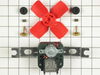
Evaporator Fan had quit running
After unplugging the fridge, I removed all the phillips head screws from the evaporator fan housing as well as the back cover and the bottom of the freezer compartment (7) in all. After first removing the bottom cover - then the back cover I could access the evaporator fan unit. This was held in place with two hex-head screws that were easily removed with a nut driver. Then after unplugging the Red, White, and Green wires from the fan I removed it and replaced it with the new one. I did have to break off the two ends of the mounting bracket as described in the instruction sheet since it was too wide. Repeating the above steps in reverse, I had the job done and refridgerator up and running as quiet as could be in less than 15 minutes.
Parts Used:
-
Duane from Piper City, IL
-
Difficulty Level:Really Easy
-
Total Repair Time:Less than 15 mins
-
Tools:Nutdriver, Screw drivers
25 of 28 people
found this instruction helpful.
Was this instruction helpful to you?
Thank you for voting!
Refrigerator stopped cooling. Pulled it out of the alcove and plugged it back in. Compressor starfted but noticed condenser fan was not turning. Unplugged fridge and tried to turn the fan by hand - frozen.
Remove the back hardboard cover screws for access to the condenser fan. I opted to tip the fridge over on its side for even better access to the fan mounts and wire. Replaced the fan assy (reused the fan). Splice the wire and it's done.
Parts Used:

-
Florentino from Windsor Locks, CT
-
Difficulty Level:Easy
-
Total Repair Time:30 - 60 mins
-
Tools:Nutdriver
27 of 36 people
found this instruction helpful.
Was this instruction helpful to you?
Thank you for voting!
Freezer too warm; noticed sides of refrigertor were warm
I saw on a partselect web site that these symptoms could be caused by a failed condensor fan motor. After removing the cardboard panel in back of the refrigerator I noticed the fan was not running when the rfigerator was. The fan was held in place by three brackets. I unscrewed the screws holding the fan motor to the brackets and also unscrewed one of the brackets to make room to pull the motor out. I cut the wires close to the motor. I removed the fan blade and secured it to the new motor. I had to reroute the old wires in order to have enough slack to use wire nuts to attach them to the leads on the new motor. I then re-attached the motor to the two brackets remaining in place and then re-attacehed the third bracket I had removed to get the motor out.. The most difficult part was working in a very confined space.
Parts Used:
-
W from Nellysford, VA
-
Difficulty Level:A Bit Difficult
-
Total Repair Time:30 - 60 mins
-
Tools:Nutdriver, Pliers, Screw drivers, Socket set, Wrench set
22 of 23 people
found this instruction helpful.
Was this instruction helpful to you?
Thank you for voting!
The old motor wouldn't turn the fan.
After moving the refrigerator away from the wall I removed the cover on the lower back of the unit by removing the screws that held it in place. The condenser fan was not turning and there was heat build up in the area causing the refrigerator to not work properly creating elevated temperatures in both the freezer and regrigerator. Removal of three torx screws from the original motor was all it took to get the motor free. By turining it and working the fan blade around the mounting bracket I had the motor out in just a few minutes. Replacing the new motor was just as easy to reinstall. The fan was removed from the old motor and placed on the new for installation. The original motor was wired to accept a connector from the wiring harness of the refrigerator. I simply cut the connector off the wiring harness and stripped the insulation from the wires which easily allowed me to connet the wires of the motor and harness with two wire nuts. Three self tapping screws were used to hold the motor in place replacing the torx screws. Installed I plugged the unit in and immediately the fan started spinning as the unit came to life. Cleaned and replaced the cover over the back and slid back into its spot. Running as good as it did when it was new. Easy job to take care of.
Parts Used:
-
Bob from Hesston, KS
-
Difficulty Level:Easy
-
Total Repair Time:15 - 30 mins
-
Tools:Socket set, Wrench set
24 of 32 people
found this instruction helpful.
Was this instruction helpful to you?
Thank you for voting!
compressor didnt turn on

-
gerardo from el monte, CA
-
Difficulty Level:Really Easy
-
Total Repair Time:Less than 15 mins
-
Tools:Screw drivers
24 of 41 people
found this instruction helpful.
Was this instruction helpful to you?
Thank you for voting!
freezer making a squealing sound
First I Removed the racks. Next 3 hex bolts that secured the ice maker. Undid the ponytail wiring. 3 Phillips screws to remove the metal back. unplugged the Evaporator Fan Motor. Replaced the new one. reassembled.
Parts Used:
-
PAUL from Boiling Springs, SC
-
Difficulty Level:Easy
-
Total Repair Time:15 - 30 mins
-
Tools:Nutdriver, Screw drivers
17 of 20 people
found this instruction helpful.
Was this instruction helpful to you?
Thank you for voting!
Squealing evaporator fan
Unplugged the fridge, emptied the freezer, removed the panel screws, removed the fan assembly retaining nuts, slid the spade wire connectors from the tabs, and performed these tasks in reverse to have the fridge up and running like new. I am not an appliance repair person, but I am not intimidated by simple repairs. Your instructions were easy to follow, and the cry in the kitchen of "we need a new refrigerator" was silenced for less than $50.00. Thanks!
Parts Used:
-
JOHN from BEAVER, PA
-
Difficulty Level:Really Easy
-
Total Repair Time:15 - 30 mins
-
Tools:Nutdriver, Screw drivers
15 of 18 people
found this instruction helpful.
Was this instruction helpful to you?
Thank you for voting!
Freezer was not staying cold enugh for ice maker to work. Discovered fan was not working to cool condensor. Fan motor would only run if manually turned.
Unplugged refrigerator. Removed lower back access panels and panel running up the back of refrigerator. Removed and disconnected old fan. Removed old fan motor from mounting bracket. Removed fan blade from old fan motor and placed on new fan motor. Connected new fan motor to power supply. Tested. Reinstalled.
Parts Used:
-
David from Cedarville, OH
-
Difficulty Level:A Bit Difficult
-
Total Repair Time:More than 2 hours
-
Tools:Screw drivers, Socket set
14 of 16 people
found this instruction helpful.
Was this instruction helpful to you?
Thank you for voting!
light inside fridge was flickering and clicking
tested bulb good ,replaced door switch first(least expensive)then ordered light socket and circuitboard.If clicking sound is heard replace circuitboard first to save on return shipping because the switch and socket where ok
Parts Used:
-
bill from escondido, CA
-
Difficulty Level:Easy
-
Total Repair Time:15 - 30 mins
-
Tools:Nutdriver
20 of 35 people
found this instruction helpful.
Was this instruction helpful to you?
Thank you for voting!
Refrigerator quit refrigerating
Removed 2 control panel knobs and face plate that is snaped in place using a knife to prey it causing to snape lose.
Removed 4 cover screws that gave me acess to Defrost Timer. Remove two fastining screws on timer unit. Remove electrical color coded 4 prong connector plug. Have to make sure black jumper wire on the new timer kit is connected to the correct one of the 4 prongs as to instruction sheet for my model refrigerator. Reassemble in reverse order. Bingo! Fixed.
Removed 4 cover screws that gave me acess to Defrost Timer. Remove two fastining screws on timer unit. Remove electrical color coded 4 prong connector plug. Have to make sure black jumper wire on the new timer kit is connected to the correct one of the 4 prongs as to instruction sheet for my model refrigerator. Reassemble in reverse order. Bingo! Fixed.
Parts Used:
-
William from Hudson, FL
-
Difficulty Level:A Bit Difficult
-
Total Repair Time:1- 2 hours
-
Tools:Nutdriver, Screw drivers
15 of 21 people
found this instruction helpful.
Was this instruction helpful to you?
Thank you for voting!
I had frost build-up in the freezer.
I took the cover off the control settings and found the timer. Removed two screws and replaced the defective one with the new one. Had to pay attention to directions since the timer is used in different ways and to make sure the loose wire was installed correctly (not the same way as the original ground was connected).
Parts Used:
-
David from Arnold, ME
-
Difficulty Level:Easy
-
Total Repair Time:Less than 15 mins
-
Tools:Nutdriver, Screw drivers
15 of 21 people
found this instruction helpful.
Was this instruction helpful to you?
Thank you for voting!
Noise coming from defrost timer
First I unplugged appliance then I remove two screws from the thermostat/light cover. I then remove two defrost timer mounting screws and all electrical connectors. Then utilizing instructions recieved with new defrost timer I ascertained which wires should go where. When I was sure I had the wires ready I connected them to the others in the appliance and plugged the appliance in to ensure that the noise was no longer heard and made sure timer was working. Everything seemed fine so I unplugged appliance and secured two defrost timer mounting screws and thermostat/light cover mounting screws and that was that.
Parts Used:
-
Thomas from Pottstown, PA
-
Difficulty Level:Really Easy
-
Total Repair Time:15 - 30 mins
-
Tools:Nutdriver
12 of 14 people
found this instruction helpful.
Was this instruction helpful to you?
Thank you for voting!
My refrigerator ran constantly and never got cold!
On a whim I looked into what it would take to fix my garage older 2nd fridge. I was thinking I needed a new seal, but when I checked the website there was a great troubleshooter. I would have never guessed that the defrost timer was what would cause it not to ever get cold. After a fairly simple repair the freezer is colder than ever and I actually had to turn it down. The only complication was the fridge was stuck in a defrost cycle so I had to reset the timer to get the refrigerator running. Thanks so much for a super helpful site for a do-it-yourselfer like me.
Parts Used:
-
Brandon from Fort Wayne, IN
-
Difficulty Level:Easy
-
Total Repair Time:30 - 60 mins
-
Tools:Nutdriver, Screw drivers
11 of 12 people
found this instruction helpful.
Was this instruction helpful to you?
Thank you for voting!
would not cycle
removed the defrost timer and replaced with new unit now i have a refrigerator again
Parts Used:
-
Maxine from Birmingham, AL
-
Difficulty Level:Really Easy
-
Total Repair Time:15 - 30 mins
-
Tools:Nutdriver
12 of 16 people
found this instruction helpful.
Was this instruction helpful to you?
Thank you for voting!
Crisper Drawer cover broke.
We removed the drawers and drawer cover
(after we'd unloaded that part of the refrigerator!), and
took the glass out of the drawer cover. Then we took
the gaskets off the old cover and put them on the new
one (that's what the screwdriver was for).
It was easy because of the very helpful diagram of all
the parts that I had used on the web site to order the
part.
Getting the part was amazingly fast - thank you!
(after we'd unloaded that part of the refrigerator!), and
took the glass out of the drawer cover. Then we took
the gaskets off the old cover and put them on the new
one (that's what the screwdriver was for).
It was easy because of the very helpful diagram of all
the parts that I had used on the web site to order the
part.
Getting the part was amazingly fast - thank you!
Parts Used:

-
Monica from Greendale, WI
-
Difficulty Level:Really Easy
-
Total Repair Time:15 - 30 mins
-
Tools:Screw drivers
10 of 11 people
found this instruction helpful.
Was this instruction helpful to you?
Thank you for voting!