















1058 - Instructions
Keep searches simple. Use keywords, e.g. "leaking", "pump", "broken" or "fit".
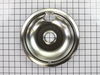
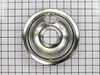
Drip bowls were burned and tacky
First I removed the old bowls and replaced them with the new.
Parts Used:
-
Donna from Dallas, TX
-
Difficulty Level:Really Easy
-
Total Repair Time:Less than 15 mins
473 of 481 people
found this instruction helpful.
Was this instruction helpful to you?
Thank you for voting!
Drip bowls needed to be replaced
took old bowls out, put new bowls in, took a coffee break
Parts Used:
-
John from Chester, VT
-
Difficulty Level:Really Easy
-
Total Repair Time:Less than 15 mins
455 of 546 people
found this instruction helpful.
Was this instruction helpful to you?
Thank you for voting!
Oven tempature was approximately 150 degrees to low
This repair is EASY if you know how to use an ohm meter. If not, seek help for this step.
SYMPTOM:
The oven (JKP27WOP3WG or JKP27WP3WG and many ovens like it ) was not getting hot enough. Verifying the cooking temperature with an typical oven thermometer, I was able to determine that the oven was cooking temperature was about 150 degrees to low.
FAILURE POINTS:
There are two logical failure points (1) The oven sensor ( WB21X5301 about $75), or the (2) the controller board (PS238233 about $252). In my case it was the controller board. When replaced the oven worked beautifully.
REPAIR:
As with any repair, you MUST DISCONNECT POWER TO THE UNIT BEFORE SERVICING!!!
Pull oven from the wall:
- Disconnect power by flipping the circuit breaker to the OFF position.
- Remove the top flange / cowling from the top of the oven (it just pulls off)
- Remove two screws under the top flange / cowling
- The whole unit easily slides out, but it is highly recommended that you use two people to place the oven on the floor.
As a diagnostic between these two parts, if the oven sensors measure approximately 1.1K ohms of resistance at room temperature, then it is probably not the sensor. The oven sensor wires are connected to two white wires that run up to the controller board. You need to disconnect the oven sensor to make the measurement. You may either completely remove the oven sensor by cutting the wire (be sure to allow yourself enough slack so that they may be safely reconnected) where it connects to the white wires, OR, (preferred method) if leaving the oven sensor partially installed,
- Remove the top sheet metal cover (10 screws)
- Remove the service connect cover (2 screws - this is where the main Power cord comes into the unit)
- Disconnect the white wires from the controller board (this connector which also includes other circuits is on the left side when looking at the controller board).
- Remove two screws from oven sensor but just let in dangle down so that you can put the sensor in the ice water / boiling water.
Measure the resistance under the following conditions. Your ohm meter should read APPROXIMATELY...
- 1.02K ohms in ice water
- 1.09K ohms at room temperature
- 1.36K ohms in boiling water.
If you get approximately these readings, then it is NOT the oven sensor. If that checks out then re-install the sensor AND the connector.
If it is NOT the sensor, replace the controller board.
- Take a moment to write down the color of the wire to the LETTERING (N, L, G, C / COM,,,) on the controller board. The connectors are in different locations on the new controller board so the wire color to the letter designation is significant.
- Carefully remove the wires one at a time
- VERY carefully remove the keypad ribbon cable from the right side of the controller board.
-- The ribbon cable will disconnect by releasing some little pressure clips on the side of the connector.
- Remove the controller board (4 screws)
- Install new controller board (4 screws)
- VERY carefully connect the keypad ribbon cable on the right side.
-- Make sure that the connector is in the OPEN position first, then,
-- Slide in the cable ensuring that all parts of the ribbon made it into the connector, then
-- Press down on the connector locking tabs.
- Reconnect each wire to the correctly lettering on the board.
-- Again, the connectors MAY BE in a different order on the replacement controller board. Match color to letter.
- Reconnect the (5 wire?) connector that includes the white oven sensor wires.
- Make sure everything looks normal, (i.e. no wires are pinched, remove tools from top of oven area, etc.)
- Re-install top cover.
- Re-install service connect cover.
You can test the unit while it is out of the cabinet,
- Make SURE that all sheet metal covers are in place.
- Flip power breaker to "On".
- Test that oven gets to the desired temp.
SYMPTOM:
The oven (JKP27WOP3WG or JKP27WP3WG and many ovens like it ) was not getting hot enough. Verifying the cooking temperature with an typical oven thermometer, I was able to determine that the oven was cooking temperature was about 150 degrees to low.
FAILURE POINTS:
There are two logical failure points (1) The oven sensor ( WB21X5301 about $75), or the (2) the controller board (PS238233 about $252). In my case it was the controller board. When replaced the oven worked beautifully.
REPAIR:
As with any repair, you MUST DISCONNECT POWER TO THE UNIT BEFORE SERVICING!!!
Pull oven from the wall:
- Disconnect power by flipping the circuit breaker to the OFF position.
- Remove the top flange / cowling from the top of the oven (it just pulls off)
- Remove two screws under the top flange / cowling
- The whole unit easily slides out, but it is highly recommended that you use two people to place the oven on the floor.
As a diagnostic between these two parts, if the oven sensors measure approximately 1.1K ohms of resistance at room temperature, then it is probably not the sensor. The oven sensor wires are connected to two white wires that run up to the controller board. You need to disconnect the oven sensor to make the measurement. You may either completely remove the oven sensor by cutting the wire (be sure to allow yourself enough slack so that they may be safely reconnected) where it connects to the white wires, OR, (preferred method) if leaving the oven sensor partially installed,
- Remove the top sheet metal cover (10 screws)
- Remove the service connect cover (2 screws - this is where the main Power cord comes into the unit)
- Disconnect the white wires from the controller board (this connector which also includes other circuits is on the left side when looking at the controller board).
- Remove two screws from oven sensor but just let in dangle down so that you can put the sensor in the ice water / boiling water.
Measure the resistance under the following conditions. Your ohm meter should read APPROXIMATELY...
- 1.02K ohms in ice water
- 1.09K ohms at room temperature
- 1.36K ohms in boiling water.
If you get approximately these readings, then it is NOT the oven sensor. If that checks out then re-install the sensor AND the connector.
If it is NOT the sensor, replace the controller board.
- Take a moment to write down the color of the wire to the LETTERING (N, L, G, C / COM,,,) on the controller board. The connectors are in different locations on the new controller board so the wire color to the letter designation is significant.
- Carefully remove the wires one at a time
- VERY carefully remove the keypad ribbon cable from the right side of the controller board.
-- The ribbon cable will disconnect by releasing some little pressure clips on the side of the connector.
- Remove the controller board (4 screws)
- Install new controller board (4 screws)
- VERY carefully connect the keypad ribbon cable on the right side.
-- Make sure that the connector is in the OPEN position first, then,
-- Slide in the cable ensuring that all parts of the ribbon made it into the connector, then
-- Press down on the connector locking tabs.
- Reconnect each wire to the correctly lettering on the board.
-- Again, the connectors MAY BE in a different order on the replacement controller board. Match color to letter.
- Reconnect the (5 wire?) connector that includes the white oven sensor wires.
- Make sure everything looks normal, (i.e. no wires are pinched, remove tools from top of oven area, etc.)
- Re-install top cover.
- Re-install service connect cover.
You can test the unit while it is out of the cabinet,
- Make SURE that all sheet metal covers are in place.
- Flip power breaker to "On".
- Test that oven gets to the desired temp.
Parts Used:
-
James from Austin, TX
-
Difficulty Level:Easy
-
Total Repair Time:1- 2 hours
-
Tools:Nutdriver, Screw drivers
224 of 264 people
found this instruction helpful.
Was this instruction helpful to you?
Thank you for voting!
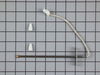
Stove top element not working due to bad receptacle.
Turned off the power at the breaker box, cut the wires approximately 5 inches from the bad receptacle and removed it after removing one screw. Stripped back the wires about 1/2 inch and attached the new wires with the ceramic wire nuts provided and secured the receptacle back in place with the new screw provided in the kit.
My sister's husband wanted to scrap the whole range but I repaired it with $14.00 worth of parts.
The element is working great now.
Whenever I need appliance parts again I'll use partselect.com.
My sister's husband wanted to scrap the whole range but I repaired it with $14.00 worth of parts.
The element is working great now.
Whenever I need appliance parts again I'll use partselect.com.
Parts Used:
-
Richard from Carthage, NC
-
Difficulty Level:Really Easy
-
Total Repair Time:Less than 15 mins
-
Tools:Pliers, Screw drivers
194 of 214 people
found this instruction helpful.
Was this instruction helpful to you?
Thank you for voting!
Old drip pans stained
Replaced old drip pans with new ones - very easy - even a 68 yr old lady can do it!!
Parts Used:
-
Linda from Atlanta, GA
-
Difficulty Level:Really Easy
-
Total Repair Time:Less than 15 mins
218 of 427 people
found this instruction helpful.
Was this instruction helpful to you?
Thank you for voting!
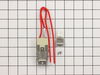
one of my burners would only work half the time, and you had to wobble it to make it work
First I removed the two screws that hold the element in place. I then pulled the element out about 3 inches and disconnected the two wires, connected the new element using the wire caps, and finished bye rescrewing the element backinto place.
Parts Used:
-
cindy from Sebeka, MN
-
Difficulty Level:Really Easy
-
Total Repair Time:15 - 30 mins
-
Tools:Pliers, Screw drivers
138 of 265 people
found this instruction helpful.
Was this instruction helpful to you?
Thank you for voting!
We needed new drip pans and no one carried the model we needed
we removed the old pans after first removing the electric heating element and simply inserted tne new pans
Parts Used:
-
sylvia from ventnor city, NJ
-
Difficulty Level:Really Easy
-
Total Repair Time:Less than 15 mins
67 of 71 people
found this instruction helpful.
Was this instruction helpful to you?
Thank you for voting!
Burned terminal block and filter board
Removed and replaced above named parts, rewired.Be sure to tighten all nuts that secure wires. I believe this is what caused the problem.
Parts Used:

-
Joseph from Decatur, GA
-
Difficulty Level:Easy
-
Total Repair Time:30 - 60 mins
-
Tools:Nutdriver, Screw drivers, Socket set, Wrench set
95 of 204 people
found this instruction helpful.
Was this instruction helpful to you?
Thank you for voting!
Gas oven stove temperature 125 - 100 degrees below normal
My Hotpoint gas stove was not operating at normal temperature. This was operating in a basic range of 125 - 100 degrees below normal. After going through numerous troubleshooting posts, I came to the conclusion the sensor was my first place to check. I did not want to drop $100 for a sensor if I did not need to, therefore, I decided that I needed to know how many ohms the sensor registered in my stove. The sensor need to be 1100 ohms and after using my digital multi-meter,( Analog meter would do for this job as well) sure enough the sensor did register 1100 ohms. I then started troubleshooting other components such as igniter, gas values, etc... All resulting in everything testing out good. That is what really puzzled me. Other posts of people having similar symptoms as my oven always came back to the sensor as the problem. Then I noticed that the cleaning temperature of the sensor needed to be 2600 ohms or somewhere in that range. Therefore, I heated up the oven and tested the temperature of the heated sensor and my sensor registered 1650 ohms. I concluded that the sensor tested good at room temperature, however when heated up, it was not registering correctly. I took a chance and purchased the senor, installed the sensor, which was quite easy and only reqired removing a few screws inside the stove, removal of back panel, and unconnecting the wire attachments, and the oven now operates as new, and just in time for Thanksgiving. The really great thing was that I was a hero in the eyes of my wife this Thanksgiving.
Parts Used:
-
Gary from Saxonburg, PA
-
Difficulty Level:Easy
-
Total Repair Time:15 - 30 mins
-
Tools:Nutdriver, Wrench (Adjustable)
44 of 57 people
found this instruction helpful.
Was this instruction helpful to you?
Thank you for voting!
Oven would not heat to the correct temperature
First I removed the two screws that hold the element in place. I then pulled the element out about 3 inches and disconnected the two wires
Parts Used:
-
Michael from Lawrenceville, GA
-
Difficulty Level:Really Easy
-
Total Repair Time:Less than 15 mins
-
Tools:Screw drivers
40 of 63 people
found this instruction helpful.
Was this instruction helpful to you?
Thank you for voting!
F2 error message on my GE oven indicated need for new heat sensor
After unscrewing the old heat sensor from inside the oven, I pulled the range away from the wall, got behind it and removed the small panel over the heat sensor. Naturally, the plastic clips connecting the heat sensor to the range wiring wouldn't come apart, so I eventually had to simply pry them apart with two pliers. Then, naturally, the new plastic connector clip on the replacement part didn't match the clip from the range, so I had to cut off both receptacles and strip the wires, then used the provided wire nuts to make the connections. After that, it was easy, just secured the heat sensor inside the oven and replaced the panel. I didn't push the range back against the wall until I tested the repair. It worked fine!
Parts Used:
-
Joseph from Brick, NJ
-
Difficulty Level:A Bit Difficult
-
Total Repair Time:30 - 60 mins
-
Tools:Nutdriver, Pliers
25 of 29 people
found this instruction helpful.
Was this instruction helpful to you?
Thank you for voting!
oven shut down code F3
As has been said shut down unit,Breaker fuse.If you do not have install info.Get a copy on line. If you have another set of hands it would not hurt.! this has been stated before. Remove door, Remove 4 screws , to slide unit out,I used a saw horse with some cribing secured to the horse to get height, Pull the oven out so that the two front supports are on the saw horse,and the back two are up to the edge runner.I used about a 1 ft stool for working height. Remove the top elec. cover sheet metal 2 screws. You will see were the wireing runs down the back. Get a small mirror,and flash light. Look down the wire opening in the back, you see the sensor connection ,I made a hook out of a coat hanger to grab it with. Pull it up before you disconnect it ,tie a piece of string to the sensor side of the connector , use 2 Ft. then disconnect remove two screws from inside the oven. And remove,sensor tie string on to new sensor connector pull through and connect.on top.Then replace everything cck every thing Twice!Doing this i didn"t have to pull the unit all the way out! LATER GOOD LUCK!
Parts Used:
-
Richard from Jupiter, FL
-
Difficulty Level:A Bit Difficult
-
Total Repair Time:1- 2 hours
-
Tools:Nutdriver, Screw drivers
17 of 24 people
found this instruction helpful.
Was this instruction helpful to you?
Thank you for voting!
oven would not cook over 325 degrees and sometimes would burn your food.
I removed the unit from the wall,removed the back panel to access the wires to the sensor,cut the plug off of the new sensor and strip the wires back,used the wire nuts to attach the new sensor,put all back together and slid back into the wall and works excellent.
Parts Used:
-
phil from forney, TX
-
Difficulty Level:Really Easy
-
Total Repair Time:15 - 30 mins
-
Tools:Nutdriver, Screw drivers
15 of 19 people
found this instruction helpful.
Was this instruction helpful to you?
Thank you for voting!
Element burned out
Unplug Stove removed screws pulled out
element. Lifted off the wires with a pliers they slid
onto the element ends that were pointed up
was very easy.
element. Lifted off the wires with a pliers they slid
onto the element ends that were pointed up
was very easy.
Parts Used:
-
Anita from Hudson, CO
-
Difficulty Level:Really Easy
-
Total Repair Time:15 - 30 mins
-
Tools:Pliers, Screw drivers
18 of 28 people
found this instruction helpful.
Was this instruction helpful to you?
Thank you for voting!
Rubber gasket failed due to age
I learned that I could clean the window in the oven door. In taking it apart I saw that the gasket had fallen into the oven door. I found the part online, it arrived in three days. I removed the metal part of the door, removed what was left of the old gasket and put in the new one. Put the metal part of the door back on, and it was as good as new.
Parts Used:
-
Mary from Woodland, WA
-
Difficulty Level:Really Easy
-
Total Repair Time:Less than 15 mins
-
Tools:Screw drivers
14 of 18 people
found this instruction helpful.
Was this instruction helpful to you?
Thank you for voting!