Your coupon for will be reflected when you check out!
✖
Your coupon for
✖
Hello!
You're visiting the PartSelect site in U.S.
Would you like to shop on the Canadian site?
Stay on this site
Go to Canadian site
✖
Model Number Locations
1Select Category Type
Select Category Type
2Select Product Type
Select Product Type
3Select {MODEL} Type
Select {MODEL} Type
Sample Model Number Tags
Model numbers can be made up of numbers (1005400, for example) or a combination of letters and numbers (LAT1000AAE). The model number will most likely appear on either a paper sticker or a metal plate. Your appliance's model number tag may look similar to the sample model number tags shown here (model number highlighted in yellow):
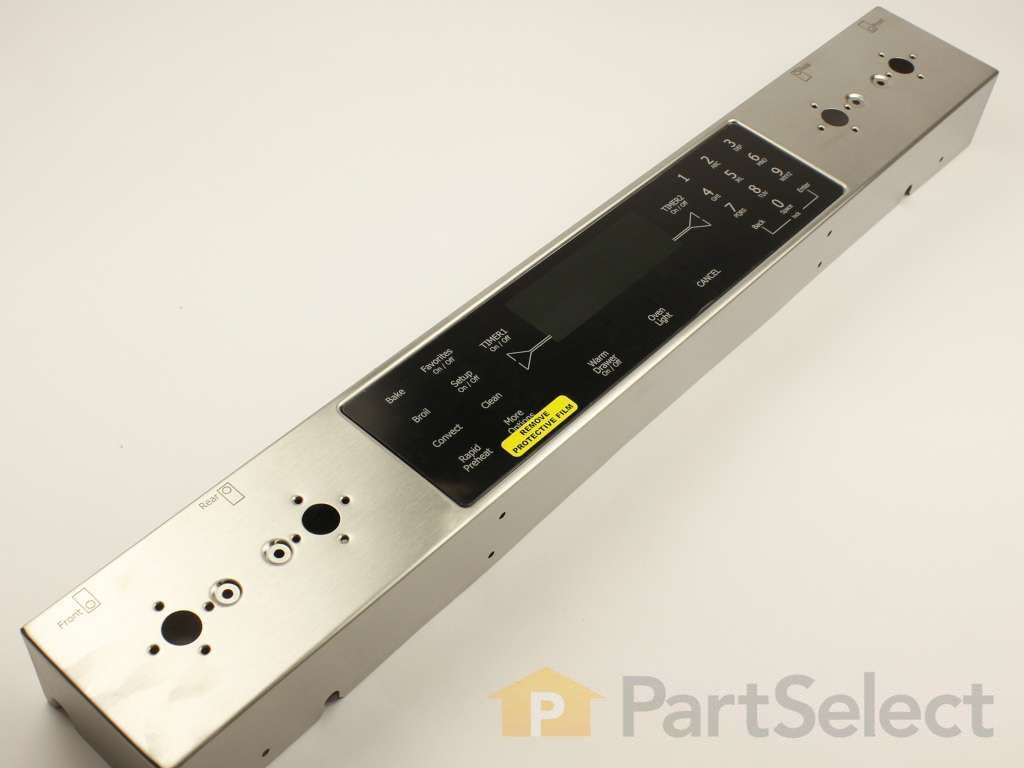
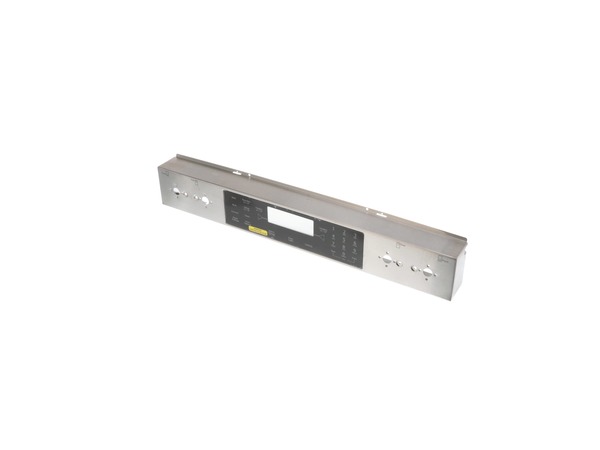
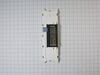
Control Panel and Touchpad - Stainless/Black Specifications
Struggling with a faulty burner on your range? Let's get your cooking back on track with our GE Haliant Burner Element with Limiter. This vital part is designed specifically for your range, providing an efficient heat supply to your cooking surface. With an impressive 12" size, it guarantees full coverage of your heating area - promoting even cooking and eliminating cold spots. Ensuring your range works just like new, this product is more than a replacement, it's an upgrade. Safety is our priority, so we recommend disconnecting your range or turning off your house circuit breaker before beginning the installation. Oh, and don?t forget those work gloves to keep your hands safe and sound! Bring back the superior performance you love and expect from your range with this trusty GE Haliant element. It's not just about keeping your appliance up and running, it's about making home cooking a joy again.
How Buying OEM Parts Can Save You Time and Money
Why buy the real thing?
OEM stands for Original Equipment Manufacturer. Simply put, this means that the company who made your appliance is also supplying the replacement part for it.
Keep searches simple. Use keywords, e.g. "leaking", "pump", "broken" or "fit".
Sorry, we couldn't find any existing reviews that matched. Try using some different or simpler keywords.
★★★★★
★★★★★
Rebecca D - April 30, 2018
Verified Purchase
Exactly what we expected
The part arrived quickly and was as described. the only challenge was extracting the range from 9 years of gunk! My husband was able to change the part in an evening after work.
< Prev
1
Next >
Installation Instructions
Average Repair Rating: 3.8 / 5.0, 1 reviews.
What's this?
Sort by:
< Prev
1
Next >
Search filter:
Clear Filter
Your search term must have 3 or more characters.
Keep searches simple. Use keywords, e.g. "leaking", "pump", "broken" or "fit".
Sorry, we couldn't find any existing installation instruction that matched.
Touch pad do not respond
It's a straight forward job, remove remove the old touch pad then install the new one.
Keven from COSTA MESA, CA
Difficulty Level:
Really Easy
Total Repair Time:
30 - 60 mins
Tools:
Nutdriver, Screw drivers
3 of 4 peoplefound this instruction helpful.
Was this instruction helpful to you?
Thank you for voting!
< Prev
1
Next >
Questions and Answers
Ask our experts a question about this part and we'll get back to you as soon as possible!
9 questions answered by our experts.
Sort by:
< Prev
1
Next >
Search filter:
Clear Filter
Your search term must have 3 or more characters.
Keep searches simple. Use keywords, e.g. "leaking", "pump", "broken" or "fit".
Sorry, we couldn't find any existing answers that matched.Try using some different or simpler keywords, or submit your new question by using the "Ask a Question" button above!
Rick
November 28, 2019
Disconnected range for about a month during a kitchen remodel. Reconnected and only half the digital keypad works. Of course its the side that controls the oven.
For model number JGS8860BDP
Hello Rick, Thank you for the question. I suggest checking the wiring harness to ensure it is not lose or damaged. If the full touch pad is still not operating, it normally indicates the Control Panel and Touchpad PartSelect Number PS11742973 will need to be replaced. Hope this helps!
3 people found this helpful.
Did this question help you?
Thank you for voting!
Tim
May 23, 2024
The control panel works fine for all functions except the number 0 doesn’t respond. There are functional but annoying work arounds. For instance if I want to set the oven to 400° I can set the temp to 399° and it will actually tre-heat to the desired 400°. Do I need the full control panel and touchpad or can I just replace the touch pad.
For model number JGS8860BDP
Hello Tim, thank you for the question. Based on the description that you have provided, you will need to replace the control panel and touchpad because the touchpad is not sold separately. The part number for the control panel and touchpad is PS11742973. We hope this solves your problem!
1 person found this helpful.
Did this question help you?
Thank you for voting!
Conrad
December 16, 2024
My Jenn Air oven JGS8860BDP, when put in Temperature, on control panel. it will reach temperature sometimes, and oven will shut off. Clock still showing on control panel, but temperature gone.
For model number JGS8860BDP
Hello Conrad, thank you for your question. There can be several things to look for. First, test the Short Oven Sensor Kit PS2003225, Oven Igniter PS2085070 and Electronic Control Board PS11745980. We hope this helps.
Hi TOuchsceen "Bake" button not responding. Other buttons seem ok. Do I need to replace the whole control panel? Or is there a way to replace that button
For model number JGS8860BDP
Hello Frank, thank you for your question! Yes, you may need to replace the whole control panel. The button does not come separately. The control panel and touchpad is part number PS11742973. We hope this helps.
Did this question help you?
Thank you for voting!
Gale
March 29, 2026
Number 5 does not respond on the touchpad.
Also, the oven will shut off periodically during the baking cycle. Will a new control panel fix this or would I need an additional part as well?
For model number JGS8860BDP
Hello Gale, thank you for reaching out. The failure of a specific button (number 5), combined with periodic shutdowns, points towards a faulty touchpad and control panel, part number PS11742973. Replacing only the control panel will help resolve the issues. We hope this information helps!
Did this question help you?
Thank you for voting!
Michael
April 11, 2022
no controls work for the oven. When the electric is on the gas oven stays lit without turning the panel on. It also said on the panel to disconnect from electric to reboot.
For model number jgs8860bdp
Hello Michael, thank you for writing. The Gas Oven Igniter PS2085070 will need to be repaired if your oven element is giving off no heat or very little, or is not heating evenly. You may also notice a smell of gas. The ignitor may still be glowing, but could still have gone bad. If you need help placing an order, customer service is open 7 days a week. Please feel free to give us a call. We look forward to hearing from you.
Broiler function works but any other cooking mode eg convect bake, roast or regular bake etc the oven will shut off after a few minutes. not sure if replacing control panel is issue or something else.
For model number JGS8860BDP18
Hi James, thank you for the question. We have found that the mentioned part is just the outer covering and does not control these functions. To solve this issue, you may need to check the electronic control board, part number PS11745980, as it is most likely faulty and may need to be replaced. We hope this helps!
The oven lite stays on and does not respond to the turn off. We removed the bulb but now when we went to enter the clean the oven mode, it will not work. The memo keeps saying "close the door" which is already closed. How do you replace the lite switch? I would appreciate some help.Thanks, jack
For model number JGS8860BDP
Hi Jack,
Thank you for your inquiry. Before you begin any repair please unplug the appliance from the electrical outlet or turn the circuit breaker off. To gain access to this part you will need to remove the back access panel behind the stove. Once the screws are removed you can remove back access panel. To change out the light switch we have to lift up the cooktop and remove the panel that is underneath. To do that lift up on the corners and prop the cooktop up. You then need to take out the inside panel to gain access to the long rod that is attached to the switch. Lift the inner panel from the middle to lift it over the pipe on the left rear to get it all the way out. The long bar goes all the way back to the light switch you will need to bend the bar and pull this out so when we release the switch we can slide it forward to remove it. Remove the wire harness from the light switch and take a flat head screw driver and press on each tab that locks it place, as each tab released press on the back of the light switch to push it forward. Now that the switch is released you grab the rod and pull it out and make sure you don't drop them. Remove the old switch from the rod and attach the new one to the rod. Reinstall everything in reverse and restore power to the oven. The part should now work for you. I hope this helps. Thank you and have a great day!
Did this question help you?
Thank you for voting!
TODD
February 18, 2019
This states "stainless/black" - how do i designate that i want the black?
Hello Todd, Thank you for contacting us. This means that the touch pad portion is black and the outer panel the knobs sit on is silver. Please submit a follow up on the website with the model number of your appliance so we can locate the correct part! Thank you.
Did this question help you?
Thank you for voting!
< Prev
1
Next >
✖
Ask a Question
Ask our experts a question on this part and we'll respond as soon as we can.
Item is in stock and is estimated to be delivered in 2-3 business days via Standard Shipping.
On Order
Item is not in stock and usually ships 3-5 business days from the time you place your order.
Special Order
Item is not in stock and usually ships 10-15 business days from the time you place your order.
NLA - No Longer Available
This item is no longer being made by the manufacturer, and cannot be added to your shopping cart.
[{"position":0,"name":"Home","title":"Home","url":"/"},{"position":1,"name":"Range","title":"Range","url":"/Range-Parts.htm"},{"position":2,"name":"Circuit Board or Touch Pad","title":"Circuit Board or Touch Pad","url":"/Range-Circuit-Boards-and-Touch-Pads.htm"},{"position":3,"name":"WP5760M339-60","title":"WP5760M339-60","url":""}]
You added 1 item to your cart
✖
% OFF
$
$
Qty:
Total item(s) in cart:
Order Subtotal
$
*Taxes and shipping will be applied during checkout