Your coupon for will be reflected when you check out!
✖
Your coupon for
✖
Hello!
You're visiting the PartSelect site in U.S.
Would you like to shop on the Canadian site?
Stay on this site
Go to Canadian site
✖
Model Number Locations
1Select Category Type
Select Category Type
2Select Product Type
Select Product Type
3Select {MODEL} Type
Select {MODEL} Type
Sample Model Number Tags
Model numbers can be made up of numbers (1005400, for example) or a combination of letters and numbers (LAT1000AAE). The model number will most likely appear on either a paper sticker or a metal plate. Your appliance's model number tag may look similar to the sample model number tags shown here (model number highlighted in yellow):
Model has been saved to My Models. If you're not signed in, your lists are available on this device and will expire within 30 days.
Model has been saved to My Models.
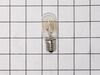
This is a light bulb and it is a part for your microwave. This bulb uses 30 watts, operates on 125 volts, and is an incandescent lamp. The function of this bulb is to illuminate the surface underneath...
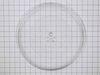
This OEM glass cooking tray is a removable glass plate, measuring 13 inches in diameter, that spins inside the microwave during operation. It ensures that heat is evenly distributed in the microwave t...
This bracket holds the metal or plastic flapper that closes off the exhaust duct when the fan is not running and opens when the fan turns on. If the exhaust fan on your microwave does not appear to be...
The fuse-time delay may also be known as a line fuse or a microwave fuse, and it is a piece for your microwave. The function of this part is to shut off the microwave if there is a power surge, in ord...
This genuine LG Microwave Oven Mounting Bracket Plate is a crucial part for some microwave models. Designed to securely hold the microwave to the wall studs, it enables easy installation above the ran...
This is a micro switch, but you may also know it as a door switch and it is compatible with your microwave. The function of the micro switch is to communicate to the electronic control board of your a...
Ensure a seamless installation of your microwave oven with this Hardware Mounting Kit from LG. This genuine OEM item contains all the necessary hardware required, making the assembly process a breeze....
Replace (after testing w/ohm meter) diode and locker holder. My door often would not close properly. Microwave let know by saying not shut properly. When disassembled found the top screw mount was hollowed out resulting in it moving on occasion when you close door. First remove casing (special safety torx head) needed for rear screws.
... Read more Onc e removed all parts available to view or work on. Diode is on the capacitor so caution is needed when removing. Serious shock hazard if touched. Use insulated pliers to remove from capacitor and a phillips on the ground. Test with ohm meter Should have resistance on way and non the opposite. Replaced mine bad. Next the holder 2 phillips screws and its yours. Unplug each switch and remove. Take note to what wires go to what switch and what switch mounts where. Mine had 3 switches. Removed from old holder and put in new. Screwed holder back in place and left scrws loose till re wired. Once wired set the holder by lightly tighting the screws. Try the door till it seats properly ensuring that all 3 switches are working properly. If so thighten screws. If all seems to work as advertised, safely plug in and test unit if heats up un plug and put cover back on micro. Your all set. Happy heating.
Initial failure of over range microwave Aug 3rd. Control Panel worked but no heat. Took to local LG authoriaed local repair place. They fixed it quickly and we re-installed it. Worked fine for 2 months then had similar failure again. Agaim took to same authorized repairer. They kept unit for 3 months but finally concluded theu could not
... Read more fix it and suggested we contact LG for a partial refund. When they tested the unit during re-assembly in my presence, there was a blue flash and the fuse blew. Since we had built a custom tile mural back splash around this unit, I brought it home, ordered a number of time delay fuses new capacitor and two new high voltage diodes. However, using my Fluke DMM, I checked the existing capacitor and high voltage diode and they checked OK so I just replaced the time delay fuse. The high voltage transformer leads had 2 possible ways to connect to capacitor and diode. Tried one way, plugged unit in and turned it on, and immediatly blew the fuse. Replaced the fuse and reversed the high voltage transformer connections,amd turned unit pn, and it worked perfectly. Since we had experienced several power failures during the time of the original failure, the repairer concluded that power spikes might be at fault, so I also purchased a TrippLite ISOBAR4ULTRA 3300 Joule surge protector between wall outlet and microwave, and re-installed over range. It has worked perfectly since.