















TL18QW Amana Refrigerator - Instructions
Keep searches simple. Use keywords, e.g. "leaking", "pump", "broken" or "fit".
My refrigerator stopped cooling and the freezer section stopped freezing
I knew the chances of all the freon leaking out was unlikely so I looked at the wiring to the compressor and there was a capacitor and a starter/overload so i figured I would start there. I went on line and found the parts at this site and they were less than the minimum service call charge for a service tech so I figured what the heck let's give her a shot so I did give it a shot. I ordered the parts and they were there in less time than a service tech could come out and i installed the parts and guess what for 90.00 in parts and 15 minutes in time I repaired my refrigerator. Thanks guys, It took less time to order the parts than it did to make the repair so thanks, your website rocks and is very well designed so my hat is off to you guys!
Parts Used:

-
garth from forest lake, MN
-
Difficulty Level:Really Easy
-
Total Repair Time:15 - 30 mins
-
Tools:Nutdriver, Screw drivers
436 of 546 people
found this instruction helpful.
Was this instruction helpful to you?
Thank you for voting!
Sometimes the condenser fan would start causing the refrigerator to overheat.
Unplug the appliance.
Removed the screws holding the back panel.
Removed the fan blade.
removed 3 screws holding the condenser fan.
Remove the 3 metal brackets attached to the fan.
(First note which studs the brackets are attached to. Attach the 3 metal brackets to the new fan. (New screws were supplied)
Cut and strip the wire about two inches from the fan.
Cut and strip the new wire. I cut the new wire in half (about 6 inches.) Connect the two wires, twist and used 2 wire nuts. Tie wrap the wire to the wire harness. Mount the new fan (three screws)
Screw the back panel back on.
Mount the new
Removed the screws holding the back panel.
Removed the fan blade.
removed 3 screws holding the condenser fan.
Remove the 3 metal brackets attached to the fan.
(First note which studs the brackets are attached to. Attach the 3 metal brackets to the new fan. (New screws were supplied)
Cut and strip the wire about two inches from the fan.
Cut and strip the new wire. I cut the new wire in half (about 6 inches.) Connect the two wires, twist and used 2 wire nuts. Tie wrap the wire to the wire harness. Mount the new fan (three screws)
Screw the back panel back on.
Mount the new
Parts Used:

-
Tom from Franklin, WI
-
Difficulty Level:A Bit Difficult
-
Total Repair Time:15 - 30 mins
-
Tools:Nutdriver, Pliers
183 of 219 people
found this instruction helpful.
Was this instruction helpful to you?
Thank you for voting!
Fridge and freezer didn't cool enough
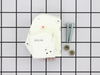
I diagnosed the problem via the internet. Diagrams helped a lot. Coils were frozen over. Thawed them out overnight. Manually advanced timer and the defrost heater was operable. The defrost timer wasn't "turning" on it's own. I turned the fridge back on while I awaited the part. It worked fine for the time I had to wait. (over two weeks since I had delayed ordering the part) New timer arrived as promised. Undid 4 hex head (1/4") screws. Unplugged 4 prong connection. Plugged in new timer and replaced the 4 screws. Frigde works great.
Parts Used:
-
Peter from Eden, UT
-
Difficulty Level:Really Easy
-
Total Repair Time:Less than 15 mins
-
Tools:Socket set
106 of 117 people
found this instruction helpful.
Was this instruction helpful to you?
Thank you for voting!
Frig was hot freezer was cold. Freezer was fronzen over.
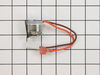
The frig was hot but the freezer was cold. I opened the back of the freezer and found the condenser all frozen over. Upon inspecting the defrost thermostat I found that it was split open, as if water got into it and the froze breaking it open. I used a blow dryer to defrost the condenser. I then spent a long time trying to find the model on-line, even the manufactor said it did not exist. Partselect.com was the only place that said the model did exist. When that part came in I toke the back of the freezer out again. Unplugged the defrost thermostat plugged the new one in clipped it back on the condenser and put the it all back together. Everything is working fine now.
Parts Used:
-
James from Canyon Country, CA
-
Difficulty Level:Easy
-
Total Repair Time:15 - 30 mins
-
Tools:Nutdriver
100 of 104 people
found this instruction helpful.
Was this instruction helpful to you?
Thank you for voting!
Refrigerator keeps running and will not turn off automatically.
Mine is a top refrigerator and bottom freezer. Whenever working with electrical applicances always disconnect the electrical power before beginning work on it. Never try to force anything. If there is abnormal resistance, use logic and determine if there is an obstable that needs to be dealt with. Loosen all screws halfway then take them off completely. Replace all screws part way and begin by inserting and starting the screws by hand then use the nut dreiver and last tighten until snug. Also, be ware that wires can get brittle and may break so handle them with care. The wires and other parts may have been frozen and defrosted many times over the life of the refrigerator. Have a flash light or other light source so you see everything well. The light will be off because you disconnected the electrical cord.
First check the defrost timer. On my unit it is located in the bottom front corner behind the removable ventilation grill. Remove about 4 hex screws. Its most useful to use a nut driver (looks like a screw driver but the tip fits different hex screws. To check the defrost timer you can turn the orange/red knob to the right and see if you can advance the timet to turn on the defrost cycle. If this works then the problem is not the defrost timer. I changed my defrost time anyway not that it was broken.
To replace the defrost thermostat, remove the food and shelves from the freezer. Use the hex nut driver and remove the hex screws from the back panel of the freezer section. If needed you will need to remove the ice maker. I don't have an ice maker. Once the back panel is removed you will see some coils, wires and other parts. Disconnect the two wires for the defrost thermostat, you can identify the defrost timer because you purchased one on-line. Carefully remove the defrost thermostat which is attached by a tension clip. The ends of the wires (terminals) may not be the same style. If needed cut the wire terminal plus two inches of excess wire from the old defrost thermostat and splice it to the new defrost thermostat. If you have a soldering iron, solder it, if not use a wire nut and electrical tape or just twist the wires together and cover with two layers of electrical tape. Now, attach the wire terminals of the new defrost thermostat to the wires that you disconnect earlier. You can not mix them up because the ends are different. Pull the tension clip slightly apart and slip onto the tubing where it came off of originally. Replace the back cover and air grill and fasten the hex screws. Attach the ice maker if you have one. Replace the shelves and food and close the freezer door. Plug in the refrigerator. It may not go on immediately. If this is the case, go to the defrost timer and turn the orange/red knob to the right and you will cycle the defrost timer to activate the freezer. Let the refrigerator run for a while, even a few hours is okay, and then it will hopefully go into the normal automatic cycle.
Other parts that may go bad and need replacing are the condenser fan that you will find by removing the cover in the back of the refrigerator. This fan runs when the refrigerator is on to cool the compressor. Also a heater coil is used to defrost the freezer. Infrequently, this part goes bad.
There is no separate cooling unit for the refrigerator compartment of the refrigerator. The cold air for both the refrigerator compartment and freezer compartment originate from the freezer. The temperature dial in the refrigerator compartment regulates the amount of cold air from the freezer that will circulate to the refrigerator.
(This just give you a clue that if the refrigerator compartment is warm the problem will still concern the freezer.)
Also, please clean off the coils that are covered with dust and webs.
This is a brief summary and depending on your level of experience and general logic and problem solving skills. This repair may or may not be easily understood. One last tip,
First check the defrost timer. On my unit it is located in the bottom front corner behind the removable ventilation grill. Remove about 4 hex screws. Its most useful to use a nut driver (looks like a screw driver but the tip fits different hex screws. To check the defrost timer you can turn the orange/red knob to the right and see if you can advance the timet to turn on the defrost cycle. If this works then the problem is not the defrost timer. I changed my defrost time anyway not that it was broken.
To replace the defrost thermostat, remove the food and shelves from the freezer. Use the hex nut driver and remove the hex screws from the back panel of the freezer section. If needed you will need to remove the ice maker. I don't have an ice maker. Once the back panel is removed you will see some coils, wires and other parts. Disconnect the two wires for the defrost thermostat, you can identify the defrost timer because you purchased one on-line. Carefully remove the defrost thermostat which is attached by a tension clip. The ends of the wires (terminals) may not be the same style. If needed cut the wire terminal plus two inches of excess wire from the old defrost thermostat and splice it to the new defrost thermostat. If you have a soldering iron, solder it, if not use a wire nut and electrical tape or just twist the wires together and cover with two layers of electrical tape. Now, attach the wire terminals of the new defrost thermostat to the wires that you disconnect earlier. You can not mix them up because the ends are different. Pull the tension clip slightly apart and slip onto the tubing where it came off of originally. Replace the back cover and air grill and fasten the hex screws. Attach the ice maker if you have one. Replace the shelves and food and close the freezer door. Plug in the refrigerator. It may not go on immediately. If this is the case, go to the defrost timer and turn the orange/red knob to the right and you will cycle the defrost timer to activate the freezer. Let the refrigerator run for a while, even a few hours is okay, and then it will hopefully go into the normal automatic cycle.
Other parts that may go bad and need replacing are the condenser fan that you will find by removing the cover in the back of the refrigerator. This fan runs when the refrigerator is on to cool the compressor. Also a heater coil is used to defrost the freezer. Infrequently, this part goes bad.
There is no separate cooling unit for the refrigerator compartment of the refrigerator. The cold air for both the refrigerator compartment and freezer compartment originate from the freezer. The temperature dial in the refrigerator compartment regulates the amount of cold air from the freezer that will circulate to the refrigerator.
(This just give you a clue that if the refrigerator compartment is warm the problem will still concern the freezer.)
Also, please clean off the coils that are covered with dust and webs.
This is a brief summary and depending on your level of experience and general logic and problem solving skills. This repair may or may not be easily understood. One last tip,
Parts Used:
-
Robert from Danville, CA
-
Difficulty Level:A Bit Difficult
-
Total Repair Time:30 - 60 mins
-
Tools:Nutdriver, Pliers, Screw drivers
92 of 95 people
found this instruction helpful.
Was this instruction helpful to you?
Thank you for voting!
Lights inside refrigerator not working
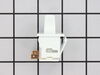
I used a flat-head screwdriver to pop out the old light rocker switch. Then, I unplugged the wires, plugged them into the new light rocker switch, and then popped the new switch into the hole. That's it! Lights began working again.
Parts Used:
-
Clint from Rayville, MO
-
Difficulty Level:Really Easy
-
Total Repair Time:Less than 15 mins
-
Tools:Screw drivers
135 of 247 people
found this instruction helpful.
Was this instruction helpful to you?
Thank you for voting!
Refrigerator was warm, freezer was cold.
I removed the shelves from the freezer. I unscrewed 6 screws with a 1/4" nut driver and removed the back panel. The coil was solid ice because the defrost cycle wasn't working. I thawed the ice with a hairdryer (5 minutes), unplugged the thermostat and installed the new one (it simply clipped on to the coils), and reassembled the back panel and installed the shelves. Total time, about 14 minutes. Total cost, less than $20.00. I can't even get an appliance repairman to show up at my door for less than $100.00! Thanks to your website, I was able to diagnose my problem, order the correct part and fix it myself! (I bookmarked your site under my favorites). Thanks for this great consumer service. It's easy, inexpensive and quick to do it yourself!
Parts Used:
-
Michael from Davis Junction, IL
-
Difficulty Level:Really Easy
-
Total Repair Time:Less than 15 mins
-
Tools:Nutdriver
39 of 42 people
found this instruction helpful.
Was this instruction helpful to you?
Thank you for voting!
Cracked door handle
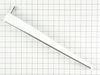
I removed the screws holding the old, cracked handle in place, and used the same screws to affix the new handle, which fit perfectly. The whole job, including a bit of cleaning to remove the scuzz that had built up around the top and bottom of the handle over 13 years' time, took about 5 minutes. Note: the screw at the bottom is covered by a small plastic tab (easily removed by prying, gently, with a screwdriver), which doesn't come with the new handle, so if covering the screw matters to you, don't break or lose the old one!
Parts Used:
-
Laura from Austin, TX
-
Difficulty Level:Really Easy
-
Total Repair Time:Less than 15 mins
-
Tools:Screw drivers
35 of 35 people
found this instruction helpful.
Was this instruction helpful to you?
Thank you for voting!
noisy fan motor
rmv panel (5min) rmv fan/motor 3 screws (10 m) cut wire 2in from motor, re route remainder of wire to front so can strip for wire nuts. ( 10m) attach old fan to new motor, place in old opening ,3 screws, a little fussy to align, ( 15m ) route and strip wire from new motor , zip ties work well, wire nuts , plug in fridge vola, no noise, close up, reverse panel. ( 20m). i also took time to clean grilles with small vac and damp rag, ( looks and sounds like new) bob Wi.
Parts Used:
-
robert from nashotah, WI
-
Difficulty Level:A Bit Difficult
-
Total Repair Time:30 - 60 mins
-
Tools:Nutdriver, Socket set
38 of 46 people
found this instruction helpful.
Was this instruction helpful to you?
Thank you for voting!
Light Switch broke
An easy job for smaller hands. Removed the two bolts holding the light cover. Removed two electrical connections from the old switch by pinching the retaining clip,removed the switch, snapped in the new one and re-attached the connectors. Your online illustrations helped me to know that the plastic housing for the light switch would only swing down so far and was not intended to be removed. Saved me from breaking that plastic cover's tabs. This home repair saved me more than 5 times the cost of hiring a professional to do it. Very happy homeowner.
Parts Used:
-
James Richard from St. Cloud, MN
-
Difficulty Level:Easy
-
Total Repair Time:Less than 15 mins
-
Tools:Socket set
48 of 76 people
found this instruction helpful.
Was this instruction helpful to you?
Thank you for voting!
Freezer was not defrosting and the refrigerator was warming up.
This is a bottom freezer refrigerator. First I unplugged the refrigerator. I then removed the wire shelf and wire tray from the freezer. I then removed the ice maker be removing the three screws that hold it in place. I then disconnected the icemaker electrical connector. I then removed the 7 screws that hold the panel at the back of the freezer revealing the evaporator and heat exchanger. I then unclipped the icemaker wiring harness from the panel. The whole evaporator/heat exchanger was buried in ice. I defrosted it with a hairdryer. This took about half an hour. The bi-metal thermostat is attached to the heat exchanger by a clip. Be sure to wear latex gloves to prevent cutting your fingers on the aluminum fins. I disconnected the electrical connectors and then carefully unclipped the thermostat. I discovered that the new thermostat had spade connectors where as the original had one spade connector and a bullet connector on the brown wire. I reused the original bullet connector by cutting it off the old thermostat and splicing it onto the new thermostat. I reversed the process for reassembly. There is no longer any ice build up and the refrigerator is working normally.
Parts Used:
-
Serge from Richmond, CA
-
Difficulty Level:Easy
-
Total Repair Time:30 - 60 mins
-
Tools:Pliers, Screw drivers, Socket set
27 of 29 people
found this instruction helpful.
Was this instruction helpful to you?
Thank you for voting!
The light switch on the refridgerator broke - no light.
Once I saw the replacement part I understood how to pry out the switch with a small screwdriver. Then just unplug the old one, plug in the new one and pop it into place.
The PartSelect site made it easy to correctly identify the correct part, it was inexpensive, and the shipping was fast.
I'm very pleased!
The PartSelect site made it easy to correctly identify the correct part, it was inexpensive, and the shipping was fast.
I'm very pleased!
Parts Used:
-
David from Albany, OR
-
Difficulty Level:Really Easy
-
Total Repair Time:Less than 15 mins
-
Tools:Screw drivers
36 of 56 people
found this instruction helpful.
Was this instruction helpful to you?
Thank you for voting!
Freezer and Fridge wouldnt cool
My husband replaced the condenser fan. It took awhile and a few choice words but he got it replaced. The fan seemed to work fine, but it still wasn't cooling. I noticed that when we had the fridge unplugged that water started draining out the dials at the top of the fridge under the freezer. And there was absolutely no water at all in the drip pan under the fridge. So I took the doors off and totally took the inside of the freezer apart. I discovered that the styrofoam on the floor of the freezer had become inudated with fluid and the under the foam the coils were all frozen solid with ice. Hence not allowing any drainage. I put a lamp in the freezer area and defrosted all the ice. In searching the internet i discovered that they no longer produce the foam so i went to home depot and got a piece of foam and aluminum foil and cut it to replace the ruined foam. I put the fridge all back together said a prayer and crossed my fingers and lo and behold it works perfectly now!!!!
Parts Used:
-
Janet from Hillsboro, OR
-
Difficulty Level:A Bit Difficult
-
Total Repair Time:More than 2 hours
-
Tools:Nutdriver, Pliers, Screw drivers, Socket set, Wrench (Adjustable), Wrench set
24 of 25 people
found this instruction helpful.
Was this instruction helpful to you?
Thank you for voting!
Refrigerator stopped cooling. Pulled it out of the alcove and plugged it back in. Compressor starfted but noticed condenser fan was not turning. Unplugged fridge and tried to turn the fan by hand - frozen.
Remove the back hardboard cover screws for access to the condenser fan. I opted to tip the fridge over on its side for even better access to the fan mounts and wire. Replaced the fan assy (reused the fan). Splice the wire and it's done.
Parts Used:
-
Florentino from Windsor Locks, CT
-
Difficulty Level:Easy
-
Total Repair Time:30 - 60 mins
-
Tools:Nutdriver
27 of 36 people
found this instruction helpful.
Was this instruction helpful to you?
Thank you for voting!
Freezer too warm; noticed sides of refrigertor were warm
I saw on a partselect web site that these symptoms could be caused by a failed condensor fan motor. After removing the cardboard panel in back of the refrigerator I noticed the fan was not running when the rfigerator was. The fan was held in place by three brackets. I unscrewed the screws holding the fan motor to the brackets and also unscrewed one of the brackets to make room to pull the motor out. I cut the wires close to the motor. I removed the fan blade and secured it to the new motor. I had to reroute the old wires in order to have enough slack to use wire nuts to attach them to the leads on the new motor. I then re-attached the motor to the two brackets remaining in place and then re-attacehed the third bracket I had removed to get the motor out.. The most difficult part was working in a very confined space.
Parts Used:
-
W from Nellysford, VA
-
Difficulty Level:A Bit Difficult
-
Total Repair Time:30 - 60 mins
-
Tools:Nutdriver, Pliers, Screw drivers, Socket set, Wrench set
22 of 23 people
found this instruction helpful.
Was this instruction helpful to you?
Thank you for voting!