Your coupon for will be reflected when you check out!
✖
Your coupon for
✖
Hello!
You're visiting the PartSelect site in U.S.
Would you like to shop on the Canadian site?
Stay on this site
Go to Canadian site
✖
Model Number Locations
1Select Category Type
Select Category Type
2Select Product Type
Select Product Type
3Select {MODEL} Type
Select {MODEL} Type
Sample Model Number Tags
Model numbers can be made up of numbers (1005400, for example) or a combination of letters and numbers (LAT1000AAE). The model number will most likely appear on either a paper sticker or a metal plate. Your appliance's model number tag may look similar to the sample model number tags shown here (model number highlighted in yellow):
SCA1000HWW04 General Electric Microwave - Overview
Save your modelModel Saved!
Save your model for later to make things easier.
Model has been saved to My Models. If you're not signed in, your lists are available on this device and will expire within 30 days.
Model has been saved to My Models.
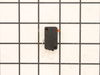
This ceramic microwave fuse is just over an inch in length. It is white in the center, and metal on both ends. This is a 20-amp fuse, and is used to power your microwave. If the touch pad on the micro...
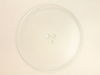
There are two different couplers (also known as a turntable shaft) that can be used for this tray - a male D-shaped shaft and a female D-shaped shaft. The couplers are sold separately.
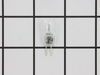
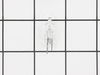
This light bulb is a 12 Volt/20 Watt bi-pin base halogen lightbulb, meaning it emits a bright, white light which is similar to natural daylight and is inserted into its socket, as opposed to being rot...
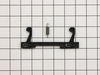
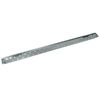
This mounting plate, also known as a bracket, is crucial for keeping your microwave mounted to the wall, when placed above the stove. This OEM part is sold separately from the screws that are needed t...
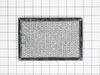
This grease filter is a genuine replacement filter for a microwave. It includes 2 filters. It is metallic in color and measures about 7.7 inches wide and 5 inches tall. It features a finger tab for ea...
This switch monitor interlock is a critical safety component designed to ensure proper communication between the microwave door latch and the control board. When functioning correctly, it confirms tha...
Introducing the GE Microwave Thermostat - a vital safety component for your microwave. Crafted with precision, this thermostat is specifically designed to prevent overheating scenarios which can cause...
Ask our experts a question about this model and we'll get back to you as soon as possible!
3 questions answered by our experts.
Sort by:
< Prev
1
Next >
Search filter:
Clear Filter
Your search term must have 3 or more characters.
Keep searches simple. Use keywords, e.g. "leaking", "pump", "broken" or "fit".
Sorry, we couldn't find any existing answers that matched.Try using some different or simpler keywords, or submit your new question by using the "Ask a Question" button above!
Patty
February 17, 2022
Advantium won't come on might be fuse how can that be change
For model number SCA1000HWW04
Hi Patty,
Thank you for your question. NOTE: If you are not comfortable doing this yourself, please get an electrician to do this repair. Before you begin any repair, please unplug the appliance from the electrical outlet. Use a Phillips head screwdriver to unthread the screws securing the grill. With the screws removed, open the microwave oven door then the slide the grill to the left and lift it up to remove. Next remove the control panel mounting screw then lift the control panel up to detach. Then remove the screw holding the inner access panel and then release the panel from the retaining clips. To avoid injury, you will need to release the potentially dangerous charge from the capacitor by placing a screwdriver with an insulated handle across the terminals. Be careful not to touch the metal portion of the tool. Use pliers to detach the old fuse from the noise filter board. Install the new fuse by snapping it into the bracket. Replace the inner access panel and secure it with the screws. Now insert the control panel tabs into the slots in the frame and push the panel down. Secure it with the mounting screw. Insert the tabs of the grill into the frame and slide it to the right. Shut the oven door and then secure the grill with the screws. Plug the power cord back in and the microwave should now work. We hope this helps. If you would like to place an order for a fuse, customer service is open 7 days a week and anyone will be happy to assist you. Please feel free to give us a call. We look forward to hearing from you!
Under microwave light needed replacing. Removed but wire caught in socket. Cannot remove wire. Need to replace socket and bulb but cannot find replacement socket.
For model number SCA1000HWW04
Hello Estelle, thank you for contacting us. We have researched the model you have provided and have found the part you are looking for is the lamp holder assembly, part number PS228020. If you would like assistance placing an order, please contact customer service. Good luck with your repair!
Is the surface light control panel separate from the other controls
For model number SCA1000HWW04
Hi Mike, thank you for reaching out. Based on our research, all the functions for this model are controlled by a single control panel, including the surface light, and there is no separate panel listed. Let us know if you have further questions!
Was this helpful?
Thank you for voting!
< Prev
1
Next >
✖
Ask a Question
Ask our experts a question on this model and we'll respond as soon as we can.
Turned out the issue was easily solved by replacing a single, inexpensive fuse.
First off, UNPLUG THE MICROWAVE.
The fuse is located under the plastic grill at the top of the microwave. It's held on by two screws. Once you've removed the screws and taken off the plastic grill, you go to the right side of the mic
... Read morerowave and remove another screw that holds a small metal grill in place. Removing the small metal grill is probably the toughest part of this repair. You kind of have to rock it back and forth a bit to get it to release. Once that's off, you can get to the fuse. I removed the burnt out one with a pair of needle nose pliers. I also put a small piece of cardboard under the fuse when I did this so I didn't accidentally drop it into the innards of the microwave. I did the same thing when I replaced the new fuse. I then plugged the appliance back in and made sure it worked. Once that was confirmed, I replaced both grills.
I have a GE Advantium/micorwave oven. It is the model that has the hinges on the side, NOT the bottom. First, removing the door is necessary. The grill has to be removed first, then the door lifts right out. Next the plastic backing on the door has to be very carfully taken off to expose where the new latch has to be placed. Use a fla
... Read moret screw driver or putty knife to go around the permiter releasing the internal, unseen, plastic catches that hold it on. This should be done carefully, to avoid breaking the catches that you can't see. After the plastic is mostly removed putting in the spring is not too difficult, but a second set of hands is almost manditory.
Easy as pie! 1. Remove the 2 outer screws holding the top vent in place and remove the vent (it helps to have the door open) 2. Lift the door up, pull the top of the door away from the hinge and then list it up a little more to clear the bottom hinge. 3. Lay the door on the counter and with a putty knife, work your way aro
... Read moreund the perimeter of the door between the door and the inside bezel. The bezel is held in place with little tabs spaced evenly around the perimeter. 4. Once the bezel is off, the catch assembly is accessible. List it up against the spring pressure, and push it towards the outside of the door to release it from the frame. 5. Reverse procedure to install.