Your coupon for will be reflected when you check out!
✖
Your coupon for
✖
Hello!
You're visiting the PartSelect site in U.S.
Would you like to shop on the Canadian site?
Stay on this site
Go to Canadian site
✖
Model Number Locations
1Select Category Type
Select Category Type
2Select Product Type
Select Product Type
3Select {MODEL} Type
Select {MODEL} Type
Sample Model Number Tags
Model numbers can be made up of numbers (1005400, for example) or a combination of letters and numbers (LAT1000AAE). The model number will most likely appear on either a paper sticker or a metal plate. Your appliance's model number tag may look similar to the sample model number tags shown here (model number highlighted in yellow):
PSB1201NSS01 General Electric Microwave - Overview
Save your modelModel Saved!
Save your model for later to make things easier.
Model has been saved to My Models. If you're not signed in, your lists are available on this device and will expire within 30 days.
Model has been saved to My Models.
This light bulb is located on the inside of your microwave. The bulb is behind the top grill. It will need to be replaced when it has burnt out and no longer works. Unplug the unit before beginning th...
This ceramic microwave fuse is just over an inch in length. It is white in the center, and metal on both ends. This is a 20-amp fuse, and is used to power your microwave. If the touch pad on the micro...
This switch monitor interlock is a critical safety component designed to ensure proper communication between the microwave door latch and the control board. When functioning correctly, it confirms tha...
This glass tray support ring, also known as a rotating ring, is specially designed for microwaves. It is a genuine OEM part that is guaranteed to fit just like the original part. The support ring is f...
This capacitor delivers the electrical boost required for motors to start and operate efficiently. Proper capacitance reduces strain on motor components and helps prevent startup failures or inconsist...
Meet the GE Canopy Mica, a sturdy waveguide cover designed for your microwave. Made with high-quality materials, this essential part safeguards the waveguide channel from any debris, food splatters, a...
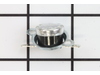
This GE Thermostat Thermal Cut-off is a crucial safety component for microwaves. Specifically designed to prevent overheating, it functions as a protective measure by shutting down the appliance if te...
Ask our experts a question about this model and we'll get back to you as soon as possible!
4 questions answered by our experts.
Sort by:
< Prev
1
Next >
Search filter:
Clear Filter
Your search term must have 3 or more characters.
Keep searches simple. Use keywords, e.g. "leaking", "pump", "broken" or "fit".
Sorry, we couldn't find any existing answers that matched.Try using some different or simpler keywords, or submit your new question by using the "Ask a Question" button above!
Judy
December 7, 2023
Display screen showing wacky lights in the background and oven dial is not displaying options so I turned the breaker off.
For model number PSB1201NSS01
Hi Judy, thank you for the question. We would recommend replacing the display control board, part number PS1022528, to fix the issue. Good luck with this repair!
Microwave always runs when door is closed. No lights on control panel except the word “oven.” Reset button? Turn power off for a minute? HELP.
For model number PSB1201NSS01
Hi Mike, thank you for reaching out. We have found that the issue is because of the control board, part number PS2353622. It manages various microwave functions such as heating, lighting and turntable operation. You may need to replace it to fix the issue. We hope this solves your problem!
The display lights with scrambled digits and then goes dark, but the microwave still works. I have replaced the display board but still the same result. Any troubleshooting advice to find the real issue would be helpful.
For model number PSB1201NSS01
Hi Edward,
Thank you for your question. If you have just replaced the display board and it only displays partial characters, check and make sure that the microwave power cord is in good working order and that it is properly plugged into the electrical outlet. Electrical issues can prevent the display from working correctly. If there are no power issues, try resetting the microwave by unplugging it for a few minutes. If the characters are still only partially displayed when you plug it back in, check the wiring connections to the board to make sure they are properly fitted. If you find no issues, then you may have received a defective display board and you will need to replace it. We hope this helps!
Clock display is still lit showing the time when I last used the microwave. However, the clock does not change and nothing else is working either. I have pressed the CLEAR/OFF button for the 5 seconds but still nothing beeps, lights, or coughs when I ask it to turn its head. Suggestions?
For model number PSB1201NSS01
Hi Derek, thank you for contacting us. We would suggest checking the display board, part number PS1018741. It is essential for operating the control panel of your microwave. It allows you to select cooking cycles and settings, thus ensuring the functionality of your appliance. You may need to replace it to fix the issue. We hope this solves your problem!
Turned out the issue was easily solved by replacing a single, inexpensive fuse.
First off, UNPLUG THE MICROWAVE.
The fuse is located under the plastic grill at the top of the microwave. It's held on by two screws. Once you've removed the screws and taken off the plastic grill, you go to the right side of the mic
... Read morerowave and remove another screw that holds a small metal grill in place. Removing the small metal grill is probably the toughest part of this repair. You kind of have to rock it back and forth a bit to get it to release. Once that's off, you can get to the fuse. I removed the burnt out one with a pair of needle nose pliers. I also put a small piece of cardboard under the fuse when I did this so I didn't accidentally drop it into the innards of the microwave. I did the same thing when I replaced the new fuse. I then plugged the appliance back in and made sure it worked. Once that was confirmed, I replaced both grills.
Turned of f the circuit breaker to the microwave. Unscrewed the cover (1 screw!) popped out the old bulbs and plugged in the new ones, using the bubblewrap as a handle to be sure my skin didn't touch the light bulbs so the oil from my hands didn't damage or shorten the life of the new bulbs. Turned the circuit back on. That's it!
Unpluged power cord!! Removed front control panel to expose electronics (need to remove top horizontal vent cover to expose mounting hardware). Unplugged leads to control panel board. Removed magnetron with Tstat (3- phillip heads, need stubby). Installed new parts and control panel, plugged it in tested. Done.