















PRDSRV00 General Electric Range - Instructions
Keep searches simple. Use keywords, e.g. "leaking", "pump", "broken" or "fit".
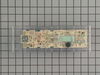
Oven "control board" went dead so oven & digital readouts weren't working.
First we pulled the range away from the wall and unplugged it. Then took off the top back panel, disconnected the color coded wires, unscrewed the board and removed it. Then we unpeeled the "face" from the old board and stuck it on the new one, screwed the new one into place, reconnected all the wires and screwed the panel back on. The oven is working just fine and in time for cooking the Thanksgiving turkey! Ordering the part was a breeze--one of the easiest websites I've ever used. Thank you!
Parts Used:
-
Patricia from Pensacola, FL
-
Difficulty Level:Really Easy
-
Total Repair Time:15 - 30 mins
-
Tools:Pliers, Screw drivers
18 of 30 people
found this instruction helpful.
Was this instruction helpful to you?
Thank you for voting!
Complete failure of oven controls, no error codes
Was very difficult to be certain of the right controller due to the exact model number of the range did not exist. Somewhat of an expensive part to make a guess.
After contacting no less than 5 parts dealers, Part Select was the only company that could immediately identify the correct number, (the model # on the range had an extra zero in the middle).
Was able to purchase the part confident it was correct, at a good price, with fast shipping.
Thanks
After contacting no less than 5 parts dealers, Part Select was the only company that could immediately identify the correct number, (the model # on the range had an extra zero in the middle).
Was able to purchase the part confident it was correct, at a good price, with fast shipping.
Thanks
Parts Used:

-
Brian from Mariposa, CA
-
Difficulty Level:Easy
-
Total Repair Time:30 - 60 mins
-
Tools:Screw drivers
4 of 10 people
found this instruction helpful.
Was this instruction helpful to you?
Thank you for voting!
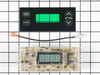
The bottons on the old clock were worn through
I removed the face of the range back. I did not need to remove the three screws in the back like I thought - just the two torx in the front panel. 2) I lifted the clock face assembly out and up. 3) Look at the very simple wiring. Mine had white and red wire coming out of the "power block". 4) I looked at the old circuit board to see which is line and which was neutral. There was no designation. 5) i removed existing wires. 6) I unscrewed the old clock from its moorings, and saved screws. 7) I made sure the up/down orientation of the new clock was the same as the old one. There is an "up" word on the new circuit board, but with the clock upside down, make sure the buttons are correct. BTW, I had to affix the new clockl/timer cover plate onto the replacement clock, using that "up" word on the new circuit board to orient it. 8) I attached the Red wire to the Line connector on the new circuit board, and the White wire to the prong labelled neutral. 9) I used the old screws to secure the new clock to the range back. 19) There was an extension wire included with the new clock. I did not need to use it. 11) I wrestled the clock/timer back into the range itself, using the two torx I removed to secure it. 11) The new buttons on the left (Timer and Clock) are reversed, so now the Timer is the top butting and the bottom now sets the clock. 12) I do not like the feel and action of the new buttons. They are very stiff, and not particularly easy to push.
Parts Used:
-
Jim from Philadelphia, PA
-
Difficulty Level:Easy
-
Total Repair Time:15 - 30 mins
-
Tools:Screw drivers
Was this instruction helpful to you?
Thank you for voting!
Old clock/time was dim and hard to see display
Replaced clock/timer from Part Select. Direct replacement and new unit works great.
Parts Used:
-
Douglas from Henderson, NV
-
Difficulty Level:Easy
-
Total Repair Time:15 - 30 mins
-
Tools:Nutdriver, Screw drivers
Was this instruction helpful to you?
Thank you for voting!
Light burned out,couldn't see the clock.
Started off with a philips screw driver,and a cold beer.Removed the cover for the clock/timer. Removed the clock with a plain screw driver.Reversed the order of removal including another cold beer.Just think,I could become a repairman,with enough cold beer.
Parts Used:
-
Richard from Great Falls, MT
-
Difficulty Level:Really Easy
-
Total Repair Time:15 - 30 mins
-
Tools:Screw drivers
Was this instruction helpful to you?
Thank you for voting!
surface burners were not heating heating to the fullest when cooking on the four burners.
I turned the power off, then I removed the two screws under the top panel that have all the knobs.Then I removed two screws behind the panel,and pulled the panel twards me. By doing this the clock control is exposed.I removed the four screws that held the clock control and peeled the face plate and installed it on the new unit. I then secured the new unit to the panel with the four screws. I switched the wireing to the new control.I reinstalled the front panel two screws in the rear and two screws under the panel. Then I replaced all the knobs.This took me about half an hour. I had a good time doing it my self.I also changed the lower burner. Removed two screws,pulled the burner back and removed two wires and replaced them on to the new unit and replaced the two screws. L'm happy & so is my wife.
Parts Used:
-
Louis from New Haven, CT
-
Difficulty Level:Really Easy
-
Total Repair Time:15 - 30 mins
-
Tools:Screw drivers, Socket set
Was this instruction helpful to you?
Thank you for voting!