















PP975WM1WW General Electric Cooktop - Instructions
Keep searches simple. Use keywords, e.g. "leaking", "pump", "broken" or "fit".
Lightning strike blew out my GE cooktop
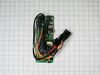
Wife said cooktop was not working. I cut power and dropped the cover on the electronics box under the burners and could see it was burnt up. Looked like it would be hard to fix so I ordered a new cooktop. However, they couldn't place order until they measured - and that would not be for a week. So, I thought I would order the circuit board to see if I could replace it. Parts Select had good links to appliance parts so ordering was easy. Needed help to pull out the cooktop and flip it over but switching in the new board was relatively easy although there were lots of connectors to keep straight. Turned it on and it worked like new and cancelled order. Saved $1300 and was a hero.
Parts Used:
-
Stephen from LAUREL, MD
-
Difficulty Level:A Bit Difficult
-
Total Repair Time:1- 2 hours
-
Tools:Nutdriver, Screw drivers
4 of 4 people
found this instruction helpful.
Was this instruction helpful to you?
Thank you for voting!
Cooktop kept clicking, going on and off when cooking.
Turned the circuit breaker off to ensure no power to the cooktop. Cleared all items in cabinet before accessing the control box where the board power univ. assembly was. 1/4" sock to back off six screws. Took many pictures of the unit inside. Orientation, color of wires, where zip ties are as you will have to cut them in order to disconnect the cable connections and where plugs we connected and direction.
Pulled box down and disconnected two green grounding cables using a 1/4" socket, again taking pictures to ensure I place the cables in the exact position as it is a tight fit. Unplugged cable connections (be careful as they are tough to disconnect from the bottom of the cooktop) and noted direction and orientation of wires to ensure the new board went int the exact same way. Squeezed the post clips that held the board the backplate.
Installed new board, pushing the post clips back in) be careful not to break them as they are made of plastic and can be broken easily. Reconnected cable connections and reinstalled the zip ties to ensure no cable are pinched when you place the board housing back in place. Reconnected the two grounding cables and ensure they go in the right direction as it is a tight fit in the box assembly. Now this was the hard part.
Putting the board housing back in place and lining up the holes for the six screws. This took some time to do as the new cable wires are new and a little stiff. Had to ensure that no wires were pinched and the cardboard walls where in the right place. Finally, was able to line up one hole a drive home the screw. From there I was able to use gentle force to line up the rest of the holes.
Once that was done and I checked the no wires were protruding out; I cleared out my tools and turned the circuit breaker back on. I tested each setting on the cook top and turned all burners on at the same time. Problem solved and with solid results. Cooktop now working very well and no issues.
Pulled box down and disconnected two green grounding cables using a 1/4" socket, again taking pictures to ensure I place the cables in the exact position as it is a tight fit. Unplugged cable connections (be careful as they are tough to disconnect from the bottom of the cooktop) and noted direction and orientation of wires to ensure the new board went int the exact same way. Squeezed the post clips that held the board the backplate.
Installed new board, pushing the post clips back in) be careful not to break them as they are made of plastic and can be broken easily. Reconnected cable connections and reinstalled the zip ties to ensure no cable are pinched when you place the board housing back in place. Reconnected the two grounding cables and ensure they go in the right direction as it is a tight fit in the box assembly. Now this was the hard part.
Putting the board housing back in place and lining up the holes for the six screws. This took some time to do as the new cable wires are new and a little stiff. Had to ensure that no wires were pinched and the cardboard walls where in the right place. Finally, was able to line up one hole a drive home the screw. From there I was able to use gentle force to line up the rest of the holes.
Once that was done and I checked the no wires were protruding out; I cleared out my tools and turned the circuit breaker back on. I tested each setting on the cook top and turned all burners on at the same time. Problem solved and with solid results. Cooktop now working very well and no issues.
Parts Used:
-
Roman from FORT MYERS, FL
-
Difficulty Level:Difficult
-
Total Repair Time:1- 2 hours
-
Tools:Pliers, Screw drivers, Socket set
2 of 2 people
found this instruction helpful.
Was this instruction helpful to you?
Thank you for voting!
Stove Top Element Heat Varies
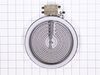
Removed stove top from counter, removed glass top by removing 10 phillps screws, removed control bracked, unplugged connectors(wires) on old control and plugged into the correct position on the new control, replace control on the bracket then reinstalled the stove top and placed the stove top back into counter.
Parts Used:
-
William from Perryton, TX
-
Difficulty Level:Easy
-
Total Repair Time:15 - 30 mins
-
Tools:Screw drivers
2 of 3 people
found this instruction helpful.
Was this instruction helpful to you?
Thank you for voting!
Small Element on cook top fails to function
Turned of the electric at the circuit breaker. Removed the cable clamps for the electric feed cable to enable free movement of cooktop. Lifted cooktop from the counter and propped up on counter ledge. Removed control knobs. Removed perimeter screws, 8 phillips, from around the edge of the cook top surface where it attaches to the sheet metal housing and lifted glass top off. Removed the failed burner and disconnected the four electrical leads. Removed the mounting tabs from the old burner and installed them on the new burner. Attached the electrical leads to the new burner and tightened with pliers. Reattached glass top and knobs, reinstalled in counter, clamped the electrical cable, flipped the breaker and tested. All good.
Parts Used:
-
Gary from Manchester, MD
-
Difficulty Level:Easy
-
Total Repair Time:15 - 30 mins
-
Tools:Pliers, Screw drivers
2 of 4 people
found this instruction helpful.
Was this instruction helpful to you?
Thank you for voting!
needed burner replacement
There are 18 sheetmetal screws not 8
The GE SREWS HAVE AN INTEGRATED WASHER which causes the philips head to STRIP these needed to be drilled out!!!
The glass top was GLUED to the sheetmetal box and did not come off without a fight
The GE SREWS HAVE AN INTEGRATED WASHER which causes the philips head to STRIP these needed to be drilled out!!!
The glass top was GLUED to the sheetmetal box and did not come off without a fight
Parts Used:
-
anthony g from MOUNT PLEASANT, SC
-
Difficulty Level:Difficult
-
Total Repair Time:1- 2 hours
-
Tools:Pliers, Screw drivers, Socket set
1 of 2 people
found this instruction helpful.
Was this instruction helpful to you?
Thank you for voting!
Haliant element was not heating
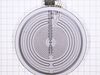
Take off the two small screws under the glass top. Use a nut driver or small Cresent wrench. Prop up or have somone hold the top up while you remove the old element and make sure you mark where the two clips that hold it to the top are located. Now disconnected the wires and attached them to the new element. My suggestion is to take off only one wire at a time and attach it to the new unit. A very easy fix. Not more than a 15- 30 minute effort.
Parts Used:
-
Mike from Marco Island, FL
-
Difficulty Level:Really Easy
-
Total Repair Time:15 - 30 mins
-
Tools:Nutdriver
Was this instruction helpful to you?
Thank you for voting!