Your coupon for will be reflected when you check out!
✖
Your coupon for
✖
Hello!
You're visiting the PartSelect site in U.S.
Would you like to shop on the Canadian site?
Stay on this site
Go to Canadian site
✖
Model Number Locations
1Select Category Type
Select Category Type
2Select Product Type
Select Product Type
3Select {MODEL} Type
Select {MODEL} Type
Sample Model Number Tags
Model numbers can be made up of numbers (1005400, for example) or a combination of letters and numbers (LAT1000AAE). The model number will most likely appear on either a paper sticker or a metal plate. Your appliance's model number tag may look similar to the sample model number tags shown here (model number highlighted in yellow):
PEB7227DL4BB General Electric Microwave - Overview
Save your modelModel Saved!
Save your model for later to make things easier.
Model has been saved to My Models. If you're not signed in, your lists are available on this device and will expire within 30 days.
Model has been saved to My Models.
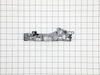
This waveguide cover protects the microwave’s internal components by shielding the magnetron from moisture, grease, and food splatters, helping prevent sparking and ensuring efficient heating. Made fr...
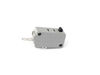
This door interlock switch is a safety-critical component designed for use in select microwave ovens. It prevents the appliance from operating when the door is open, ensuring safe and compliant functi...
This rotating ring assembly is a replacement mechanical component designed to allow smooth, controlled movement within a burner or cooking surface assembly. It supports even operation and is commonly ...
Having trouble with your oven? We?re here to get it back in perfect working order just for you. If your Whirlpool oven rack has seen better days, our genuine OEM quality replacement is here to help. I...
This turntable motor is for microwaves.
The turntable motor rotates the glass tray inside the microwave oven.
Because high-voltage capacitors in a microwave can retain a lethal electrical charge...
Ask our experts a question about this model and we'll get back to you as soon as possible!
1 question answered by our experts.
Sort by:
< Prev
1
Next >
Search filter:
Clear Filter
Your search term must have 3 or more characters.
Keep searches simple. Use keywords, e.g. "leaking", "pump", "broken" or "fit".
Sorry, we couldn't find any existing answers that matched.Try using some different or simpler keywords, or submit your new question by using the "Ask a Question" button above!
Ed
July 6, 2025
How do I remove the touchpad? I am guessing I pull the unit out of its case to access the screws. This microwave is installed in my base cabinet just to may the replacement of the door micro switch that much more fun.
For model number PEB7227DL4BB
Hi Ed, thank you for reaching out. Yes, you have to pull the unit out of its case to access the screws. Remove the screws from the back and side of microwave casing. Remove the casing. Access the door switch bracket. The door latch assembly has the microswitches, you will need to access it to remove the microswitch. They are attached to a plastic bracket, the entire bracket can usually be removed. We hope this helps.
REPLACE SWITCH -STAND ON (NOT THE SWITCH-MONITOR) THERE ARE TWO OF THESE SWITCHES THE TOP ONE WAS DEFECTIVE. THE ON OFF SWITCH BUTTON ON THE SWITCH WAS BROKEN
1. Take out the case by unscrew 8 screws on the back and side of the case 2. Take out the control panel by unscrew 1 screw on the top and slide up 3. Take out the latch by unscrew 2 screws, and slide out 3 electric switches that clipped on the latch 4. Clip the switches onto the new latch 5. Slide in lever switch into
... Read morelatch 6. Put back the latch 7. Put back the control panel 8. Put back the case
Slide a Butter knife at left side by open push knob door will open. Then open all screws from top cover push cover top side front way then door locks Bracket have 3 microswitch pulls out switches mark them top medium and bottom. Remove 3 screws holding brackets will come out. On bottom see a Cam has 1/4” holes can holding Saft broken then
... Read more install new door lock bracket install microswitch put 3screw and slide Cam on saft . I put a small screw on saft to hold cam on place. There was no screw . That’s why cam saft was broke. Put top cover tight all the screws and door lock fixed.