















MZ-1694P LG Microwave - Overview
Models starting with MZ-1694P
Click on the best match to narrow your results.
Keep searches simple, eg. "belt" or "pump".
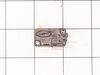
Micro Switch
PartSelect #: PS3522738
Manufacturer #: 3B73362F
This microwave door switch provides power to the various components in the microwave when the door is in a closed position, and interrupts power when the door is open. This door switch is approximatel...
$21.45
Special Order
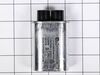
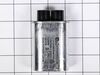
Capacitor
PartSelect #: PS3517241
Manufacturer #: 0CZZW1H004B
Discover the essential part for your LG microwave oven: the High Voltage Capacitor. This genuine OEM item from LG is specifically designed for certain models of microwave ovens. The high-quality capac...
$43.18
On Order
Common Symptoms of models starting with MZ-1694P
[Viewing 4 of 4]No heat
Fixed by
these parts
these parts

Show All
Won’t turn on
Fixed by
these parts
these parts
Show All
Tray won’t turn
Fixed by
these parts
these parts
Show All
Doesn’t shut off
Fixed by
these parts
these parts
Show All
Keep searches simple. Use keywords, e.g. "leaking", "pump", "broken" or "fit".
Broken door micro switch. (unit does not start heating)
Unplug the unit before servicing. Need phillips screwdriver. Open door. Use step ladder to access and remove 2 small screws from top of the room air diffuser at top of unit. Slide diffuser slightly to the left to align the diffuser's plastic tab on the left side to rotate toward you. (The wires for the front control panel are at the far l
... Read more
eft side of this difuser, but difuser is slotted for easy removal). Once the difuser is removed you will see 1 screw at the top that secures the pannel cover on the left side of the unit. Remove screw and slide this panel slightly up and out. This exposes the plastic frame that holds the upper and lower door switches. To locate the door switches and observe how they work, close and open the door and watch the door (bayonets) open and close the micro switches. Do the (red) buttons on top of the switches move up and down when the door bayonets push and release? If the buttons do not "pop" up when opened the switch is defective. The switch frame is secured with 2 screws. Remove screws and rotate the unit out for easy access to the micro switch(s). The internal (spring?) on my unit that is suposed to allow the red (visible) button on top of the switch to "pop" up when the door is opened was broken. Carefully pry the switch outward while being careful to lift the plastic holder-piece that holds the switch in place. Be careful, there is a small pin on the frame, so rotate the switch OUT toward you while lifting (carefully) the plastic holder-piece (you will see it on top of the switch). You can use an ohm meter to test the continuity of the switches. But if the buttons don't "pop" they are defective. Replace switch and reassemble.
Read less
Parts Used:
-
JAMES from BILLINGS, MT
-
Difficulty Level:Very Easy
-
Total Repair Time:30 - 60 mins
-
Tools:Screw drivers
37 of 68 people
found this instruction helpful.
Was this instruction helpful to you?
Thank you for voting!
Door sensor switch went bad. Microwave would not operate.
Watched a couple of repair videos on Youtube by searching for the model number. Found out what to do in order not to get shocked by the powerful capacitor.
Ordered the two switches (To be sure, I could have ordered a third switch as suggested in the videos.)
Bought a tamper-proof star bit to get the cover off. Followed the dir ... Read more ections to replace the switches. - I broke the harness and had to use some super glue, but it's all good. I should have removed the harness instead of trying to get a switch out while it was still in place.
It's all back together, and the wife is happy!!
Ordered the two switches (To be sure, I could have ordered a third switch as suggested in the videos.)
Bought a tamper-proof star bit to get the cover off. Followed the dir ... Read more ections to replace the switches. - I broke the harness and had to use some super glue, but it's all good. I should have removed the harness instead of trying to get a switch out while it was still in place.
It's all back together, and the wife is happy!!
Read less
Parts Used:
-
Randall from ARCADIA, CA
-
Difficulty Level:A Bit Difficult
-
Total Repair Time:1- 2 hours
-
Tools:Pliers, Screw drivers
15 of 29 people
found this instruction helpful.
Was this instruction helpful to you?
Thank you for voting!
Turntable stopped turning, tray stopped moving back and forth, and microwave made odd noises.
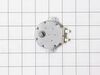
Unplugged power cord. Unscrewed six screws and removed bottom of microwave, unplugged wire from motor, unscrewed two screws holding motor, replaced with new motor. Put everything back in place, plugged it back in, and it worked good as new.
Parts Used:
-
Charles from TARPON SPGS, FL
-
Difficulty Level:A Bit Difficult
-
Total Repair Time:30 - 60 mins
-
Tools:Screw drivers
2 of 2 people
found this instruction helpful.
Was this instruction helpful to you?
Thank you for voting!