Your coupon for will be reflected when you check out!
✖
Your coupon for
✖
Hello!
You're visiting the PartSelect site in U.S.
Would you like to shop on the Canadian site?
Stay on this site
Go to Canadian site
✖
Model Number Locations
1Select Category Type
Select Category Type
2Select Product Type
Select Product Type
3Select {MODEL} Type
Select {MODEL} Type
Sample Model Number Tags
Model numbers can be made up of numbers (1005400, for example) or a combination of letters and numbers (LAT1000AAE). The model number will most likely appear on either a paper sticker or a metal plate. Your appliance's model number tag may look similar to the sample model number tags shown here (model number highlighted in yellow):
Model has been saved to My Models. If you're not signed in, your lists are available on this device and will expire within 30 days.
Model has been saved to My Models.
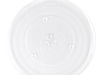
If you discover that the glass cooking tray in your microwave is damaged, you may have to replace it to operate the microwave properly. The glass cooking tray connects to the turntable of the microwav...
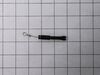
This high-voltage diode is designed for use within various makes and models of microwaves and is a genuine OEM part that converts alternating current (AC) into direct current (DC). If you notice your ...
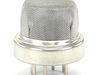
Ensure an optimal cooking experience with the Samsung Humidity Sensor Control. This quality component maintains the perfect moisture level inside your microwave, contributing to consistently perfect m...
Ask our experts a question about this model and we'll get back to you as soon as possible!
3 questions answered by our experts.
Sort by:
< Prev
1
Next >
Search filter:
Clear Filter
Your search term must have 3 or more characters.
Keep searches simple. Use keywords, e.g. "leaking", "pump", "broken" or "fit".
Sorry, we couldn't find any existing answers that matched.Try using some different or simpler keywords, or submit your new question by using the "Ask a Question" button above!
George
July 18, 2023
Lost power to my microwave. Replaced fuse still no power.
For model number MS14K6000AS
Hello George, thank you for reaching out. Ensure that the power outlet you are using is working correctly. Plug in another appliance or device to verify if the outlet is supplying power. If the outlet is not working, you might need to reset the circuit breaker or check the wiring. Check the microwave's power cord for any visible damage or cuts. If you find any, it could be the reason why the microwave is not receiving power. If this is not the issue, we recommend replacing the thermostat, part number PS4226479. We hope this solves your problem!
I went to use the microwave last night, and when I opened the door, it threw the breaker. We reset the breaker and the outlet, no power at all to the microwave. We plugged a different appliance in to the outlet, and it worked fine. Could it possibly be a fuse?
For model number MS14K6000AS
Helo Emily, thank you for reaching out. Based on the description that you have provided, we would recommend replacing the line fuse to fix the issue. The line fuse for your model does not come separately and comes as a part of the noise filter, part number PS4239678. We hope this solves your problem!
We plugged in the microwave and all that happens is "0000" appears on a lit display but no other features work. Could it be a blown fuse that disabled the functional features? Or is it more likely a failed component on the mother board?
For model number MS14K6000AS
Hello Paul, thank you for reaching out. When a Samsung microwave displays four zeros on the lit display, it is usually an indication of a power failure. To solve this issue, you can check your microwave for signs of overheating and power loss. You can check your microwave for signs of overheating to solve the issue. If this does not help, you will need to replace the control panel assembly, part number PS12709255. We hope this solves your problem!
Removed control panel, discharged HV capacitor. Removed old diode, tested to confirm failure. Replaced part. Other than the removal of the panel swapping the part was almost as easy as replacing a light bulb.
I removed the outer cover and exposed the inner workings. I watched a video on partselect.com to show how to remove and replace the Diode. I followed the instructions and it was very easy to replace.
Unfortunately, the diode was only part of the issue. I ended up replacing the High Voltage capacitor and Magnetron also. Those w
... Read moreere a little more complicated but still easy to do.
Now the Microwave works just like new! Cost me less than $100 for all parts.
The high voltage tired was shorted. I replaced it with a new one, but that did not solve the problem.
You can test the high voltage tired with a voltmeter and a 9 V battery. Search Search for it on YouTube.
You can also test the high voltage capacitor, the high-voltage transformer, and the magnetron with a multi met
... Read moreer. Search for the procedures on YouTube.
I tested all these high-voltage components with a low-voltage multi meter, and they all checked out OK (after replacing the diode). However the microwave still did not heat food.
When working on a microwave it is important to unplug it and also discharge the high voltage capacitor. The capacitor has a 10 megaohm resister to automatically discharge itself, but it may have failed – – so discharge it manually.