















MR6699GB Microwave - Instructions
Keep searches simple. Use keywords, e.g. "leaking", "pump", "broken" or "fit".
no heat
I looked up the #1 reason for no heat for my microwave on the site , and using my model number found that 92% of the time it was the Black Sleeve Diode. Ordered the $15 part, and installed it within 30 minutes. Most of the time was used for removing the built in microwave and removing the cover. Replaced the diode by finding it on the diagram that I printed from this site (free). Very relieved that we don't need to have our custom cabinetry re-sized to accommodate a new microwave. Thank you!
Parts Used:
-
Lisa from PARADISE, PA
-
Difficulty Level:Easy
-
Total Repair Time:15 - 30 mins
-
Tools:Pliers, Screw drivers
28 of 28 people
found this instruction helpful.
Was this instruction helpful to you?
Thank you for voting!
Buzzing noise, no heating of food
Removed control panel, discharged HV capacitor. Removed old diode, tested to confirm failure. Replaced part. Other than the removal of the panel swapping the part was almost as easy as replacing a light bulb.
Parts Used:
-
Ted from Hudson, NH
-
Difficulty Level:Easy
-
Total Repair Time:30 - 60 mins
-
Tools:Pliers, Screw drivers
22 of 32 people
found this instruction helpful.
Was this instruction helpful to you?
Thank you for voting!
Microwave stopped working - would not heat up
I removed the outer cover and exposed the inner workings. I watched a video on partselect.com to show how to remove and replace the Diode. I followed the instructions and it was very easy to replace.
Unfortunately, the diode was only part of the issue. I ended up replacing the High Voltage capacitor and Magnetron also. Those were a little more complicated but still easy to do.
Now the Microwave works just like new! Cost me less than $100 for all parts.
Unfortunately, the diode was only part of the issue. I ended up replacing the High Voltage capacitor and Magnetron also. Those were a little more complicated but still easy to do.
Now the Microwave works just like new! Cost me less than $100 for all parts.
Parts Used:
-
louis from PARRISH, FL
-
Difficulty Level:Easy
-
Total Repair Time:1- 2 hours
-
Tools:Pliers, Screw drivers
11 of 19 people
found this instruction helpful.
Was this instruction helpful to you?
Thank you for voting!
Appears to work, but food not heated
The high voltage tired was shorted. I replaced it with a new one, but that did not solve the problem.
You can test the high voltage tired with a voltmeter and a 9 V battery. Search Search for it on YouTube.
You can also test the high voltage capacitor, the high-voltage transformer, and the magnetron with a multi meter. Search for the procedures on YouTube.
I tested all these high-voltage components with a low-voltage multi meter, and they all checked out OK (after replacing the diode). However the microwave still did not heat food.
When working on a microwave it is important to unplug it and also discharge the high voltage capacitor. The capacitor has a 10 megaohm resister to automatically discharge itself, but it may have failed – – so discharge it manually.
In the end I ordered a new microwave.
You can test the high voltage tired with a voltmeter and a 9 V battery. Search Search for it on YouTube.
You can also test the high voltage capacitor, the high-voltage transformer, and the magnetron with a multi meter. Search for the procedures on YouTube.
I tested all these high-voltage components with a low-voltage multi meter, and they all checked out OK (after replacing the diode). However the microwave still did not heat food.
When working on a microwave it is important to unplug it and also discharge the high voltage capacitor. The capacitor has a 10 megaohm resister to automatically discharge itself, but it may have failed – – so discharge it manually.
In the end I ordered a new microwave.
Parts Used:
-
Joel from CAMBRIDGE, MA
-
Difficulty Level:Difficult
-
Total Repair Time:1- 2 hours
20 of 47 people
found this instruction helpful.
Was this instruction helpful to you?
Thank you for voting!
No heat
Removed case,
Discharged HV capacitor and removed cooling fan.
Unscrewed ground end of HV diode and unplugged from HV capacitor.
Installed new diode by reversing the order. In my case, the problem was the magnetron was bad, so I replaced it as well.
Discharged HV capacitor and removed cooling fan.
Unscrewed ground end of HV diode and unplugged from HV capacitor.
Installed new diode by reversing the order. In my case, the problem was the magnetron was bad, so I replaced it as well.
Parts Used:
-
John from SANTA CLARA, CA
-
Difficulty Level:Really Easy
-
Total Repair Time:30 - 60 mins
-
Tools:Screw drivers
4 of 4 people
found this instruction helpful.
Was this instruction helpful to you?
Thank you for voting!
Glass covering cook top lamp was broken
By removing one phillips headed screw, a metal frame pivoted down for easy replacement of glass plate.
Parts Used:

-
ron from AKRON, OH
-
Difficulty Level:Really Easy
-
Total Repair Time:Less than 15 mins
-
Tools:Screw drivers
5 of 7 people
found this instruction helpful.
Was this instruction helpful to you?
Thank you for voting!
The microwave would not turn on or would run with the door open
Other tools that are usefull long needle nose pliers, long thin blade screw driver and small magnetic flashlight. Place the microwave on a work bench and remove the case it cover 3 sides. Place the microwave on a chair so it can stand with the controls up. You are replacing the lower door microswitch. The switch is located behind the control panel in the lower part of the area. The switch is several inches inside this area and your hands will not fit. Take care when moving wires and a couple of sensors. Use the thin blade screwdriver to release a tab holding the switch in place. Do not break this tab. Take the needle nose pliers and remove the switch. Put the wires on the new switch, open the door a short distance so a door lever moves enough to put the microswitch back into the bracket.
Parts Used:
-
Raymond from TROY, OH
-
Difficulty Level:Easy
-
Total Repair Time:1- 2 hours
-
Tools:Screw drivers
6 of 13 people
found this instruction helpful.
Was this instruction helpful to you?
Thank you for voting!
microwave not heating
removed a dozen screws-discarded large cap-replaced diode-replaced a dozen screws(took longer to replace them than remove for some unknown reason). Microwave now works(wife happy).
Parts Used:
-
Mark from GREENSBURG, PA
-
Difficulty Level:Easy
-
Total Repair Time:30 - 60 mins
-
Tools:Pliers, Screw drivers
2 of 2 people
found this instruction helpful.
Was this instruction helpful to you?
Thank you for voting!
Missing carousel plate
Ordered (most difficult part of repair, because I wasn't sure the one I ordered would fit), opened box, removed padding, opened microwave oven door, lined up center indentations with center and my repair was complete. Placed a cup of lukewarm coffee on the tray, closed door and pushed auto 30 seconds. The cup went round and round on the plate that went round and round and then, the END chime sounded. Success! Lukewarm coffee has been transformed to HOT coffee on the newly installed cooking tray.
Parts Used:
-
Diane from Paso Robles, CA
-
Difficulty Level:Really Easy
-
Total Repair Time:Less than 15 mins
3 of 5 people
found this instruction helpful.
Was this instruction helpful to you?
Thank you for voting!
Microwave oven ran but stopped heating
I had to unmount the over-the-range microwave oven to be able to gain access to the interior of the oven. Complicating removal (and re-installation) was the fact that there is a "pot-filler" faucet installed directly underneath the oven. In retrospect, I should've removed the faucet before doing the repair, but "c'est la vie."
After I got the microwave down, removing the case was also "interesting." I get bonus points for the fact that the previous owner must've had to replace the same diode before - and then re-assembled the microwave case incorrectly - thereby adding to the confusion (BTW, the service manual that I found online said nothing about how to remove the oven's case).
To remove the case, undo all the screws holding it on, and then rotate the case upwards from the back while also pulling the case backwards. There are crimped folds on the inside of the case that mate with the back edges of the front of the oven's chassis, and these folds have to be unclipped from the chassis in order to remove the case.
Replacing the diode itself was the easiest part of the job. The two connectors on the diode are of different types, making it impossible to install the diode with the wrong polarity.
BTW, the diode that had failed was not an OEM diode; I suspect it was a generic component that had been installed by a repairman sometime between 2004-2008 (when our home's original owners still owned the home). On the other hand, the new diode from PartSelect is an OEM part (it came packaged in a sealed Whirlpool bag).
The fact that the oven had stopped heating indicated that it was either the high-voltage diode or the magnetron that had failed. Since a replacement diode costs ~ 1/10th as much as a replacement magnetron, I figured it made sense to replace the cheaper part first. Fortunately, this fixed the problem.
One last thing: I tried testing both the old and new diodes for conductivity and polarity using my volt-ohm meter (VOM), but I was unable to get either diode to "turn on," even though my VOM is powered by a 9-v battery, and I used the 2-Mohm range setting. I guess the test voltage of my el-cheapo VOM isn't high enough to exceed the diode's threshold voltage, (even though I have successfully used this same VOM to test low-voltage diodes).
After I got the microwave down, removing the case was also "interesting." I get bonus points for the fact that the previous owner must've had to replace the same diode before - and then re-assembled the microwave case incorrectly - thereby adding to the confusion (BTW, the service manual that I found online said nothing about how to remove the oven's case).
To remove the case, undo all the screws holding it on, and then rotate the case upwards from the back while also pulling the case backwards. There are crimped folds on the inside of the case that mate with the back edges of the front of the oven's chassis, and these folds have to be unclipped from the chassis in order to remove the case.
Replacing the diode itself was the easiest part of the job. The two connectors on the diode are of different types, making it impossible to install the diode with the wrong polarity.
BTW, the diode that had failed was not an OEM diode; I suspect it was a generic component that had been installed by a repairman sometime between 2004-2008 (when our home's original owners still owned the home). On the other hand, the new diode from PartSelect is an OEM part (it came packaged in a sealed Whirlpool bag).
The fact that the oven had stopped heating indicated that it was either the high-voltage diode or the magnetron that had failed. Since a replacement diode costs ~ 1/10th as much as a replacement magnetron, I figured it made sense to replace the cheaper part first. Fortunately, this fixed the problem.
One last thing: I tried testing both the old and new diodes for conductivity and polarity using my volt-ohm meter (VOM), but I was unable to get either diode to "turn on," even though my VOM is powered by a 9-v battery, and I used the 2-Mohm range setting. I guess the test voltage of my el-cheapo VOM isn't high enough to exceed the diode's threshold voltage, (even though I have successfully used this same VOM to test low-voltage diodes).
Parts Used:
-
Forrest from Eugene, OR
-
Difficulty Level:Difficult
-
Total Repair Time:1- 2 hours
-
Tools:Screw drivers
2 of 2 people
found this instruction helpful.
Was this instruction helpful to you?
Thank you for voting!
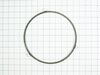
Missing roller guide under glass plate
I used my pocket knife to open the package. I opened the door and removed the plate and set the guide down and put the glass plate back.
Parts Used:
-
Jason from WASHINGTON, IN
-
Difficulty Level:Very Easy
-
Total Repair Time:Less than 15 mins
2 of 3 people
found this instruction helpful.
Was this instruction helpful to you?
Thank you for voting!
Suspect light bulb was touching glass, and cracked glass due to too much heat.
I unscrewed one screw and droped the glass light bulb cover, bent the light bulb up so it wouldn't break the glass again, removed the broken glass and installed new glass by bending the tabs over the glass to hold it in place and re-inserted the cover, then screwed the retaining screw back in. Done in 3 min.. PartsSelect.com seems to be one of the few online parts ordering place that has schematics and easy to navigate site. Perfecto!
Parts Used:
-
Nick from Fenton, MO
-
Difficulty Level:Really Easy
-
Total Repair Time:Less than 15 mins
-
Tools:Screw drivers
2 of 3 people
found this instruction helpful.
Was this instruction helpful to you?
Thank you for voting!
The microwave glass turntable cracked.
I ordered a replacement piece. Fits perfectly and rotates as it should. It arrived earlier than planned.
Parts Used:
-
Jacqueline from Neosho, MO
-
Difficulty Level:Very Easy
-
Total Repair Time:Less than 15 mins
1 person
found this instruction helpful.
Was this instruction helpful to you?
Thank you for voting!
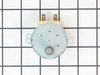
Turntable motor would not turn food tray
Replaced with new motor from Parts Select. Part was a correct replacement for the old one. perfect fit. Works like it did when it was new. I will recommend Parts Select to anyone. Thank you very much. I would definitely use your company again in the future. I saved $30 by not using parts from GE.
Parts Used:
-
Richard from Magnolia, AR
-
Difficulty Level:Really Easy
-
Total Repair Time:Less than 15 mins
-
Tools:Screw drivers
1 of 9 people
found this instruction helpful.
Was this instruction helpful to you?
Thank you for voting!
Cooking tray shattered
My daughter was trying to run the microwave timer and ended up nuking the cooking tray, which shattered. First web place I found wanted 55$ for this tray and this site sold it for 19.99. It shipped super quickly. I am very pleased with this company!
Parts Used:
-
Valerie from Rock Springs, WY
-
Difficulty Level:Really Easy
-
Total Repair Time:Less than 15 mins
Was this instruction helpful to you?
Thank you for voting!