















ME21DG6300SRAC Samsung Microwave - Instructions
Keep searches simple. Use keywords, e.g. "leaking", "pump", "broken" or "fit".
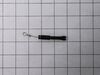
Buzzing noise, no heating of food
Removed control panel, discharged HV capacitor. Removed old diode, tested to confirm failure. Replaced part. Other than the removal of the panel swapping the part was almost as easy as replacing a light bulb.
Parts Used:
-
Ted from Hudson, NH
-
Difficulty Level:Easy
-
Total Repair Time:30 - 60 mins
-
Tools:Pliers, Screw drivers
22 of 32 people
found this instruction helpful.
Was this instruction helpful to you?
Thank you for voting!
Touchpad for oven wasn't working, but top gas burners were.
I initially thought I needed a new touch control panel but after a bit of research on the web and numerous videos and articles on replacing the control panel, I found an obscure video and forum where they mentioned that this thermostat fuse has been known to overheat and shut down the oven (touch controls) for safety reason. By the way, my unit is 3 years old and the warranty expired one month ago! I took the top off, found the fuse and tested it with a Multi-meter (again, thanks to some very helpful youtube videos out there). Dead. I figured it was worth a try and ordered the $20 part as opposed to the much more expensive control.
> remove all of the gas burners on the stove (a total of about a dozen screws)
> then remove the top back vent and the screws that hold the top metal piece in place
> you will see the thermostat fuse towards the back in the middle.
> loosen one screw and replace
> put back together in reverse order.
*** You do NOT have to remove the front piece as some videos and articles mention.
The total time should be about 20 minutes. With a little patience and pre-homework, it's easy and you'll save a couple hundred in labor costs.
Good Luck.
> remove all of the gas burners on the stove (a total of about a dozen screws)
> then remove the top back vent and the screws that hold the top metal piece in place
> you will see the thermostat fuse towards the back in the middle.
> loosen one screw and replace
> put back together in reverse order.
*** You do NOT have to remove the front piece as some videos and articles mention.
The total time should be about 20 minutes. With a little patience and pre-homework, it's easy and you'll save a couple hundred in labor costs.
Good Luck.
Parts Used:

-
Bob from WILTON, CT
-
Difficulty Level:Easy
-
Total Repair Time:30 - 60 mins
-
Tools:Screw drivers
12 of 12 people
found this instruction helpful.
Was this instruction helpful to you?
Thank you for voting!
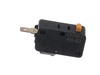
Microwave would not start when door closed. Sometimes you could push in or jiggle door and it would work for awhile and then it woud stop again. I knew it eas a door switch issue but wasn't certain which of the 3 or the body latch itself.
I removed the body latch assembly and found the bottom micro switch (NC) terminal burnt and loose. I replaced and working perfectly fine now. Easy diagnose and easy repair.
Parts Used:


-
Lynn from LOUISVILLE, KY
-
Difficulty Level:Really Easy
-
Total Repair Time:15 - 30 mins
-
Tools:Screw drivers
15 of 30 people
found this instruction helpful.
Was this instruction helpful to you?
Thank you for voting!
Microwave stopped working - would not heat up
I removed the outer cover and exposed the inner workings. I watched a video on partselect.com to show how to remove and replace the Diode. I followed the instructions and it was very easy to replace.
Unfortunately, the diode was only part of the issue. I ended up replacing the High Voltage capacitor and Magnetron also. Those were a little more complicated but still easy to do.
Now the Microwave works just like new! Cost me less than $100 for all parts.
Unfortunately, the diode was only part of the issue. I ended up replacing the High Voltage capacitor and Magnetron also. Those were a little more complicated but still easy to do.
Now the Microwave works just like new! Cost me less than $100 for all parts.
Parts Used:
-
louis from PARRISH, FL
-
Difficulty Level:Easy
-
Total Repair Time:1- 2 hours
-
Tools:Pliers, Screw drivers
11 of 19 people
found this instruction helpful.
Was this instruction helpful to you?
Thank you for voting!
Appears to work, but food not heated
The high voltage tired was shorted. I replaced it with a new one, but that did not solve the problem.
You can test the high voltage tired with a voltmeter and a 9 V battery. Search Search for it on YouTube.
You can also test the high voltage capacitor, the high-voltage transformer, and the magnetron with a multi meter. Search for the procedures on YouTube.
I tested all these high-voltage components with a low-voltage multi meter, and they all checked out OK (after replacing the diode). However the microwave still did not heat food.
When working on a microwave it is important to unplug it and also discharge the high voltage capacitor. The capacitor has a 10 megaohm resister to automatically discharge itself, but it may have failed – – so discharge it manually.
In the end I ordered a new microwave.
You can test the high voltage tired with a voltmeter and a 9 V battery. Search Search for it on YouTube.
You can also test the high voltage capacitor, the high-voltage transformer, and the magnetron with a multi meter. Search for the procedures on YouTube.
I tested all these high-voltage components with a low-voltage multi meter, and they all checked out OK (after replacing the diode). However the microwave still did not heat food.
When working on a microwave it is important to unplug it and also discharge the high voltage capacitor. The capacitor has a 10 megaohm resister to automatically discharge itself, but it may have failed – – so discharge it manually.
In the end I ordered a new microwave.
Parts Used:
-
Joel from CAMBRIDGE, MA
-
Difficulty Level:Difficult
-
Total Repair Time:1- 2 hours
20 of 47 people
found this instruction helpful.
Was this instruction helpful to you?
Thank you for voting!
microwave ran with the door open
First I read through the customer comments, reviews, questions, etc. at Parts Select, which is always a good bet. Then I put "samsung microwave door switch replacement" into youtube and watched some videos. They don't even have to be for Samsung. From what I can tell, many of the appliance companies use the same design and the same junk parts, so watching a GE video is almost the same for example. Watch some videos to familiarize yourself with the steps. There are maybe six to disassemble and install the new part. I replaced all three switches. They are not expensive and to replace 3 is only 5% more work than to replace just one; you have to take the microwave apart in either case. UNPLUG THE MICROWAVE FROM THE WALL. Start taking it apart. I use my phone to take a picture of any thing I remove, unscrew or disconnect, especially wires, BEFORE I disconnect them. Thee pictures serve as a reference when I go to reconnect and reassemble. If I am uncertain then I check the picture. Good luck!
Parts Used:
-
david from WASHINGTON, DC
-
Difficulty Level:Easy
-
Total Repair Time:30 - 60 mins
-
Tools:Screw drivers
9 of 14 people
found this instruction helpful.
Was this instruction helpful to you?
Thank you for voting!
Our microwave would turn on after the timer was set but only the light would turn on, nothing else.
I replaced all 3 door switches. Once you remove the top vent then remove the panel. Then remove the two screws holding the door switches in place and pop them out and replace them. It was tricky getting around all the wires but eventually was able to get around them. Took less than 20 mins to do and was less than $40 to fix. Much better than having to replace our over the stove microwave.
Parts Used:
-
Adam from GILBERTS, IL
-
Difficulty Level:Really Easy
-
Total Repair Time:15 - 30 mins
-
Tools:Screw drivers
5 of 5 people
found this instruction helpful.
Was this instruction helpful to you?
Thank you for voting!
Turntable started turn when door opened, then unit wouldn't run when start was pressed
Unplugged the unit. With a screwdriver removed two screws on the top plastic vent. This exposed the screw holding the control panel. Removed that screw to access the switches. Removed the visible connected wiring from the switches. Grabbed each switch with pliers to gentle pull them from their holders. Inserted new switches and reconnected wiring, ensuring the correct orientation of switches in their holders.
Recommend replace all three switches.
Recommend replace all three switches.
Parts Used:
-
Phil from RALEIGH, NC
-
Difficulty Level:Easy
-
Total Repair Time:1- 2 hours
-
Tools:Pliers, Screw drivers
5 of 6 people
found this instruction helpful.
Was this instruction helpful to you?
Thank you for voting!
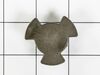
the coupler that turns the plate was fried
The part should have just been pulled up and out, mine was broke off so I had to drop the bottom tray and push the remaining old coupler up and out. I dropped the new part in and reinstalled the bottom tray. It was also a good time to clean the tray
Parts Used:
-
CHRIS from KANKAKEE, IL
-
Difficulty Level:Very Easy
-
Total Repair Time:Less than 15 mins
4 of 4 people
found this instruction helpful.
Was this instruction helpful to you?
Thank you for voting!
Glass covering cook top lamp was broken
By removing one phillips headed screw, a metal frame pivoted down for easy replacement of glass plate.
Parts Used:

-
ron from AKRON, OH
-
Difficulty Level:Really Easy
-
Total Repair Time:Less than 15 mins
-
Tools:Screw drivers
5 of 7 people
found this instruction helpful.
Was this instruction helpful to you?
Thank you for voting!
The microwave would not turn on or would run with the door open
Other tools that are usefull long needle nose pliers, long thin blade screw driver and small magnetic flashlight. Place the microwave on a work bench and remove the case it cover 3 sides. Place the microwave on a chair so it can stand with the controls up. You are replacing the lower door microswitch. The switch is located behind the control panel in the lower part of the area. The switch is several inches inside this area and your hands will not fit. Take care when moving wires and a couple of sensors. Use the thin blade screwdriver to release a tab holding the switch in place. Do not break this tab. Take the needle nose pliers and remove the switch. Put the wires on the new switch, open the door a short distance so a door lever moves enough to put the microswitch back into the bracket.
Parts Used:
-
Raymond from TROY, OH
-
Difficulty Level:Easy
-
Total Repair Time:1- 2 hours
-
Tools:Screw drivers
6 of 13 people
found this instruction helpful.
Was this instruction helpful to you?
Thank you for voting!
Missing carousel plate
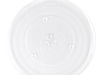
Ordered (most difficult part of repair, because I wasn't sure the one I ordered would fit), opened box, removed padding, opened microwave oven door, lined up center indentations with center and my repair was complete. Placed a cup of lukewarm coffee on the tray, closed door and pushed auto 30 seconds. The cup went round and round on the plate that went round and round and then, the END chime sounded. Success! Lukewarm coffee has been transformed to HOT coffee on the newly installed cooking tray.
Parts Used:
-
Diane from Paso Robles, CA
-
Difficulty Level:Really Easy
-
Total Repair Time:Less than 15 mins
3 of 5 people
found this instruction helpful.
Was this instruction helpful to you?
Thank you for voting!
Suspect light bulb was touching glass, and cracked glass due to too much heat.
I unscrewed one screw and droped the glass light bulb cover, bent the light bulb up so it wouldn't break the glass again, removed the broken glass and installed new glass by bending the tabs over the glass to hold it in place and re-inserted the cover, then screwed the retaining screw back in. Done in 3 min.. PartsSelect.com seems to be one of the few online parts ordering place that has schematics and easy to navigate site. Perfecto!
Parts Used:
-
Nick from Fenton, MO
-
Difficulty Level:Really Easy
-
Total Repair Time:Less than 15 mins
-
Tools:Screw drivers
2 of 3 people
found this instruction helpful.
Was this instruction helpful to you?
Thank you for voting!
Grille cracked
Removed 2 screws at top of grille and removed old grille, and put new grille in the same way and used the screws to keep in place.
Parts Used:

-
Devon from STERLING HTS, MI
-
Difficulty Level:Really Easy
-
Total Repair Time:Less than 15 mins
-
Tools:Screw drivers
1 person
found this instruction helpful.
Was this instruction helpful to you?
Thank you for voting!
The microwave glass turntable cracked.
I ordered a replacement piece. Fits perfectly and rotates as it should. It arrived earlier than planned.
Parts Used:
-
Jacqueline from Neosho, MO
-
Difficulty Level:Very Easy
-
Total Repair Time:Less than 15 mins
1 person
found this instruction helpful.
Was this instruction helpful to you?
Thank you for voting!