















LRKNS1205V (ANSCNA0) LG Refrigerator - Instructions
Keep searches simple. Use keywords, e.g. "leaking", "pump", "broken" or "fit".
Evaporator fan making noise
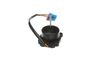
Turn off the power to the refrigerator. Remove the back plate. Unplug the fan motor. Remove the fan housing and pull the fan blade from the motor. Replace the motor by removing 4 screws. Replace with the new motor and reinstall the fan blades. Secure the fan housing, plug the fan motor, and screw on the back panel. Plug and go!
Parts Used:
-
Tom from COPPER HILL, VA
-
Difficulty Level:Really Easy
-
Total Repair Time:Less than 15 mins
-
Tools:Screw drivers
5 of 11 people
found this instruction helpful.
Was this instruction helpful to you?
Thank you for voting!