Your coupon for will be reflected when you check out!
✖
Your coupon for
✖
Hello!
You're visiting the PartSelect site in U.S.
Would you like to shop on the Canadian site?
Stay on this site
Go to Canadian site
✖
Model Number Locations
1Select Category Type
Select Category Type
2Select Product Type
Select Product Type
3Select {MODEL} Type
Select {MODEL} Type
Sample Model Number Tags
Model numbers can be made up of numbers (1005400, for example) or a combination of letters and numbers (LAT1000AAE). The model number will most likely appear on either a paper sticker or a metal plate. Your appliance's model number tag may look similar to the sample model number tags shown here (model number highlighted in yellow):
Model has been saved to My Models. If you're not signed in, your lists are available on this device and will expire within 30 days.
Model has been saved to My Models.
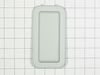
This genuine OEM microwave turntable tray is a circular plate made of glass and has a diameter of approximately 16 inches. It rotates food in your microwave oven, so that your food cooks evenly. It is...
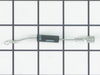
This diode, or high voltage diode, is used in microwaves. It is an electrical current control device that ensures power flows in one direction and not the other way. If your microwave produces no heat...
This genuine Whirlpool Microwave Inlet Cover, also known as a waveguide cover, plays a critical role in maintaining the longevity of your microwave. Specifically designed for Whirlpool, this cover dil...
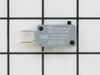
This microwave door interlock switch is a critical safety component designed to prevent the appliance from operating when the door is open. It functions by detecting the door’s position—open or closed...
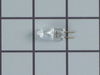
This part is the replacement halogen light bulb for your range. The bulb is 10 watts and 12 volts. The halogen lamp lights up the inside of the oven you can see the cooktop more effectively in darknes...
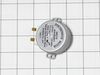
Introducing the Whirlpool Turntable Motor, an essential and authentic OEM part designed to maintain the performance of your microwave oven. This turntable motor is skillfully engineered to rotate the ...
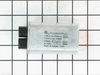
This authentic high-voltage capacitor stores and supplies electrical energy to the magnetron so that your microwave can heat up your food. It is a cylindrical component located inside the control area...
Introducing a genuine Whirlpool item, the W10839793 Nameplate. Known for its durability and seamless design, this nameplate perfectly aligns with the Whirlpool's reputation for quality and longevity. ...
Ask our experts a question about this model and we'll get back to you as soon as possible!
6 questions answered by our experts.
Sort by:
< Prev
1
2
Next >
Search filter:
Clear Filter
Your search term must have 3 or more characters.
Keep searches simple. Use keywords, e.g. "leaking", "pump", "broken" or "fit".
Sorry, we couldn't find any existing answers that matched.Try using some different or simpler keywords, or submit your new question by using the "Ask a Question" button above!
Jon
January 24, 2024
What would cause my screen to partially work, comes on, but not all numbers work. I've replaced the actual screen faceplate already.
For model number KMBS104ESS02
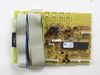
Hello Jon, thank you for contacting us. According to our research, the issue is most probably with the user interface board, part number PS11765745. You may need to replace it to fix the issue. We hope that helps!
The microwave starts and stops several times while heating or cooking and SELECT and COOK on the touch pad do not respond to touch and hold, so cannot set the time or switch back and forth from DEMO MODE. Other functions seem to work fine...
For model number KMBS104ESS02
Hi Hez, thank you for contacting us. To exit demo mode, open the door, then touch and hold COOK for 5 seconds. Three short tones will sound. If the issue persists, you may need to replace the control panel, part number PS12349016. We hope this solves your problem!
Hello Bill, thank you for your question. There are a few parts we would recommend testing the following parts, which can cause that issue. They are PartSelect Number PS11755602 Diode, PartSelect Number PS11731152 capacitor, and the magnetron thermostat PartSelect Number PS11742448. I hope this helps.
Was this helpful?
Thank you for voting!
Margaret
February 6, 2023
Does this microwave have a reset button?
For model number KMBS104ESS02
Hi Margaret, thank you for your question. We have researched the model you have provided and have found that the CANCEL button is used for resetting. Touch CANCEL and reset the oven if needed. The oven can stop responding due to software glitches or unintended microwave settings. If necessary, perform a hard reset by unplugging your microwave for 30 minutes, then plug it back in. We hope this information helps!
Was this helpful?
Thank you for voting!
Beth
March 25, 2023
The microwave door doesn’t close well and makes a weird noise and doesn’t always heat. We had the door fixed once already.
For model number KMBS104ESS02
Hi Beth, thank you for reaching out. Based on the description that you have provided, we would recommend checking the hinge support, part number PS11701504, and switch holder, part number PS11745281, which might be broken. Also, the diode, part number PS12584264, and the magnetron, part number PS12741756, could be behind the noise and no heat. We hope this sorts out your problem!
Unless you have a very comfortable background with electronics and electricity, I don't necessarily recommend taking apart a microwave. If you are very handy and are going to be VERY cautious to follow the rules of discharging caps and testing voltages before moving forward, then go for it. That said, I took the microwave off and apart.
... Read more Not knowing where to find the parts, I was fortunate that the installer put the instruction book for the microwave inside the front vent slot above the touchpad for reference. it details the location of every part and it tells you very clearly what each part you test should show specific to this microwave on your multimeter. Find this guide online if you don't have it. Turn on the microwave for 20 seconds with a glass of water to make sure it's not heating - that with the noise means it's eeither the magnetron, cap, or diode. Read the notes on this site for all of the basic things to look for with the magnetron, diode, and capacitor. Once comfortable with the guide, locations of those devices, and how to test, then take it down and apart. Unfortunately, I didn't do all those things in that order, and it only wasted a lot of time trying to find the parts. Once I found the parts and put all the screws and covers back for all the areas that didn't need to be accessed for the repair, testing went quickly. The diode was bad. Ordered a new one and had it in 3 days or so. That means your microwave will be apart and sitting somewhere for a little while until you get the part and have time to repair it. Putting the diode back isn't too bad. Reassemble the microwave and put it back up again. If i had to do it again, it would take me 20 to 30 minutes once the microwave was down and on a table. Also, I used some bricks with towels over them or you could use some sawhorses to keep the microwave elevated so you can plug it in and run it after installing the new component. Again, make sure you discharge the cap before touching anything again even if you didn't run it, but just plugged it in.
I turn off the income electricity by shutting down the corresponding circuit breaker. Then, I removed the control panel from the microwave which gave me access to the capacitor and adjacent diode. After that i unscrewed the defective diode and replaced it with the new one and BINGO!
After popping the last few kernals of popcorn, we hear a different kind of pop sound come from our microwave oven. When we looking inside, we found that the glass turntable had broken unevenly in half. Although we didn't understand why it had happned, we did know we'd be without the use of the microwave without a new one. After less th
... Read morean 10 minutes surfing online, I had found the correct part on PartSelect.com and had arranged to have it shipped to me by speedy delivery. Once it arrived, I just popped the new turntable into the microwave and used the box to dispose of the broken one. It could not have been easier and it saved me the cost of a service call and likely further delay.