















KMBS104ESS00 KitchenAid Microwave - Instructions
Keep searches simple. Use keywords, e.g. "leaking", "pump", "broken" or "fit".
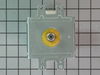
My microwave began suddenly making a loud humming noise while cooking food.
My microwave began suddenly making a loud harsh humming noise while cooking food. I did not let it go on long enough to know if it cooked the food or not. I did some Internet research and learned that it was likely the Magnetron. The test for this was to run the microwave for at least a minute on the lowest power setting and see if the noise cycled on and off. It did, so I (actually, my wife) ordered the part from partselect.com using the model number. I was successful in replacing the part, and we are back to microwave popcorn and quick defrost for a price that was less than a service call, however, it was time consuming, required a large work area, and access to 5 out of 6 sides of the unit. So proceed at your own discretion
Caution:
The first thing in every set of repair instructions was to discharge (short-circuit) the capacitor, as it may store large (as in lethal) amounts of electricity even when it is not connected to a power source. I had never done this, but found these instructions:
“Discharging your microwave's capacitor is absolutely essential in preventing injury to your microwave, your tools, and yourself. A capacitor stores a large amount of electricity even when your microwave is unplugged, and it must be discharged before beginning any repair.
A capacitor is discharged by creating a short circuit between each of the two capacitor terminals, and between each terminal and the chassis. The chassis is the metal mounting (bare metal surface) of the capacitor. Read these directions thoroughly before you proceed.
With your microwave unit unplugged, touch the blade of a well insulated screwdriver to one terminal. Gently slide the screwdriver forward until it reaches the other terminal, holding it there for a few seconds. Be aware that this often results in a loud and startling 'POP'.
Repeat this procedure in order to create a short circuit between each capacitor terminal and the chassis (bare metal mounting plate surface). This same method can be applied to a capacitor having three, and not two, terminals.”
I had not run my microwave in over a week, and then while my part was shipping, left my microwave 'unplugged' for more than two days, and my capacitor apparently discharged itself, although I did go through the above procedure carefully and completely - just in case.
Step-By-Step:
1. You must remove your microwave from the cabinets - it is impossible to repair otherwise. This is best accomplished with 2 strong people - my wife and I made it work, but wished for another guy.
a. While supporting the microwave, remove the two screws coming down through the cabinet above.
b. Lift the rear of the microwave as much as possible, then tilt the front down - there is a clip high on the left side, as well as the hinge/clips on the bottom.
c. If you do not lift it off the wall all at once, you may have to lift the rear even farther to remove it from the hinge/clips on the bottom.
Important Note: Always beware of the microwave door, if it is bent or broken and cannot retain a seal, the microwave not function as a safety feature to keep from releasing microwaves.
2. Remove the vent cover on the top/front of the microwave - be careful, it's plastic.
3. Remove the vent cover and light panel on the bottom of the microwave - this is several screws and some simple wire clips.
4. Remove the "shell" (top and sides) of the microwave - this is several more screws on the back. Make sure to remove the plate that is holding the cord in place on the top.
5. Remove the interface panel by the screws on the top (which had been hidden by the vent cover) - the wires can remain attached, just slide it aside.
6. Remove the metal cover on the right side at the rear; this will expose the Magnetron and the Capacitor. Remember to immediately test and discharge the capacitor!
7. After you discharge the capacitor, remove the other cover plate and the support bracket - in case you haven't noticed, this is a time and space consuming operation.
8. You
Caution:
The first thing in every set of repair instructions was to discharge (short-circuit) the capacitor, as it may store large (as in lethal) amounts of electricity even when it is not connected to a power source. I had never done this, but found these instructions:
“Discharging your microwave's capacitor is absolutely essential in preventing injury to your microwave, your tools, and yourself. A capacitor stores a large amount of electricity even when your microwave is unplugged, and it must be discharged before beginning any repair.
A capacitor is discharged by creating a short circuit between each of the two capacitor terminals, and between each terminal and the chassis. The chassis is the metal mounting (bare metal surface) of the capacitor. Read these directions thoroughly before you proceed.
With your microwave unit unplugged, touch the blade of a well insulated screwdriver to one terminal. Gently slide the screwdriver forward until it reaches the other terminal, holding it there for a few seconds. Be aware that this often results in a loud and startling 'POP'.
Repeat this procedure in order to create a short circuit between each capacitor terminal and the chassis (bare metal mounting plate surface). This same method can be applied to a capacitor having three, and not two, terminals.”
I had not run my microwave in over a week, and then while my part was shipping, left my microwave 'unplugged' for more than two days, and my capacitor apparently discharged itself, although I did go through the above procedure carefully and completely - just in case.
Step-By-Step:
1. You must remove your microwave from the cabinets - it is impossible to repair otherwise. This is best accomplished with 2 strong people - my wife and I made it work, but wished for another guy.
a. While supporting the microwave, remove the two screws coming down through the cabinet above.
b. Lift the rear of the microwave as much as possible, then tilt the front down - there is a clip high on the left side, as well as the hinge/clips on the bottom.
c. If you do not lift it off the wall all at once, you may have to lift the rear even farther to remove it from the hinge/clips on the bottom.
Important Note: Always beware of the microwave door, if it is bent or broken and cannot retain a seal, the microwave not function as a safety feature to keep from releasing microwaves.
2. Remove the vent cover on the top/front of the microwave - be careful, it's plastic.
3. Remove the vent cover and light panel on the bottom of the microwave - this is several screws and some simple wire clips.
4. Remove the "shell" (top and sides) of the microwave - this is several more screws on the back. Make sure to remove the plate that is holding the cord in place on the top.
5. Remove the interface panel by the screws on the top (which had been hidden by the vent cover) - the wires can remain attached, just slide it aside.
6. Remove the metal cover on the right side at the rear; this will expose the Magnetron and the Capacitor. Remember to immediately test and discharge the capacitor!
7. After you discharge the capacitor, remove the other cover plate and the support bracket - in case you haven't noticed, this is a time and space consuming operation.
8. You
Parts Used:
-
Lindsay from Nampa, ID
-
Difficulty Level:A Bit Difficult
-
Total Repair Time:1- 2 hours
-
Tools:Nutdriver, Screw drivers
130 of 257 people
found this instruction helpful.
Was this instruction helpful to you?
Thank you for voting!
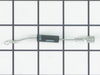
Microwave made very loud noise while on. No heat.
Unless you have a very comfortable background with electronics and electricity, I don't necessarily recommend taking apart a microwave. If you are very handy and are going to be VERY cautious to follow the rules of discharging caps and testing voltages before moving forward, then go for it. That said, I took the microwave off and apart. Not knowing where to find the parts, I was fortunate that the installer put the instruction book for the microwave inside the front vent slot above the touchpad for reference. it details the location of every part and it tells you very clearly what each part you test should show specific to this microwave on your multimeter. Find this guide online if you don't have it. Turn on the microwave for 20 seconds with a glass of water to make sure it's not heating - that with the noise means it's eeither the magnetron, cap, or diode. Read the notes on this site for all of the basic things to look for with the magnetron, diode, and capacitor. Once comfortable with the guide, locations of those devices, and how to test, then take it down and apart. Unfortunately, I didn't do all those things in that order, and it only wasted a lot of time trying to find the parts. Once I found the parts and put all the screws and covers back for all the areas that didn't need to be accessed for the repair, testing went quickly. The diode was bad. Ordered a new one and had it in 3 days or so. That means your microwave will be apart and sitting somewhere for a little while until you get the part and have time to repair it. Putting the diode back isn't too bad. Reassemble the microwave and put it back up again. If i had to do it again, it would take me 20 to 30 minutes once the microwave was down and on a table. Also, I used some bricks with towels over them or you could use some sawhorses to keep the microwave elevated so you can plug it in and run it after installing the new component. Again, make sure you discharge the cap before touching anything again even if you didn't run it, but just plugged it in.
Parts Used:
-
Sleiman from Miami, FL
-
Difficulty Level:Easy
-
Total Repair Time:More than 2 hours
-
Tools:Pliers, Screw drivers
51 of 83 people
found this instruction helpful.
Was this instruction helpful to you?
Thank you for voting!
Humming sound, not heating.
I turn off the income electricity by shutting down the corresponding circuit breaker. Then, I removed the control panel from the microwave which gave me access to the capacitor and adjacent diode. After that i unscrewed the defective diode and replaced it with the new one and BINGO!
Parts Used:
-
Fausto from Miramar, FL
-
Difficulty Level:Easy
-
Total Repair Time:15 - 30 mins
-
Tools:Nutdriver, Pliers, Screw drivers
43 of 61 people
found this instruction helpful.
Was this instruction helpful to you?
Thank you for voting!
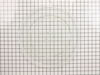
Microwave glass turntable when pop
After popping the last few kernals of popcorn, we hear a different kind of pop sound come from our microwave oven. When we looking inside, we found that the glass turntable had broken unevenly in half. Although we didn't understand why it had happned, we did know we'd be without the use of the microwave without a new one. After less than 10 minutes surfing online, I had found the correct part on PartSelect.com and had arranged to have it shipped to me by speedy delivery. Once it arrived, I just popped the new turntable into the microwave and used the box to dispose of the broken one. It could not have been easier and it saved me the cost of a service call and likely further delay.
Parts Used:
-
Liza from Monterey, CA
-
Difficulty Level:Really Easy
-
Total Repair Time:Less than 15 mins
35 of 42 people
found this instruction helpful.
Was this instruction helpful to you?
Thank you for voting!
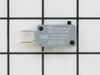
The display kept asking me to close the door, even though the door was closed. The interior light stayed on.
I used a Google search to show how to access the area behind the front panel. There was a folded paper copy with a schematic and wiring diagram in that space.Then I used a multi-meter to determine which of the THREE micro-switches was causing the problem. I called your help line and ordered a replacement switch. The switch was delayed in transit so your agent credited me with the cost of shipping.
When the part arrived, it had three terminals instead of two as shown in the on-line picture but that did not cause any difficulty in using it. It took about 20 minutes to remove and replace the old switch.
All seems to be working well now.
Finding which of the THREE switches was the problem was the most difficult part of the repair. All three "clicked" but the defective one did not click as easily. It needed to be depressed more than the door latch can would provide. Old age?
When the part arrived, it had three terminals instead of two as shown in the on-line picture but that did not cause any difficulty in using it. It took about 20 minutes to remove and replace the old switch.
All seems to be working well now.
Finding which of the THREE switches was the problem was the most difficult part of the repair. All three "clicked" but the defective one did not click as easily. It needed to be depressed more than the door latch can would provide. Old age?
Parts Used:
-
E G from SILVERDALE, WA
-
Difficulty Level:A Bit Difficult
-
Total Repair Time:30 - 60 mins
-
Tools:Pliers, Screw drivers
13 of 16 people
found this instruction helpful.
Was this instruction helpful to you?
Thank you for voting!
Wolud not heat or cook anything.
Instead of telling you, i have question do you have any instructions on how to do the repair. It would have helped save time on the repair.
This job took longer then it should have, becasue I did not start right in the begining. I did figure it out quickly after the wrong start.
You were a big help in picking the right part to correct the problem. You should be able to help with the repair. Thank You
This job took longer then it should have, becasue I did not start right in the begining. I did figure it out quickly after the wrong start.
You were a big help in picking the right part to correct the problem. You should be able to help with the repair. Thank You
Parts Used:
-
Wayne from Wingate, NC
-
Difficulty Level:A Bit Difficult
-
Total Repair Time:30 - 60 mins
19 of 38 people
found this instruction helpful.
Was this instruction helpful to you?
Thank you for voting!
I chipped my cook tray dish for my microwave
I took out the old chipped dish and replaced with the new dish...
Parts Used:
-
Barbara from Sparks, NV
-
Difficulty Level:Really Easy
-
Total Repair Time:Less than 15 mins
10 of 15 people
found this instruction helpful.
Was this instruction helpful to you?
Thank you for voting!
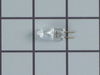
Burnt out Microwave Lamp
IMPORTANT: DO NOT TOUCH THE REPLACEMENT LAMP WITHOUT WEARING CLEAN GLOVES. FILM OR FINGER PRINTS ON THE LAMP GLASS WILL CAUSE PREMATURE FAILURE OF THE LAMP.
Remove the 4 screws on right and left mounting rails that hold the unit to the kitchen cabinet.
Remove the oven door
Remove the chrome oven vent strip below the oven door. This allows a pry point beneath the combo microwave oven assembly to lift up the unit while pulling it out. (Assembly weighs 250 pounds)
Pull the unit out from the cabinet housing about 2-3 inches to reveal the right and left sides and the 4 screws holding the the control panel.
Remove the 4 control panel screws and pull off the face of the control panel
Remove the 2 harness connectors and the ground wire holding the control panel to the unit.
Unclip the circuit board above the lamp connector and slide it back out of the way. The lamp is now accessible.
Remove the lamp spring holding the lamp to the cabinet.
Remove the old lamp
Install the new lamp using clean gloves
Reassemble in reverse order.
Remove the 4 screws on right and left mounting rails that hold the unit to the kitchen cabinet.
Remove the oven door
Remove the chrome oven vent strip below the oven door. This allows a pry point beneath the combo microwave oven assembly to lift up the unit while pulling it out. (Assembly weighs 250 pounds)
Pull the unit out from the cabinet housing about 2-3 inches to reveal the right and left sides and the 4 screws holding the the control panel.
Remove the 4 control panel screws and pull off the face of the control panel
Remove the 2 harness connectors and the ground wire holding the control panel to the unit.
Unclip the circuit board above the lamp connector and slide it back out of the way. The lamp is now accessible.
Remove the lamp spring holding the lamp to the cabinet.
Remove the old lamp
Install the new lamp using clean gloves
Reassemble in reverse order.
Parts Used:
-
Donald from SOLVANG, CA
-
Difficulty Level:Difficult
-
Total Repair Time:30 - 60 mins
-
Tools:Screw drivers
7 of 7 people
found this instruction helpful.
Was this instruction helpful to you?
Thank you for voting!
Microwave would run but not heat up the food
Removed the microwave from above the oven by loosening the two screws above the microwave. As the unit tilted outward lifted up and the whole unit came out all the time feeding the power cord through the cutout for the power cord. After it was out removed the cover and identified the capacitor and made sure it was discharged and removed and replaced the diode. tested before reinstalling and it heated up just fine. Reversed order and reinstalled . Very easy job maybe a second hand to help fish the power cord when installing and removing.
Parts Used:
-
Jerry from FORT WORTH, TX
-
Difficulty Level:Really Easy
-
Total Repair Time:30 - 60 mins
-
Tools:Pliers, Screw drivers
7 of 9 people
found this instruction helpful.
Was this instruction helpful to you?
Thank you for voting!
My son broke the cooking tray to the microwave
I just placed the tray in and was done. The kicker is that i cannot use my microwave without the tray. so i was without my microwave for 2 weeks before i called parts select. they were quick and fast.
Parts Used:
-
David from oceanside, CA
-
Difficulty Level:Really Easy
-
Total Repair Time:Less than 15 mins
6 of 7 people
found this instruction helpful.
Was this instruction helpful to you?
Thank you for voting!
visible sparking inside top of MW unit
Remove the two screws to the plastic vent strip at the top of the unit. That exposes a metal cover (upper right) held in place by two more screws. (Found that removing the screw holding the key panel in place and moving that out of the way made for more work room) Remove the metal cover. The HV diode (visible) on one end is secured to the chassis by a screw. The other end is fitted to the HV capacitor. So unscrew one end and pull the HV diode off the capacitor. The replacement fits on like the old one came off. Very simple repair. But it would be safe to short the capacitor terminals to the chassis first. Noticed that it appeared the sparking was caused by the HV diode's outer casing being worn by the asbestos covered wire next to it and laying against it. I made sure the two were not touching, before putting the covers back on. Also, the problem started with an occasional spark when the MW started. It quickly deteriorated to a full, non-stop electrical sparking. You can hear it, smell it, and see it through the top vent. You don't need to remove unit to work on it.
Parts Used:
-
Robert from Charleston, SC
-
Difficulty Level:Really Easy
-
Total Repair Time:15 - 30 mins
-
Tools:Screw drivers
6 of 8 people
found this instruction helpful.
Was this instruction helpful to you?
Thank you for voting!
Diode had burnt out
Take off top facing over microwave using screwdriver also protection plate for diode and capaitor. Disconnect diode from frame, bracket to capacitor then remove, disconnect wires leaving diode on capacitor for right connection, replace, rewire done.
Parts Used:
-
Benny from OZAN, AR
-
Difficulty Level:Really Easy
-
Total Repair Time:30 - 60 mins
-
Tools:Screw drivers
6 of 9 people
found this instruction helpful.
Was this instruction helpful to you?
Thank you for voting!
The original microwave turntable was cracked.
The replacement turntable we received was an exact duplicate of the original. It was as easy as rinsing the new turntable, taking the old turntable out and putting the new one in.
Parts Used:
-
Paul from SAUGUS, CA
-
Difficulty Level:Very Easy
-
Total Repair Time:Less than 15 mins
4 of 4 people
found this instruction helpful.
Was this instruction helpful to you?
Thank you for voting!
Microwave worked perfectly but would no longer heat.
Looked up symptoms on parts select website. Ordered mag and diode. Very easy to take micro off the wall. Easily removed screws holding the skin on. Found diode. Really didn't need to replace it but since I had a new one (fairly cheap), just did so. Diode only installs one way. Can't botch it HOWEVER, MAKE SURE THE ONLY PART OF THE DIODE TO TOUCH THE GROUNDING POLE IS THE SCREW DOWN LEAD. IF THE OPPOSITE END LEAD, THAT WHICH IS THE PUSH ON TERMINAL, TOUCHES THE GROUNDING POLE, YOU'LL GET ARCHY SPARKY. The magnetron goes in very easy. Simply pay attention to how you removed it and reverse that process installing the new one. There are easy to use YouTube videos that show magnetron replacement. You can do this easily and save your microwave and $$ while doing so.
Parts Used:
-
Pat from Prior Lake, MN
-
Difficulty Level:Really Easy
-
Total Repair Time:30 - 60 mins
-
Tools:Screw drivers
4 of 4 people
found this instruction helpful.
Was this instruction helpful to you?
Thank you for voting!
Bulb entirely to small and unopened
Should be about 1 5/8 inch with 3/8 inch prongs. Sent bulb won’t fit.
JennAire book showed
Part 74004458-halogen bulb part PS 11765655 was substituted.
I paid additional shipping so my son could install when here. My husband and I are 79 and unable to bend into the oven.
I need the correct part
where do I return the unopened $29.95 bulb for credit on my card and receive the correct one?????
Carolyn Sanders 817-319-6581
Order 21938961
JennAire book showed
Part 74004458-halogen bulb part PS 11765655 was substituted.
I paid additional shipping so my son could install when here. My husband and I are 79 and unable to bend into the oven.
I need the correct part
where do I return the unopened $29.95 bulb for credit on my card and receive the correct one?????
Carolyn Sanders 817-319-6581
Order 21938961
Parts Used:
-
Carolyn from BURLESON, TX
-
Difficulty Level:Very Difficult
-
Total Repair Time:More than 2 hours
3 of 3 people
found this instruction helpful.
Was this instruction helpful to you?
Thank you for voting!