Your coupon for will be reflected when you check out!
✖
Your coupon for
✖
Hello!
You're visiting the PartSelect site in U.S.
Would you like to shop on the Canadian site?
Stay on this site
Go to Canadian site
✖
Model Number Locations
1Select Category Type
Select Category Type
2Select Product Type
Select Product Type
3Select {MODEL} Type
Select {MODEL} Type
Sample Model Number Tags
Model numbers can be made up of numbers (1005400, for example) or a combination of letters and numbers (LAT1000AAE). The model number will most likely appear on either a paper sticker or a metal plate. Your appliance's model number tag may look similar to the sample model number tags shown here (model number highlighted in yellow):
JVM6175YK5FS General Electric Microwave - Overview
Save your modelModel Saved!
Save your model for later to make things easier.
Model has been saved to My Models. If you're not signed in, your lists are available on this device and will expire within 30 days.
Model has been saved to My Models.
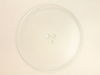
There are two different couplers (also known as a turntable shaft) that can be used for this tray - a male D-shaped shaft and a female D-shaped shaft. The couplers are sold separately.
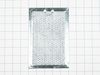
This is a grease filter compatible with various microwaves. Grease filters are used to collect food grease and prevent buildups on the internal components of the microwave, such as the fans and other ...
We know your home runs smoothly when all your appliances are in top shape. That's why we've got the Milwaukee Switch Assembly just for you. This essential part helps efficiently power on and off your ...
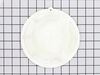
The stirrer fan cover in your microwave can be found on the roof of the microwave. It protects the fan from damage and debris. This fan cover is made of white plastic and is approximately 7.5 inches i...
This charcoal filter is a genuine OEM replacement part that is compatible with various models of microwave. It has a length of approximately 8 inches by 5 inches. The filter is designed to absorb odor...
This is the replacement damper bracket for your microwave. It is made of plastic and is approximately 11 inches wide and 3 inches long. The damper bracket attaches to the outer cabinet and directs air...
This mounting plate, also known as a bracket, is crucial for keeping your microwave mounted to the wall, when placed above the stove. This OEM part is sold separately from the screws that are needed t...
This part is the replacement high-voltage diode for your microwave. It is approximately 3 inches long and is sold individually. The high voltage diode is an electrical current control device inside yo...
This switch monitor interlock is a critical safety component designed to ensure proper communication between the microwave door latch and the control board. When functioning correctly, it confirms tha...
Ask our experts a question about this model and we'll get back to you as soon as possible!
5 questions answered by our experts.
Sort by:
< Prev
1
Next >
Search filter:
Clear Filter
Your search term must have 3 or more characters.
Keep searches simple. Use keywords, e.g. "leaking", "pump", "broken" or "fit".
Sorry, we couldn't find any existing answers that matched.Try using some different or simpler keywords, or submit your new question by using the "Ask a Question" button above!
Ellen
January 6, 2023
Reset filter light is on. how do you reset the filter? Where is the filter?
For model number JVM6175YK5FS
Hi Ellen, thank you for your question! When the Reset Filter light is on, replace the charcoal filter, part number PS16216937. The charcoal filter is located behind the vent grill, and you need to remove the vent grill mounting screws to access it. After repacking the filter, place your finger over the words "Reset Filter" and press down for 3 seconds. The Reset Filter indicator light will reset and go off. If you have changed the charcoal filter and tried resetting the Reset Filter indicator light but the Reset Filter notification will not go away, you can try the following: Disconnect power to the microwave for a few minutes by unplugging it or turning off the circuit breaker or fuse. Restore power and see if the light has reset. If this does not clear the Reset Filter indicator light, service will be needed. We hope this information helps!
Hi Cathy, thank you for getting in touch. The charcoal filter, part number PS16216937, will fit your model. Thank you for your inquiry, good luck with this repair!
Does this microwave have 3 filters , if so? One on top and two on the bottom. What size and were can I get them. I saw on a video of screw on top to open for filter. Can you tell me what size filter's are needed. Thanks
For model number JVM6175YK5FS
Hi Paul, thank you for the question. Yes, your model comes with 2 grease filters, part number PS12722303, and one charcoal filter, part number PS16216937. The size of the charcoal filter is approximately 4-13/16 x 7-5/8 x 3/8 inches. The size of the grease filter is approximately 5 x 7-5/8 x 3/32 inches. We hope that helps!
Our microwave is less than three months old. I switched off the circuit breaker that the micro is on. When I flipped the breaker back on, the microwave did not come back on. There's power to the outlet. I replaced the 20 amp fuse inside the micro. It was blown. Still won't come on. What's next? Thanks!
For model number JVM6175YK5FS
Hi Kip, thank you for contacting us. As you have already replaced the fuse, we would suggest checking the high-voltage capacitor, part number PS2345628. You may need to replace it to fix the issue. We hope this sorts out your problem!
Looking for door handle part # and price thank you
For model number JVM6175YK5FS
Hello Dennis, thank you for the question. The Door Handle you are looking for is not sold separately, you will have to order the complete Door Assembly for it, the part number is PS12743079. Please reach out to customer service if you need help placing an order, anyone will be happy to assist you. We hope that helps.
Remove microwave outer cover. Turn on side & locate the upper & lower door switches. Better to replace in pairs even if one is ok. Remove the wire harness to each switch. Then replace switch and re connect the wire harness. Re attach outer cover and test to see if that solved the problem. If so then well done!!
First I disconnected the power and opened the door. Then I removed the top screws holding the top vent louvers, then removed the screw at the top of the touch pad. The touch pad removes by sliding up slightly then tilting top out. I unscrewed two screws holding the door latch assembly. Press the tab to remove and replace switch. Reco
... Read morennect wires, reseat latch mount by placing top bracket tab in place first, allign and secure with screws. Reseat touch pad by placing bottom tabs in first, tilt forward and press up to seat top tabs, secure with top screw. Secure vent louver screws, plug in and watch your microwave work again.
I broke the tray glass in the microwave cleaning it so this was a no brainer. The best part of this was the PartSelect experience. I ordered the part on the 30th of December and received it on 3 Jan!!! I have used PartSelect before for fridge repair and had the same experience.