Your coupon for will be reflected when you check out!
✖
Your coupon for
✖
Hello!
You're visiting the PartSelect site in U.S.
Would you like to shop on the Canadian site?
Stay on this site
Go to Canadian site
✖
Model Number Locations
1Select Category Type
Select Category Type
2Select Product Type
Select Product Type
3Select {MODEL} Type
Select {MODEL} Type
Sample Model Number Tags
Model numbers can be made up of numbers (1005400, for example) or a combination of letters and numbers (LAT1000AAE). The model number will most likely appear on either a paper sticker or a metal plate. Your appliance's model number tag may look similar to the sample model number tags shown here (model number highlighted in yellow):
JVM3160DF5WW General Electric Microwave - Overview
Save your modelModel Saved!
Save your model for later to make things easier.
Model has been saved to My Models. If you're not signed in, your lists are available on this device and will expire within 30 days.
Model has been saved to My Models.
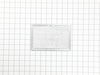
This is the replacement charcoal filter for your microwave. It is silver and black in color and measures approximately 10 inches by 2 ½ inches. The charcoal filter removes cooking odors from the air ...
This is a genuine replacement 40 watt bulb for a microwave. The bulb is meant to light up the underside of the microwave or inside of your microwave when the door is open or during use. If your bulb i...
This white door handle support is a structural component designed to secure the microwave door handle to the door assembly. Made from high-quality ABS plastic, it provides a stable connection point th...
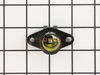
This light socket is for your microwave and is designed to hold the light bulb. If the light bulb is not working, and the bulb has not burned out, it may be a problem with the light socket. This part ...
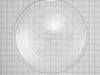
This 13.5-inch glass turntable tray is designed to fit a variety of microwave models, particularly those from GE and Hotpoint. Constructed from food-safe, heat-resistant tempered glass, it ensures con...
This fast-blow glass fuse is a genuine replacement component designed to protect microwave ovens from electrical damage caused by power surges or internal malfunctions. Rated at 20 amps and 125 volts,...
Enhance the lifespan and optimal functioning of your GE microwave with our Door Latch, an exquisite addition for your appliance. This vital piece, meticulously designed by GE, maintains the security o...
This GE ROTATING RING Assembly is an essential component for your microwave, designed specifically to hold and rotate the turntable tray. The key feature includes a sturdy glass tray turntable support...
This Microwave Switch by GE is the ideal component for users striving to maintain the safety and efficiency of their microwave unit. As a door monitor switch, it ensures that your microwave remains sw...
$59.11
In Stock
Order now and your part arrives by Mar 19
Questions And Answers for JVM3160DF5WW
We're sorry, but our Q&A experts are temporarily unavailable.
Please check back later if you still haven't found the answer you need.
10 questions answered by our experts.
Sort by:
< Prev
1
2
Next >
Search filter:
Clear Filter
Your search term must have 3 or more characters.
Keep searches simple. Use keywords, e.g. "leaking", "pump", "broken" or "fit".
Sorry, we couldn't find any existing answers that matched.Try using some different or simpler keywords, or submit your new question by using the "Ask a Question" button above!
Nancy
April 12, 2023
The light bulb under the microwave that lights up the stove top burned-out. So, I removed the screw from the glass door that covers the bulb and tried to unscrew the bulb. The bulb broke off from the base, so now the base is still in the socket. Any suggestions?
ALSO, I lost the little screw that holds up the glass door. Can you tell me what size and type I need to replace it with? And, do you sell those screws?
For model number JVM3160DF5WW
Hello Nancy, Thank you for your inquiry. You can try using a pair of needle nose pliers covered in electrical tape. Expand the tips as wide as you can and gently twist to remove the bulb base. We show the screw as part# PS222449. We hope this helps.
I took the food out, closed the door, but the light stayed on and the fan kept running. I unplugged the unit. When I plugged it in, the light went out, fan turned off but the bottom row of the numbers on the clock display were out. I could cook in the unit, but with no light or fan. Today the unit stopped working completely. Do I need a new control panel or is it worse? This oven is about 1 and a half years old.
For model number JVM3160DF5WW
Hi Suzanne, thank you for getting in touch. According to our research, you may need to replace the electronic control board, part number PS11762558, to fix the issue. We hope this solves your problem!
Instructions for removal of the control panel to gain access to the switches.
My microwave trips the breaker if you open the door while microwave is running.
For model number JVM3160DF5WW
Hello Richard, thank you for your question. We have on our site a testimonial from a previous customer that posted their repair instructions. 1. Unplug unit
2. Open door, remove two screws above the top trim piece, slide and remove trim.
3. Remove screw behind control board and top left corner, then release from position.
3b. Unplug all wire terminations and set control panel aside.
4. Remove two screws securing latch board, lift and rotate board out of position, remove three micro switches, xfer monitor switch actuator from lower pin in old board and insert in new. Install new door switches and reverse procedure to complete repair.
Note 1. Take care to located new latch board so holding tabs line up, pass through frame, and openings for door tangs line up with openings in frame before securing with screws.
Note 2. A long magnetic screwdriver is helpful.
We hope this is helpful.
Was this helpful?
Thank you for voting!
William
March 19, 2025
Needs to replaced the handle to open the microwave’s door.
For model number JVM3160DF5WW
Hello William, thank you for getting in touch. The door handle for your model is listed on our site with part number PS8754173. Glad to be of assistance!
1. Unplug unit 2. Open door, remove two screws above the top trim piece, slide and remove trim. 3. Remove screw behind control board and top left corner, then release from position. 3b. Unplug all wire terminations and set control panel aside. 4. Remove two screws securing latch board, lift and rotate board
... Read moreout of position, remove three micro switches, xfer monitor switch actuator from lower pin in old board and insert in new. Install new door switches and reverse procedure to complete repair.
Note 1. Take care to located new latch board so holding tabs line up, pass through frame, and openings for door tangs line up with openings in frame before securing with screws.
Open the front cover by pushing it at the top (where it says “Push”), lifting up and pushing back on top edge of the old filter. Pull it out. Installing the new one is basically just the reverse of those steps! That simple.
Old filter did seem to be a little thicker (filter material), but the new one was the exact same dimen
... Read moresions, so it went in properly. Wish the filter material was white, so you knew just how dirty it was actually getting. But... :-D