Your coupon for will be reflected when you check out!
✖
Your coupon for
✖
Hello!
You're visiting the PartSelect site in U.S.
Would you like to shop on the Canadian site?
Stay on this site
Go to Canadian site
✖
Model Number Locations
1Select Category Type
Select Category Type
2Select Product Type
Select Product Type
3Select {MODEL} Type
Select {MODEL} Type
Sample Model Number Tags
Model numbers can be made up of numbers (1005400, for example) or a combination of letters and numbers (LAT1000AAE). The model number will most likely appear on either a paper sticker or a metal plate. Your appliance's model number tag may look similar to the sample model number tags shown here (model number highlighted in yellow):
JVM3160DF2BB General Electric Microwave - Overview
Save your modelModel Saved!
Save your model for later to make things easier.
Model has been saved to My Models. If you're not signed in, your lists are available on this device and will expire within 30 days.
Model has been saved to My Models.
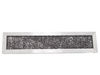
This is the replacement charcoal filter for your microwave. It is silver and black in color and measures approximately 10 inches by 2 ½ inches. The charcoal filter removes cooking odors from the air ...
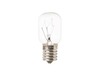
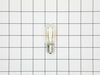
This is a genuine replacement 40 watt bulb for a microwave. The bulb is meant to light up the underside of the microwave or inside of your microwave when the door is open or during use. If your bulb i...
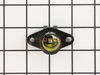
This light socket is for your microwave and is designed to hold the light bulb. If the light bulb is not working, and the bulb has not burned out, it may be a problem with the light socket. This part ...
This microwave door handle support is a durable plastic mounting bracket designed to secure the handle to the door panel. Often referred to as an end cap, it plays a critical role in maintaining the s...
This 13.5-inch glass turntable tray is designed to fit a variety of microwave models, particularly those from GE and Hotpoint. Constructed from food-safe, heat-resistant tempered glass, it ensures con...
This fast-blow glass fuse is a genuine replacement component designed to protect microwave ovens from electrical damage caused by power surges or internal malfunctions. Rated at 20 amps and 125 volts,...
Enhance the lifespan and optimal functioning of your GE microwave with our Door Latch, an exquisite addition for your appliance. This vital piece, meticulously designed by GE, maintains the security o...
This fan thermostat monitors temperature and activates the cooling fan when heat levels rise, helping protect internal components. Replacement is recommended when the fan does not turn on or temperatu...
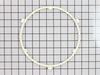
This GE ROTATING RING Assembly is an essential component for your microwave, designed specifically to hold and rotate the turntable tray. The key feature includes a sturdy glass tray turntable support...
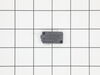
This Microwave Switch by GE is the ideal component for users striving to maintain the safety and efficiency of their microwave unit. As a door monitor switch, it ensures that your microwave remains sw...
$60.51
In Stock
Order now and your part arrives by May 29
Questions And Answers for JVM3160DF2BB
Ask our experts a question about this model and we'll get back to you as soon as possible!
11 questions answered by our experts.
Sort by:
< Prev
1
2
3
Next >
Search filter:
Clear Filter
Your search term must have 3 or more characters.
Keep searches simple. Use keywords, e.g. "leaking", "pump", "broken" or "fit".
Sorry, we couldn't find any existing answers that matched.Try using some different or simpler keywords, or submit your new question by using the "Ask a Question" button above!
Jean
July 7, 2021
What is the size of this microwave. Trying to replace it and need same size.
For model number JVM3160DF2BB
Hi Jean,
Thank you for your question. The dimensions for the microwave are approximately 16-1/2 high by 29 -7/8 wide by 15-1/4 deep and it is 1.6 cubic feet. We hope this helps! If you have any questions, please let us know.
5 people found this helpful.
Did this question help you?
Thank you for voting!
Donald
January 4, 2023
Microwave quit working (black display) everything I've read says the fuse ($15.00). Its over the stove so I must take it down to replace.
For model number JVM3160DF2BB
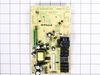
Hi Donald, thank you for the question. The first step is to check the power cable and power supply. If the screen has gone completely blank and the buttons do not beep anymore, there is a chance that your microwave is just unplugged or is powered by a tripped breaker. If this is not the issue, you need to replace the fuse, part number PS3486694. If this does not help, you need to inspect the control board, part number PS8754630. Please reach out to customer service if you need help placing an order. Glad to be of help!
All lights on the microwave are not working. Unit stopped working.
When open and shut the door a brief flash of green displays. So I know it has power.
For model number JVM3160DF2BB
Hello Jd, thank you for the great question. Based on the description that you have provided, we would recommend replacing the electronic control board, part number PS8754630. We hope this solves your problem!
I didn't get the mounting plate for my GE microwave I bought from Lowes. The model number keeps coming up different than what my oven says. I need a mounting plate, part Number?
For model number JVM3160DF2BB
Hi Carl, thank you for contacting us. The mounting plate for your model is part number PS8755493. If you need help placing an order, customer service is open 7 days a week!
how do you remove door handle supports on 2014 ge model
For model number JVM3160DF2BB
Hi Kenneth, thank you for contacting us. In order to remove the door handle supports, you may need to use a thin tool, like a putty knife or a butter knife, and gently pry off the back choke cover from the front frame of your door. There are tabs all along the perimeter that hold the whole door together. You gently pop them away so that you can take the pieces away from each other. That should reveal your screws. If not, then you just remove the choke in the same way and you should see the screws that hold the handle. Then un-thread these screws and remove the door handle supports. We hope this information helps!
Did this question help you?
Thank you for voting!
< Prev
1
2
3
Next >
✖
Ask a Question
Ask our experts a question on this model and we'll respond as soon as we can.
1. Unplug unit 2. Open door, remove two screws above the top trim piece, slide and remove trim. 3. Remove screw behind control board and top left corner, then release from position. 3b. Unplug all wire terminations and set control panel aside. 4. Remove two screws securing latch board, lift and rotate board
... Read moreout of position, remove three micro switches, xfer monitor switch actuator from lower pin in old board and insert in new. Install new door switches and reverse procedure to complete repair.
Note 1. Take care to located new latch board so holding tabs line up, pass through frame, and openings for door tangs line up with openings in frame before securing with screws.
Open the front cover by pushing it at the top (where it says “Push”), lifting up and pushing back on top edge of the old filter. Pull it out. Installing the new one is basically just the reverse of those steps! That simple.
Old filter did seem to be a little thicker (filter material), but the new one was the exact same dimen
... Read moresions, so it went in properly. Wish the filter material was white, so you knew just how dirty it was actually getting. But... :-D