Your coupon for will be reflected when you check out!
✖
Your coupon for
✖
Hello!
You're visiting the PartSelect site in U.S.
Would you like to shop on the Canadian site?
Stay on this site
Go to Canadian site
✖
Model Number Locations
1Select Category Type
Select Category Type
2Select Product Type
Select Product Type
3Select {MODEL} Type
Select {MODEL} Type
Sample Model Number Tags
Model numbers can be made up of numbers (1005400, for example) or a combination of letters and numbers (LAT1000AAE). The model number will most likely appear on either a paper sticker or a metal plate. Your appliance's model number tag may look similar to the sample model number tags shown here (model number highlighted in yellow):
Model has been saved to My Models. If you're not signed in, your lists are available on this device and will expire within 30 days.
Model has been saved to My Models.
This halogen light bulb is a genuine OEM component designed for top-mounted lighting in wall ovens and ranges. Operating at 120 volts and 40 watts, it emits a clear, warm white light (approximately 27...
This part is a replacement screw for your oven. It is made of black metal and is sold individually. This screw is approximately 1/4 inch in diameter and about 1/2 inch in length. It is designed to con...
This is an oven rack that is compatible with your range. Oven racks are designed to hold and support food items while they are cooking or baking within your oven and can also be used to cool or dry it...
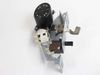
This oven temperature sensor assembly is a precision component designed to monitor and regulate the internal temperature of select wall ovens, ranges, and microwave-oven combinations. It continuously ...
Maintain safe and consistent oven performance with this genuine cooling fan sensor board. This electronic component monitors the cooling fan’s speed and communicates with the main control board to pre...
Introducing the GE Oven Door Gasket, a highly essential component for your wall oven. This door seal creates a reliable barrier around your oven door, ensuring optimal oven functionality by preventing...
Presenting the Glass Oven Window from the esteemed GE brand. This piece functions as the heat-resistant inner panel of the wall oven's door window, ensuring that the high temperature inside does not a...
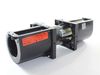
This genuine OEM cooling fan assembly is designed for select wall ovens, ranges, and microwave/oven combinations to maintain proper airflow and prevent overheating during cooking. By circulating air a...
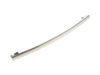
Revitalize your wall oven with the GE Handle and End Cap Assembly. Specifically designed by GE, this high-quality handle will restore your oven to its previous function and appearance. Smooth and easy...
This broil element is a replacement heating component designed to provide intense top-down heat for broiling and browning. It is commonly replaced when the broil function no longer heats properly or e...
$82.78
In Stock
Order now and your part arrives by Apr 20
Questions And Answers for JT3000SF3SS
Ask our experts a question about this model and we'll get back to you as soon as possible!
7 questions answered by our experts.
Sort by:
< Prev
1
2
Next >
Search filter:
Clear Filter
Your search term must have 3 or more characters.
Keep searches simple. Use keywords, e.g. "leaking", "pump", "broken" or "fit".
Sorry, we couldn't find any existing answers that matched.Try using some different or simpler keywords, or submit your new question by using the "Ask a Question" button above!
Thomas
January 15, 2020
Nothing on the control panel is lit up, no power. The cirucuit to to unit seems to be functioning properly, 240 v. What is the likely problem
For model number JT3000SF3SS
Hello and thank you for writing.
You should try the following :
Select the "Clear" button on the built-in GE oven.
Switch off the circuit breaker that is controlling the GE built-in oven.
Turn the power back on to your GE built-in wall oven.
Set the clock of your GE built-in oven after you have reset the appliance.
We hope this helps. Please contact us anytime if you require further assistance.
1 person found this helpful.
Did this question help you?
Thank you for voting!
George
July 13, 2021
How do i remove the glass cover on the oven light of this model electric oven?
For model number JT3000SF3SS
Hi George,
Thank you for your question. To remove the cover from the light bulb so you can replace it, turn the glass cover counterclockwise 1/4 turn until the tabs of the glass cover clear the grooves of the socket. Remove the bulb. We hope this helps. Thank you and have a great day!
1 person found this helpful.
Did this question help you?
Thank you for voting!
Harry
July 22, 2021
Removal of oven door? Is there a diagram available? Have code f96 and need to remove oven, figured it might be easier with door removed.
For model number JT3000SF3SS
Hi Harry,
Thank you for your question. According to your owner's manual, open the door so that it is fully open. Then use a tool such as a flat blade screwdriver to pull the hinge locks down to the unlocked position on the door frame. Once you have completed this, firmly grasp both sides of the door at the top. Then bring the door up so that the top of the door is approximately 3 inches away from the frame that the door shuts onto. Then lift the door up and out until both hinge arms are clear of the slots. We hope this helps! If you have any questions, please let us know.
1 person found this helpful.
Did this question help you?
Thank you for voting!
David
November 23, 2024
Door lock is stuck on lock! Cannot unlock door
For model number JT3000SF3SS
Hi David,
Thank you for your question. If you are unable to lock the door, try unplugging the range from the electrical outlet for a few minutes to see if you can reset it. If the door remains locked when you plug it back in, you will need to open it manually. Before opening it, unplug the range from the electrical outlet. Then form a wire hook from a coat hanger and insert it between the door and the latch and manually pull the latch to the open position. To verify if the latch is defective, test it for continuity with a multimeter on the Rx1 setting and ensure the switch is turned to the “clean" position. Before removing and testing any part in your range, unplug the range from the electrical outlet. You should receive a reading of zero or nearly zero. If your test results show that there is no continuity, you will need a replacement door lock assembly. We hope this helps!
When turning oven on it does not beep when setting oven temp it does not beep and does not beep when setting timer. Does not beep to let you know you have reached the temp set and when timer has reached the time set. Also does not beep when door left open. Otherwise oven is working!
For model number JT3000SF3SS
Hello Pat, thank you for contacting us. It looks like your oven volume is turned off. To change the settings of the volume tone, press the Bake and Broil pads at the same time and hold for three seconds. "SF" will appear on the display. Press the Cook Time button to view the current setting or to change the setting of the volume. Oven tone volume can be adjusted to high, medium, low, or off. Here, adjust the tone volume to the level you require and press the Start key to save the change. We hope that helps!
Did this question help you?
Thank you for voting!
< Prev
1
2
Next >
✖
Ask a Question
Ask our experts a question on this model and we'll respond as soon as we can.
The first step was to determine whether the problem was with the fan itself or the switch. I did this by opening the back cover and using a Volt meter to verify that the fan was not getting power. (I could have skipped this step.)
Next, I unplugged the range, closed up the back cover and lifted the range hood by removing two he
... Read morex head screws that are just inside and on either side of the top of the opening in the range door. Propping the hood open, I removed the connector leading to the switch, then pushed the switch out the front. Inspection showed that the switch was damaged so I closed up the range and ordered the part from Part Select. Once the part arrived, it was a 15 minute job to unplug the range, lift the top, install the new switch, and close up the unit.
Caution. On starting to install the switch, I failed to unplug the range and my finger brushed one of the hot contacts leading to the switch. Thankfully, I was not injured. Do not repeat my mistake on this issue. Unplug the range even if you're only installing this simple switch.
After opening the Oven door, I removed the glass cover to view and locate the bulb, at the inside, top front of the Oven. Removed the burnt out bulb by pulling it in a forward motion towards the front of the Oven, slid the new bulb into place and the Oven is again functional.