Your coupon for will be reflected when you check out!
✖
Your coupon for
✖
Hello!
You're visiting the PartSelect site in U.S.
Would you like to shop on the Canadian site?
Stay on this site
Go to Canadian site
✖
Model Number Locations
1Select Category Type
Select Category Type
2Select Product Type
Select Product Type
3Select {MODEL} Type
Select {MODEL} Type
Sample Model Number Tags
Model numbers can be made up of numbers (1005400, for example) or a combination of letters and numbers (LAT1000AAE). The model number will most likely appear on either a paper sticker or a metal plate. Your appliance's model number tag may look similar to the sample model number tags shown here (model number highlighted in yellow):
JES2051SN5SS General Electric Microwave - Overview
Save your modelModel Saved!
Save your model for later to make things easier.
Model has been saved to My Models. If you're not signed in, your lists are available on this device and will expire within 30 days.
Model has been saved to My Models.
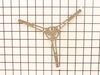
This is the rotating ring assembly for your microwave. It rests under the glass tray, and allows it to rotate so your food can cook evenly. If you notice that your food is not cooking evenly or if the...
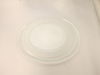
Introducing the GE Glass Cooking Tray, a key component for your microwave. This turntable tray takes center stage in your appliance, rotating to achieve even cooking of your food. Expertly crafted fro...
Ask our experts a question about this model and we'll get back to you as soon as possible!
3 questions answered by our experts.
Sort by:
< Prev
1
Next >
Search filter:
Clear Filter
Your search term must have 3 or more characters.
Keep searches simple. Use keywords, e.g. "leaking", "pump", "broken" or "fit".
Sorry, we couldn't find any existing answers that matched.Try using some different or simpler keywords, or submit your new question by using the "Ask a Question" button above!
Wendy
November 29, 2024
how do I repair my open door button?
For model number JES2051SN5SS
Hi Wendy,
Thank you for your great question. Here is some general information on how to remove and install a microwave door button. Before you begin this repair, unplug the microwave from the electrical outlet. Then unthread the rear and side screws securing the microwave cover. Then pull the rear side of the cover out and lift it up and pull it back to remove it. Then to avoid injury, you will need to release the potentially dangerous charge from the capacitor by placing a screwdriver with an insulated handle across the terminals for a few minutes. Be careful not to touch the metal portion of the screwdriver. Then use a screwdriver to unthread the screws securing the control panel. Then open the door and lift the control panel up to detach. Take note of how the wires connected to the electronic control board are arranged or take a photo of them and then disconnect the wire connectors. Then lift up the door release lever and then depress the retaining tabs to release the old door button. Verify that the springs are interlocked and then slide them into the posts of the new button and align the posts with the control panel and snap the button into place. Then reinstall the control panel by connecting the wire connectors to the appropriate terminals on the control board making sure that the door release lever is positioned under the latch lever. Then insert the lower tabs of the of the control panel into the slots in the frame and thread the screw to secure the panel. Then reinstall the microwave cover by aligning it correctly on the microwave frame and secure it with the screws. Restore power to the microwave and the button should now work for you. We hope this helps!
Did this question help you?
Thank you for voting!
SALLY
January 7, 2022
I need to have a stainless trim kit for this microwave. Can I order it from you?
For model number JES2051SN5SS
Hello Sally, thank you for your question. We are very sorry as the model number provided does not have internal parts list on our site. This would certainly be an issue for the manufacturer to address. For more specialized assistance or to speak with someone about this, we would suggest calling the manufacturer. We hope this helps!
Did this question help you?
Thank you for voting!
Virgil
January 29, 2024
Interior light went out yesterday when I opened the door.
What light bulb do I need ?
For model number JES2051SN5SS
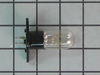
Hi Virgil, thank you for reaching out. The compatible light bulb for your model is part number PS247267. Please reach out to customer service if you need help placing an order, anyone will be happy to assist you!
So simple!! I took the glass plate out of the microwave and removed the plastic part that it was sitting on and installed the new part. I put the glass plate back in and turned the microwave on and the glass plate started to rotate just like it was supposed to. The wheels on the old part had become flat and that's why it wouldn't rotate.
... Read more No tools were needed.