















JB258DM3WW General Electric Range - Instructions
Keep searches simple. Use keywords, e.g. "leaking", "pump", "broken" or "fit".
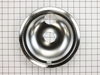
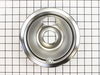
Burner bowls needed replacement
Very easy repair, Pulled burner coil out, removed old burner bowl. Put in new burner bowl, plugged burner coil back in... easy as 1,2,3
Parts Used:
-
Tom from North Prairie, WI
-
Difficulty Level:Really Easy
-
Total Repair Time:Less than 15 mins
488 of 507 people
found this instruction helpful.
Was this instruction helpful to you?
Thank you for voting!
Burner Bowl Needed Replaced
-
Stephen from Knoxville, TN
-
Difficulty Level:Really Easy
-
Total Repair Time:Less than 15 mins
524 of 691 people
found this instruction helpful.
Was this instruction helpful to you?
Thank you for voting!
The stove's bowl were burned and a mess.
Pulled out burner and put new bowls in. Looks like a new stove!
Parts Used:
-
Martin from Tewksbury, MA
-
Difficulty Level:Really Easy
-
Total Repair Time:Less than 15 mins
219 of 438 people
found this instruction helpful.
Was this instruction helpful to you?
Thank you for voting!
Oven would go in to a F2 Error
Removed six 1/4" hex nuts on rear of oven. Then through front/inside removed a single 1/4" hex nut to actually remove sensor. Unplug sensor connector, remove. Reversed steps, push oven back in place and plugged in. Tested oven function.
Parts Used:

-
Peter from stamford, CT
-
Difficulty Level:Really Easy
-
Total Repair Time:15 - 30 mins
-
Tools:Nutdriver
148 of 226 people
found this instruction helpful.
Was this instruction helpful to you?
Thank you for voting!
Replaced old drip bowls
Took 5 minutes to replace the 4 bowls. Ordered the bowls one day & they arrived the next day All went perfect.
Parts Used:
-
John from Eowell, OH
-
Difficulty Level:Really Easy
-
Total Repair Time:Less than 15 mins
-
Tools:Screw drivers
217 of 438 people
found this instruction helpful.
Was this instruction helpful to you?
Thank you for voting!
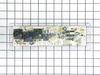
Blown Oven Control Board
After removing the back of the range the oven control board was visible and accessible by removing four nuts. There was some resistance removing the leads from the oven coils and light-bulb mechanisms but with some leverage and pliers they came loose. The only challenge was the face plate of the unit is attached using adhesive and needed to be carefully peeled off and added to the new oven control board. Getting this right was just a matter of taking time and lining up the components correctly. After applying the face, the new control board went right in. I reattached the back, plugged the unit back in, and the over has worked great for the past week. Part select being able to identify the part numbers listed from the component likely saved me at least $100 of having a GE certified repair technician come in.
Parts Used:
-
Julien from Barnhart, MO
-
Difficulty Level:A Bit Difficult
-
Total Repair Time:15 - 30 mins
-
Tools:Nutdriver, Screw drivers
56 of 63 people
found this instruction helpful.
Was this instruction helpful to you?
Thank you for voting!
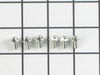
terminal block melted
The existing terminal block on my Ge oven/Range had melted due to a loose wire causing sparking and starting the plastic casing of the terminal block on fire and melting it, Part select made the part easy to find and had it at my house in 2 days. All I had to do was remove six screws to take the back sheet metal cover off of the oven. Unscrew the terminal connections remove two mounting screws that held the terminal on to the oven body. This was a little trickier than it should have been because the melted plastic had reformed making it very hard to access the mounting screws. i then mounted the new piece and plugged the oven in, it took 15 minutes and was very easy. definitely saved me at-least a $100 for the service call i would have made if finding the part wasn't so convenient
Parts Used:
-
jonathan from willow springs, IL
-
Difficulty Level:Easy
-
Total Repair Time:Less than 15 mins
-
Tools:Nutdriver, Screw drivers
54 of 75 people
found this instruction helpful.
Was this instruction helpful to you?
Thank you for voting!
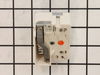
Burner was constantly at high heat
I removed the rear cover from the stove then removed the knob and two screws on the front panel that hold the control in place. I then took the wires off the old control one at a time and placed them on the new control. Then I placed the control in position and tightened the two screws on the front panel, replaced the knob and screwed the back panel in place.
Parts Used:
-
Rick from Avon Park, FL
-
Difficulty Level:Really Easy
-
Total Repair Time:Less than 15 mins
-
Tools:Pliers, Screw drivers
45 of 50 people
found this instruction helpful.
Was this instruction helpful to you?
Thank you for voting!
after lightning cooktop worked oven did not
called service co. and described problem while i was looking at parts diagram and he agreed with my feeling what part got fried. he told me the part would be 183.00 plus labor and drive time. when i told him i was looking at the part on line for 65 dollars he hung up on me. i recieved the part and was slightly dissapointed to know there was a sepperate adhesive overlay. i saw that it was a sepperate part but if i knew it was adhesive i would have spent the extra 20 dollars for a new one. but, to my surprise the old one peeled off easily and gently re-apllied it to the new conrol board alighning it well seemed to be the trickiest part of the job. took the five wires with connectors out of the old one and inserted them into the same place on the new one. removed the old one from the frame (4 pan phillp sheet metal screws) and then screwed the new wired control board in. plugged in the unit and pressed the bake button and then mixed the brownie batter. replaced the back panel cover. 65 dollars and 15 minutes.
thanks
bob
thanks
bob
Parts Used:
-
robert from OXFORD, CT
-
Difficulty Level:Really Easy
-
Total Repair Time:15 - 30 mins
-
Tools:Screw drivers
47 of 57 people
found this instruction helpful.
Was this instruction helpful to you?
Thank you for voting!
Oven wouldn't preheat above 300 degrees
Unplugged appliance and removed 5 screws on back of stove/oven and removed plate. Disconnected the sensor and unscrewed it on the inside of the oven. Pulled the cord through and replaced with new sensor. Replaced all parts and plugged in the appliance and tested. Worked great.
Parts Used:
-
Gerald from Cape Canaveral, FL
-
Difficulty Level:Really Easy
-
Total Repair Time:15 - 30 mins
-
Tools:Nutdriver
54 of 94 people
found this instruction helpful.
Was this instruction helpful to you?
Thank you for voting!
when cooking on the 8" burner it would randomly go high heat.
first slide out range from wall and unplug it. then remove the rear panel, it is about 6 or 8 1/4" screws. remove the selector knob on the front of range and then remove the two philips head screws. this is how you remove the burner controller. hold the new controller next to the od one and one by one take the wires off the old one and put them on the new one. re-assemble and you are good to go.
Parts Used:
-
kevin from crossroads, TX
-
Difficulty Level:Really Easy
-
Total Repair Time:15 - 30 mins
-
Tools:Nutdriver, Screw drivers
30 of 33 people
found this instruction helpful.
Was this instruction helpful to you?
Thank you for voting!
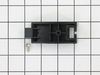
Plastic drawer support snapped off
The repair went very easy. The replacement part was designed differently than the original part. It installed on the rear of the drawer with a screw as the original snapped into the side. This was a bit confusing when researching and looking up the part online.
Parts Used:
-
Jeff Troiano from Sayville, NY
-
Difficulty Level:Really Easy
-
Total Repair Time:Less than 15 mins
-
Tools:Screw drivers
30 of 35 people
found this instruction helpful.
Was this instruction helpful to you?
Thank you for voting!
I kept getting An F2 error and the temperature did not seem accurate
1) pull out the stove
2) remove the 7 sheet metal screws holding the back panel on. (the panel that also covers where the cord splits and connects to the oven.
3) Find the small plastic connector located in the middle of the back of the range and unplug it.
4) open the front of the oven and remove the one screw holding in the oven temp sensor.
5) replace the sensor and make sure to "feed" the new cord through as best you can.
6) I had to dig through the insulation a little bit to find the new wiring harness
7) connect the wiring harness and put the back of the range back on
note: this was very simple to do if you think this might be the problem don't hesitate to handle this one yourself.
2) remove the 7 sheet metal screws holding the back panel on. (the panel that also covers where the cord splits and connects to the oven.
3) Find the small plastic connector located in the middle of the back of the range and unplug it.
4) open the front of the oven and remove the one screw holding in the oven temp sensor.
5) replace the sensor and make sure to "feed" the new cord through as best you can.
6) I had to dig through the insulation a little bit to find the new wiring harness
7) connect the wiring harness and put the back of the range back on
note: this was very simple to do if you think this might be the problem don't hesitate to handle this one yourself.
Parts Used:
-
Chad from Bloomington, IN
-
Difficulty Level:Really Easy
-
Total Repair Time:Less than 15 mins
-
Tools:Screw drivers, Socket set, Wrench (Adjustable), Wrench set
29 of 38 people
found this instruction helpful.
Was this instruction helpful to you?
Thank you for voting!
Yje electronic control panel was shorted out. I orderd a new one and in a timely mannor your service delivered the part via Fed Ex.
The repair was simple. All wires were color coded and the new part had the same color codes marked. Simply unplugged the wires from the bad part and plugged them into the new part a reinstalled the part to the back panel of the range.
Parts Used:
-
Gary from Wichita, KS
-
Difficulty Level:Really Easy
-
Total Repair Time:15 - 30 mins
-
Tools:Nutdriver
28 of 36 people
found this instruction helpful.
Was this instruction helpful to you?
Thank you for voting!
Surface element indicator remained on.
The known problem: a short occured between the surface element and the INF switch. After replacing the wire between the surface element and INF switch. The surface indicator light remained on - indicating a power surge/spike. Prior to removing the old INF switch I disconnected the wires from the old switch one at a time and plugged each into the new switch terminals. Then I removed the knob from the front of the control panel and the 2 screws holding the old INF switch in place. Removed the old switch and replaced it with the new switch. Reinstalling the 2 screws and the knob. Surface indicator light was no longer illuminated and surface element works fine.
Parts Used:
-
Ed from Plymouth, MA
-
Difficulty Level:Really Easy
-
Total Repair Time:30 - 60 mins
-
Tools:Screw drivers
25 of 29 people
found this instruction helpful.
Was this instruction helpful to you?
Thank you for voting!