















GTD65EBMK0DG General Electric Dryer - Instructions
Keep searches simple. Use keywords, e.g. "leaking", "pump", "broken" or "fit".
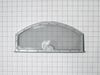
Lint filter tore
-
Lisha|Lamb from SHELDON, MO
-
Difficulty Level:Very Easy
-
Total Repair Time:Less than 15 mins
36 of 39 people
found this instruction helpful.
Was this instruction helpful to you?
Thank you for voting!
Broken/ Tore Lint Filter
Opened dryer door and pulled out and Removed Broken old Lint Filter, inserted New Lint Filter into Lint Filter slot, then closed Dryer door.
Parts Used:
-
Cristina from WHITTIER, CA
-
Difficulty Level:Very Easy
-
Total Repair Time:Less than 15 mins
18 of 21 people
found this instruction helpful.
Was this instruction helpful to you?
Thank you for voting!
Lint Filter Frayed
-
Margarita from AUSTIN, TX
-
Difficulty Level:Very Easy
-
Total Repair Time:Less than 15 mins
12 of 13 people
found this instruction helpful.
Was this instruction helpful to you?
Thank you for voting!
needed new lint filter
-
Aaron from MERIDIAN, ID
-
Difficulty Level:Very Easy
-
Total Repair Time:Less than 15 mins
13 of 16 people
found this instruction helpful.
Was this instruction helpful to you?
Thank you for voting!
Dryer was making noise
Took the top and front end of the dryer off. Took the old slider spacers off and installed the new ones. I replaced all four of them even though only two was bad. While I had the dryer open I decided to use my shop vac to clean up the lint that had accumulated there. Replaced the front and the lid plugged it up, hit the start no noise just like new.
Parts Used:

-
Maurice from MINERAL SPGS, AR
-
Difficulty Level:Really Easy
-
Total Repair Time:15 - 30 mins
-
Tools:Screw drivers
12 of 14 people
found this instruction helpful.
Was this instruction helpful to you?
Thank you for voting!
Dryer would not start
I popped the door switch out with a small screwdriver, disconnected the electrical connection and re-connected the new switch and popped the new switch in place with a little adjustment.
Parts Used:
-
Kenneth from COATESVILLE, PA
-
Difficulty Level:Really Easy
-
Total Repair Time:15 - 30 mins
-
Tools:Screw drivers
12 of 14 people
found this instruction helpful.
Was this instruction helpful to you?
Thank you for voting!
The old filter had holes in it
-
Robin from CANTON, OH
-
Difficulty Level:Very Easy
-
Total Repair Time:Less than 15 mins
10 of 11 people
found this instruction helpful.
Was this instruction helpful to you?
Thank you for voting!
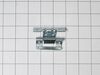
Broken Door Hinge
Having 2 persons make the job easier.
1) Remove the screws that holds the hinge to the body of the unit.
2) Remove the screws around the door so you can get to the hinge.
3) Remove bad hinge and replace with new one.
1) Remove the screws that holds the hinge to the body of the unit.
2) Remove the screws around the door so you can get to the hinge.
3) Remove bad hinge and replace with new one.
Parts Used:
-
Rene from LAUD LAKES, FL
-
Difficulty Level:Really Easy
-
Total Repair Time:15 - 30 mins
-
Tools:Screw drivers
8 of 10 people
found this instruction helpful.
Was this instruction helpful to you?
Thank you for voting!
The lent filter was worn out, the screen was ripped and torn from west.
Very simple and easy it took no more than 10 seconds if that long. Remove the worn out screen (pull up and out), replace it with the new screen( slide it into the area where the old screen was removed. (No tools needed)
Parts Used:
-
Bruce from OKLAHOMA CITY, OK
-
Difficulty Level:Very Easy
-
Total Repair Time:Less than 15 mins
7 of 8 people
found this instruction helpful.
Was this instruction helpful to you?
Thank you for voting!
Torn screen on lint filter
-
Elizabeth A from STEVENS POINT, WI
-
Difficulty Level:Very Easy
-
Total Repair Time:Less than 15 mins
6 of 6 people
found this instruction helpful.
Was this instruction helpful to you?
Thank you for voting!
The Lint filter in the dryer was damaged from continuous use.
I just popped in the new Filter and it fit perfectly. This will prolong the dryer use, looks like new.
Thank you Part Select.
One Happy customer
Thank you Part Select.
One Happy customer
Parts Used:
-
Mary Ann from SUN CITY WEST, AZ
-
Difficulty Level:Really Easy
-
Total Repair Time:Less than 15 mins
6 of 7 people
found this instruction helpful.
Was this instruction helpful to you?
Thank you for voting!
the bracket around the net was cracked
removed old lint trap cleaned excess lint that fell inside from the broken lint trap made it easier for new lint trap to slide in.
Parts Used:
-
Sydrell from CHICAGO, IL
-
Difficulty Level:Very Easy
-
Total Repair Time:Less than 15 mins
4 of 5 people
found this instruction helpful.
Was this instruction helpful to you?
Thank you for voting!
Replace dryer front bearing slides
If your dryer is making a grinding or loud plastic rubbing noise, you likely need to replace the slides. Here is how I did it.
TIP: Before beginning, set out a hand towel on the washing machine to set the screws onto, in the order and position you removed them.
IMPORTANT: Before beginning, turn off the gas to the unit and unplug it! This repair is all done from the front side of the machine, so you should only need to slide it out enough to unplug it.
Step 1: Remove the control panel
To do this, you need to pull out on the round silver control knob to remove it. This will expose a long screw. With the long screw removed, grab the panel with both hands and slide it straight up. Be careful, the control board is still connected with a 40-pin ribbon cable. Set the control board on top of the dryer temporarily.
Step 2: Remove the lid
There are three screws to remove the lid. Remove them and set them on the screw holding towel. The lid is attached at the back, so to remove it you need to slide it forward towards the front of the unit. Once the lid is loose, you can have a helper hold the control panel while you set the lid aside, or gently let the control panel dangle.
Step 3: Disconnect the control panel and wiring harnesses
Gently pull on the 40-pin ribbon connector until the control panel ribbon cable is removed. There is a notch to designate which direction the ribbon cable it goes back in. Set the control panel to the side. At the same time, you can disconnect the two wiring harnesses that feed the door light and sensor. These wiring harnesses are secured to a silver plate with a zip tie. Cut the zip tie with your diagonal cutters. (You can trim the old zip tie and replace it by feeding the extra small zip tie through the original opening later.)
Step 4: Remove the steel plate that the wiring harnesses were attached to
There are 6 screws to remove the steel plate. Pay attention to where the extra large head screws go, because these are what the control panel slides onto, when you put things back together. Pull out on each side to release the bottom clips, then slide it upwards. Set this piece aside.
Step 4: Remove the front panel (the door panel)
There are 4 screws to loosen the door panel. Two silver screws at the top, and 2 white screws at the bottom. Loosen the white screws about half way. These do not need to be completely removed because the door can rest on them. Remove the top silver screws. Gently lift the dryer drum off the front bezel while you tilt the front panel towards you. At this point you should be able to see the white and dark green slides. I found it easier to lift the front door off the white screws and set it up against the wall.
Step 5: Replace the slides
The slides have plastic hooks that go through the round holes on one end to hold them in place. You should be able to remove the slides with your fingers (maybe with a little help from a flat-head screwdriver), and replace them. There are dozens of YouTube videos on how to do this if you need help. Be careful not to break the plastic hooks that hold the slide to the front plastic bezel. Replace white slides with the white, and the dark green slides with dark green.
Step 6: Putting it all back together
Do everything in reverse. Set the front panel in the white screws, lift the drum, and slide the door panel back to rest on the slides while you put back the silver screws. Give the drum a few good spins manually to make sure there isn't anything still rubbing. Keep in mind the sliding noise is slightly louder than normal until all the panels are replaced.
It will help the process to only tighten the screws half way while putting them all back in. Once everything aligns, then you can tighten them down. DO NOT over tighten, use hand tightness only or you will strip them out. With the front door panel back on, you can put the steel panel back in place. Once you have the 6 screws done, remember to slide a small zip tie through the previous hole to secure the wiring harnesses. Connect the harnesses, and the front panel ribbon cable before putting the lid back on. Insert the screws to the lid, then slide the control panel back down, and replace the single long screw. Note that the control knob is notched, so align the flat sides as you put it back in.
Plug it back in, and turn back on the gas, you are done!
TIP: Before beginning, set out a hand towel on the washing machine to set the screws onto, in the order and position you removed them.
IMPORTANT: Before beginning, turn off the gas to the unit and unplug it! This repair is all done from the front side of the machine, so you should only need to slide it out enough to unplug it.
Step 1: Remove the control panel
To do this, you need to pull out on the round silver control knob to remove it. This will expose a long screw. With the long screw removed, grab the panel with both hands and slide it straight up. Be careful, the control board is still connected with a 40-pin ribbon cable. Set the control board on top of the dryer temporarily.
Step 2: Remove the lid
There are three screws to remove the lid. Remove them and set them on the screw holding towel. The lid is attached at the back, so to remove it you need to slide it forward towards the front of the unit. Once the lid is loose, you can have a helper hold the control panel while you set the lid aside, or gently let the control panel dangle.
Step 3: Disconnect the control panel and wiring harnesses
Gently pull on the 40-pin ribbon connector until the control panel ribbon cable is removed. There is a notch to designate which direction the ribbon cable it goes back in. Set the control panel to the side. At the same time, you can disconnect the two wiring harnesses that feed the door light and sensor. These wiring harnesses are secured to a silver plate with a zip tie. Cut the zip tie with your diagonal cutters. (You can trim the old zip tie and replace it by feeding the extra small zip tie through the original opening later.)
Step 4: Remove the steel plate that the wiring harnesses were attached to
There are 6 screws to remove the steel plate. Pay attention to where the extra large head screws go, because these are what the control panel slides onto, when you put things back together. Pull out on each side to release the bottom clips, then slide it upwards. Set this piece aside.
Step 4: Remove the front panel (the door panel)
There are 4 screws to loosen the door panel. Two silver screws at the top, and 2 white screws at the bottom. Loosen the white screws about half way. These do not need to be completely removed because the door can rest on them. Remove the top silver screws. Gently lift the dryer drum off the front bezel while you tilt the front panel towards you. At this point you should be able to see the white and dark green slides. I found it easier to lift the front door off the white screws and set it up against the wall.
Step 5: Replace the slides
The slides have plastic hooks that go through the round holes on one end to hold them in place. You should be able to remove the slides with your fingers (maybe with a little help from a flat-head screwdriver), and replace them. There are dozens of YouTube videos on how to do this if you need help. Be careful not to break the plastic hooks that hold the slide to the front plastic bezel. Replace white slides with the white, and the dark green slides with dark green.
Step 6: Putting it all back together
Do everything in reverse. Set the front panel in the white screws, lift the drum, and slide the door panel back to rest on the slides while you put back the silver screws. Give the drum a few good spins manually to make sure there isn't anything still rubbing. Keep in mind the sliding noise is slightly louder than normal until all the panels are replaced.
It will help the process to only tighten the screws half way while putting them all back in. Once everything aligns, then you can tighten them down. DO NOT over tighten, use hand tightness only or you will strip them out. With the front door panel back on, you can put the steel panel back in place. Once you have the 6 screws done, remember to slide a small zip tie through the previous hole to secure the wiring harnesses. Connect the harnesses, and the front panel ribbon cable before putting the lid back on. Insert the screws to the lid, then slide the control panel back down, and replace the single long screw. Note that the control knob is notched, so align the flat sides as you put it back in.
Plug it back in, and turn back on the gas, you are done!
Parts Used:

-
Darin from MEDINA, MN
-
Difficulty Level:Easy
-
Total Repair Time:30 - 60 mins
-
Tools:Screw drivers
3 of 3 people
found this instruction helpful.
Was this instruction helpful to you?
Thank you for voting!
WAITING ON PART
Still waiting for your parts. over two weeks to get part which was a hinge for something, I don't know what, but not my dryer seal. You said you would refund shipping and wrong part and charge me for a new order. End result was I got charged extra shipping for your mistake. The part still is MIA and it has been 5 weeks since I originally ordered. Will never do business with you again.
Parts Used:
-
MARTIN from MOUNTAIN VIEW, WY
-
Difficulty Level:Very Difficult
-
Total Repair Time:More than 2 hours
2 of 2 people
found this instruction helpful.
Was this instruction helpful to you?
Thank you for voting!
When the door is closed the dryer didn't work
Easy watch YouTube and open door placed screwdriver under door switch pry lightly and switch will pop out unplug wire connectors and replace on new switch reinsert switch should be done
Parts Used:
-
Cary from SILVER SPGS, FL
-
Difficulty Level:Really Easy
-
Total Repair Time:30 - 60 mins
-
Tools:Pliers, Screw drivers
2 of 2 people
found this instruction helpful.
Was this instruction helpful to you?
Thank you for voting!