















GSHS5KGXECSS General Electric Refrigerator - Instructions
Keep searches simple. Use keywords, e.g. "leaking", "pump", "broken" or "fit".
Fridge too warm, evaporator icing up
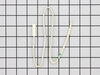
After replacing the defrost heater, main board and thermistor I still had the same problem. Called a repair guy and he (with the help of GE on the phone) diagnosed that the temperature sensor was bad. So I ordered from partselect and installed it and it fixed the problem. Been good for a couple months (knocking on wood). To install I had to cut the 2 wires to the old sensor, crimp the 2 new wires on and snap the new sensor to the clip on the evaporator. Very easy. Make sure you seal the ends of the wire crimps so moisture doesn't get in and corrode the connection.
Parts Used:
-
Gerald from San Clemente, CA
-
Difficulty Level:Easy
-
Total Repair Time:15 - 30 mins
-
Tools:Screw drivers
606 of 736 people
found this instruction helpful.
Was this instruction helpful to you?
Thank you for voting!
The refrigerator made continous "whooing" sounds that increased and decreased in pitch. Sounded like a ghost. Would keep us up at night. Also noticed that the heater was not heating under the evaporator coils.
After checking the stories, the consensus of opinion was to change the mother board. I had a tremendous help from Tom Paone at quality@applianceeducator.com. He also told me to change the motherboard but to make sure that the coils were totally defrosted before starting up the refrigerator after changing the board.
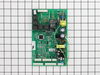
Took off three nuts around the board at the back of the unit. Removed the input wires and you have to push in the plastic tabs holding the board in. Then just put the new board in place and push till the tabs click. Re-install the wires and put the cover back on.
Really simple task,
It is now a week since doing this and the unit is working perfectly. No soulds and good nights sleep. The ghost has moved on.
Took off three nuts around the board at the back of the unit. Removed the input wires and you have to push in the plastic tabs holding the board in. Then just put the new board in place and push till the tabs click. Re-install the wires and put the cover back on.
Really simple task,
It is now a week since doing this and the unit is working perfectly. No soulds and good nights sleep. The ghost has moved on.
Parts Used:
-
John from Holly Springs, NC
-
Difficulty Level:Really Easy
-
Total Repair Time:Less than 15 mins
-
Tools:Nutdriver
561 of 652 people
found this instruction helpful.
Was this instruction helpful to you?
Thank you for voting!
my refigerator was warm but the freezer was cold and working correcttly
I went to a GE repair center to explain my problem, the service center reccomended that I have a techinician come out o look at it. $75.00 for the visit and what ever labor and materials wuld cost.
I went on line to see if there were others having this same problem and found that there were many with the same problem.
After reading some of the ways that people found out what was wrong ...it became a matter of three components, the timer, heater or thermostat.
I tried the most common component and the less expensive one first , the thermostat switch I installed it very easily snipping two wires and attaching the news using wire nuts I used the diagram on this website to pinpoint the component and there has not been a problem since.
I went on line to see if there were others having this same problem and found that there were many with the same problem.
After reading some of the ways that people found out what was wrong ...it became a matter of three components, the timer, heater or thermostat.
I tried the most common component and the less expensive one first , the thermostat switch I installed it very easily snipping two wires and attaching the news using wire nuts I used the diagram on this website to pinpoint the component and there has not been a problem since.
Parts Used:
-
michele from North Smithfield, RI
-
Difficulty Level:Really Easy
-
Total Repair Time:15 - 30 mins
-
Tools:Pliers
300 of 393 people
found this instruction helpful.
Was this instruction helpful to you?
Thank you for voting!
Refrigerator wouldn't cool, constant clicking noise
Unplug refrigerator. First I removed 3 screws to remove cover for Board ASM Main located on back of refrigerator then loosen Board by pressing on each of 4 plastic pins then unscrew ground wire (green) then transfer all plugs from old Board to new Board, put back new board through pins, screw back ground wire then put back cover then plug back refrigerator, took 5 minutes
Parts Used:
-
Alejandro from New York, NY
-
Difficulty Level:Really Easy
-
Total Repair Time:Less than 15 mins
-
Tools:Screw drivers
148 of 177 people
found this instruction helpful.
Was this instruction helpful to you?
Thank you for voting!
refrigerator was getting too cold
I removed the old temperature sensor by cutting the wires. I attached the wires of the new sensor with wire nuts and mounted it in the same bracket.
Parts Used:
-
Larry from Menomonie, WI
-
Difficulty Level:A Bit Difficult
-
Total Repair Time:15 - 30 mins
149 of 217 people
found this instruction helpful.
Was this instruction helpful to you?
Thank you for voting!
freezer clod-fridge warm, coils were frosting up cutting off air flow
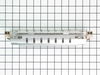
First unplug then remove all food and the ice cubes from the freezer only..Then removed the traysand then the 2 panel screws. Defrosted the coils with a hair dryer,removed the 2 screws holding the heater and then unplugged the wires from each side.Installed the new heater and now has been fine for 12 days now..The sensor- I just spliced it in the exact way the old sensor was wired.All seems fine so far. Was alot cheaper to buy the parts and install myself than to pay for 1 service call..
Parts Used:
-
Greg from Windsor, WI
-
Difficulty Level:Easy
-
Total Repair Time:30 - 60 mins
-
Tools:Screw drivers, Socket set
105 of 133 people
found this instruction helpful.
Was this instruction helpful to you?
Thank you for voting!
Repeatedly stick in defrost, raising temps in fridge and freezer for hours at a time, some times for days. Repair tech was called out twice to look into this problem, but the temps returned to normal both times before he arrived, therefore, he never could diagnose the problem with a certainity as wh
The main board is easy to get to behind the access plate. You will find seven different wire harness plugs, six which are white, that are impossible to remove without breaking the retaining clips which hold them in place....but that's OK.....you are throwing away the old board anyway, so nothing lost. The plugs will snap back into each of their respective terminal locations without a problem. Be sure to treat the four white, plastic pins that hold the board in place delicately....you will not want to mess those little dudes up!
Parts Used:
-
Jerry from Otisco, IN
-
Difficulty Level:Easy
-
Total Repair Time:Less than 15 mins
-
Tools:Screw drivers
96 of 121 people
found this instruction helpful.
Was this instruction helpful to you?
Thank you for voting!
Ice dispenser quit working and kept making a clicking sound
All you have to do is replace the circuit board which is really easy. Still kinda mad because the fridge is less than 2 years old. If you hear the clicking noise its coming from the circuit board.
Parts Used:
-
Ken from Gibson City, IL
-
Difficulty Level:Really Easy
-
Total Repair Time:Less than 15 mins
-
Tools:Nutdriver, Pliers
86 of 97 people
found this instruction helpful.
Was this instruction helpful to you?
Thank you for voting!
Warm freezer and no ice
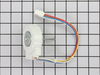
This story starts with a GE side-by-side refrigerator that has always had wide temperature swings and a temperamental water dispenser. The ice maker was not making ice, and the built in digital thermometer showed it was running warm. I suspected that the heat exchanger was full of dust and so looked there. What I found was that the condenser tank was hot to the touch and the fan wasn’t running. As an experiment, I aimed a fan at the it for a while I saw that the freezer temperature dropped back to normal.
.The fan is marked as 11.2 DC so I checked for voltage at the fan and found some. With three wires and no wiring diagram I wasn’t sure this answered all the questions, but hooking the fan to a 12 volt power supply didn’t get it to spin.
I priced parts at a couple websites before using partselect.com . They also have a good diagram to look at (Sears diagrams are really poor). I ordered the part with 2-day shipping; it arrived on time, was correct and fixed the problem.
.The fan is marked as 11.2 DC so I checked for voltage at the fan and found some. With three wires and no wiring diagram I wasn’t sure this answered all the questions, but hooking the fan to a 12 volt power supply didn’t get it to spin.
I priced parts at a couple websites before using partselect.com . They also have a good diagram to look at (Sears diagrams are really poor). I ordered the part with 2-day shipping; it arrived on time, was correct and fixed the problem.
Parts Used:
-
Paul from Suwanee, GA
-
Difficulty Level:Easy
-
Total Repair Time:30 - 60 mins
-
Tools:Nutdriver
95 of 133 people
found this instruction helpful.
Was this instruction helpful to you?
Thank you for voting!
Refrigerator stopped freezing and cooling frige
Well, I first had a local service guy look at the frige. only to find out his opinion was to replace the entire unit, because the Mother board cost more than the unit was worth. Me not accepting that answer, decided to look on line for a part and availability as well as price. Surprise, Part Select had what I wanted. Now, on the back of the unit in the upper left hand corner is the access door for the mother board.Find it, but before proceeding disconnect the power supply from the wall receptacle. Remove the surrounding screws on the access door with a nut driver and the correct size METRIC socket. Disconnect the wiring connectors on both sides of the board. Now there are 4 plastic type (mine were white) retaining studs holding the board in place. BE CAREFUL not to break these as you gently pull the board off studs. Replace board with new one, and restore wire connectors in their perspective places. Each connector has a different amount of pins inside so connecting them is easy. I know nothing about refrigeration, and this was a piece of cake. Less than 15 min. Unit cools like never before!!!
Parts Used:
-
DAVID R. from BATH, NY
-
Difficulty Level:Easy
-
Total Repair Time:Less than 15 mins
-
Tools:Nutdriver
77 of 85 people
found this instruction helpful.
Was this instruction helpful to you?
Thank you for voting!
Our refrigerator stops delivering ice both crushed and cube. The ice bin was full. I first thought the delivery motor was bad and then the water dispenser in the door stopped delivery. Decided at that point it was either the door panel swith board, cable or the main circuit board on the back of t
After further diagnosis decided the main circuit board was the likely culprit. Ordered a new one from PartSelect. It came in 2 days and took less than 30 minutes to install. Unplugged the refrig. Removed the old board cover with a nut driver. Removed the wiring cables (note their location on the board) and also there were a couple of cable plugs on my refrig that were not not hooked to anything on the board. Snapped the old board out and the new board in. Reinstalled the cables and then the board cover. Plugged the refrig in and back in business. PartSelect is a great website! The speed of delivery and available information just saved me $500 to $600 from a appliance repair shop.
Parts Used:
-
david from colleyville, TX
-
Difficulty Level:Really Easy
-
Total Repair Time:15 - 30 mins
-
Tools:Nutdriver
62 of 68 people
found this instruction helpful.
Was this instruction helpful to you?
Thank you for voting!
fan not running
Removed rear and front grills,brushed and vacuumed area- probably caused the fan motor to fail- unplugged fan, removed fan,motor,and shroud in 1 piece, carefully slipped fan off motor shaft, unscrewed shroud and motor. assembled in reverse order. Frige is in tight area, .I'll now roll it out and clean often
Parts Used:
-
Ray from Bensalem, PA
-
Difficulty Level:A Bit Difficult
-
Total Repair Time:15 - 30 mins
-
Tools:Nutdriver, Socket set
74 of 104 people
found this instruction helpful.
Was this instruction helpful to you?
Thank you for voting!
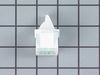
dropped something on the light switch and it broke off
we just pried out the old switch and pulled it out the rest of the way with a pair of needle nose pliers. Pulled off the wires on the broken switch and reattached to the new one and just slid/clicked it back into the hole.
Parts Used:
-
Lorinda from Dallas, TX
-
Difficulty Level:Really Easy
-
Total Repair Time:Less than 15 mins
-
Tools:Pliers, Screw drivers
59 of 68 people
found this instruction helpful.
Was this instruction helpful to you?
Thank you for voting!
Clicking noice from the motherboard
After advise from the expert, he was adamant the motherboard was the (via symptoms)problem. After receiving the replacement board (via FEDEX), I followed the easy to understand instructions. I did number the electrical plugs and mapped the connections on paper. The key to the rapid fix was to carefully read all of the instructions to verify which (if any) wires needed elimination, which in my case was none. I will definitely use this service in the future as the expense was affordable and after research, I estimate a savings between 55% to 60%.
Parts Used:
-
John from Greer, SC
-
Difficulty Level:Really Easy
-
Total Repair Time:Less than 15 mins
-
Tools:Pliers, Screw drivers
56 of 60 people
found this instruction helpful.
Was this instruction helpful to you?
Thank you for voting!
refrigerator/freezer defrosting completely for no reason
Unplugged refrigerator and used a screwdriver to remove access panel on rear of refrigerator to expose "mother board". Unplugged connectors (6 total) and using needle nose pliers released two retainers to remove mother board. Installed new mother board snapping it onto the two retainers and plugged the connectors onto the new mother board. Plugged refrigerator into outlet, refrigerator came back on, automatically reset it's temperature settings and has been working fine since. Total time, less than 15 minutes. Money saved, hundreds of dollars!
Parts Used:
-
John from Yucca Valley, CA
-
Difficulty Level:Really Easy
-
Total Repair Time:Less than 15 mins
-
Tools:Screw drivers
53 of 55 people
found this instruction helpful.
Was this instruction helpful to you?
Thank you for voting!