















GFW550SSN1WW General Electric Washer - Instructions
Keep searches simple. Use keywords, e.g. "leaking", "pump", "broken" or "fit".
Washer stopped working
My first step was to unplug and re-plug the washer into a different working electrical outlet to see if the power-on control panel would reset itself. The washer would cycle on but within few second it would power down. After watching an how to short video from GE website My next step was to get access to the main control board by disassembling the front and top panels to check for a blown fuse located on the board. I also checked the water pump filter for sign of lint build up. The lint filter was clean and the fuse wasn’t blown.
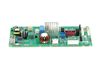
Next I attempted to set the control panel into diagnostic mode so as to read any error code stored on the board , I wasn’t successful therefore I summarized the control board needed to be replaced.
With the new control board on hand I unplugged the washer from the electrical outlet, grounded my wrist with a ground wire linked to the house water metal pipe. I proceeded to unscrew the control board module from the washer frame, unsnapped half dozen electrical leads then extracted the defective board. I carefully installed the new board double checking all connections for proper fit. After reinstalling the top and front panels I plugged and powered up the washer, it took me approximately two hours to successfully repair the washer.
Next I attempted to set the control panel into diagnostic mode so as to read any error code stored on the board , I wasn’t successful therefore I summarized the control board needed to be replaced.
With the new control board on hand I unplugged the washer from the electrical outlet, grounded my wrist with a ground wire linked to the house water metal pipe. I proceeded to unscrew the control board module from the washer frame, unsnapped half dozen electrical leads then extracted the defective board. I carefully installed the new board double checking all connections for proper fit. After reinstalling the top and front panels I plugged and powered up the washer, it took me approximately two hours to successfully repair the washer.
Parts Used:
-
teddy from CLINTON TWP, MI
-
Difficulty Level:Easy
-
Total Repair Time:1- 2 hours
-
Tools:Screw drivers
16 of 23 people
found this instruction helpful.
Was this instruction helpful to you?
Thank you for voting!
Washer was not adding the Fabric Softener and when filling it was making a loud noise.
1. Slid out the soap dispenser and placed in sink to be rinsed also unplugged power.
2. Took off the control panel and unplugged the two wire clips 3 screws on left side of soap dispenser opening and 2 screws on the right side.
3 For the top panel removed 3 screws, 1 right, 1 center and 1 left.
4. Pulled top towards self and lifted up.
5. Shut off water pressure to house and bled off the pressure.
6 Disconnected water hoses.
7. Disconnected the solenoid power clips (4) and pushed to side.
8. Disconnected the water lines to the Water Inlet lines of the old valve to washer.
9. Connected the Washer water lines to new Water inlet valve in the same order.
10. Reconnected the power clips to the new Water inlet valve in the same order that were taking off.
11 Connected the New water inlet valve to washer and connected the water lines.
12. turned water on checked for any leaks.
13. No leaks, started putting the top on and tightened the there screws.
14. Started to install the control panel back on reattaching the two wire clips and snapping panel back in place.
15. Reinstall the 5 screws around the soap dispenser after cleaning it.
16. Ran a test wash cycle with some old towels and no loud sound from the water running and the the fabric softener was added
during the rinse cycle. Just like brand new!! First time working on this unit. Very easy!!
2. Took off the control panel and unplugged the two wire clips 3 screws on left side of soap dispenser opening and 2 screws on the right side.
3 For the top panel removed 3 screws, 1 right, 1 center and 1 left.
4. Pulled top towards self and lifted up.
5. Shut off water pressure to house and bled off the pressure.
6 Disconnected water hoses.
7. Disconnected the solenoid power clips (4) and pushed to side.
8. Disconnected the water lines to the Water Inlet lines of the old valve to washer.
9. Connected the Washer water lines to new Water inlet valve in the same order.
10. Reconnected the power clips to the new Water inlet valve in the same order that were taking off.
11 Connected the New water inlet valve to washer and connected the water lines.
12. turned water on checked for any leaks.
13. No leaks, started putting the top on and tightened the there screws.
14. Started to install the control panel back on reattaching the two wire clips and snapping panel back in place.
15. Reinstall the 5 screws around the soap dispenser after cleaning it.
16. Ran a test wash cycle with some old towels and no loud sound from the water running and the the fabric softener was added
during the rinse cycle. Just like brand new!! First time working on this unit. Very easy!!
Parts Used:

-
Ted from Red Oak, TX
-
Difficulty Level:Really Easy
-
Total Repair Time:30 - 60 mins
-
Tools:Nutdriver, Pliers, Screw drivers
1 person
found this instruction helpful.
Was this instruction helpful to you?
Thank you for voting!
Pump Replacement
The first thing to get is a baking sheet/pan and a bucket. You'll want to get it as close to the drain as possible. Be ready for ALOT of water to be in there. Ease it out and dump the water into the bucket until it's all out. Next you'll have to prop up the front of the machine at least 4 or 5 inches. You'll need pliers to loosen the hose clamp. There's only 4 screws so it's pretty easy, but you'll only be able to see the 2 in front. The other 2 you'll have to feel your way thru it.
Parts Used:

-
Cheston O from Clayton, NC
-
Difficulty Level:A Bit Difficult
-
Total Repair Time:30 - 60 mins
-
Tools:Pliers, Screw drivers
1 person
found this instruction helpful.
Was this instruction helpful to you?
Thank you for voting!
Washer running but not draining
Followed YouTube instructions to lay the machine on its back, for easier access to the pipes and drain pump from the exposed bottom of the machine. Cleared the pipes first of a slight clog in the filter, turned the machine upright again, but it still did not drain. Laid the machine on its back again, after ordering a new drain pump, and fitted the new pump. Again, it did not work, but left the new pump in and ordered a new control board. Fitting a new control board involves detaching the control panel and cabinet top, which is not hard, then extracting the old control board. Taking off the wiring clips turned out to be significantly more difficult than re-connecting them when the new control board arrived. Fitting a new control board can easily be done with the machine upright. This time the draining did work, yay, and the washer is now fully functional again.
Parts Used:
-
Peter from Seattle, WA
-
Difficulty Level:Easy
-
Total Repair Time:1- 2 hours
-
Tools:Pliers, Screw drivers
1 person
found this instruction helpful.
Was this instruction helpful to you?
Thank you for voting!
No spin, no drain
Disassemble according to instructions then remove pump...my only issue was I ordered the pump and paid $11.95 for t
2 to 3 days shipping. I didn't get the part until the following Saturday which was like 6 to 7 days...horrible delivery
2 to 3 days shipping. I didn't get the part until the following Saturday which was like 6 to 7 days...horrible delivery
Parts Used:
-
Peter from CLAYTON, NC
-
Difficulty Level:Easy
-
Total Repair Time:30 - 60 mins
-
Tools:Nutdriver, Pliers
4 of 12 people
found this instruction helpful.
Was this instruction helpful to you?
Thank you for voting!