Your coupon for will be reflected when you check out!
✖
Your coupon for
✖
Hello!
You're visiting the PartSelect site in U.S.
Would you like to shop on the Canadian site?
Stay on this site
Go to Canadian site
✖
Model Number Locations
1Select Category Type
Select Category Type
2Select Product Type
Select Product Type
3Select {MODEL} Type
Select {MODEL} Type
Sample Model Number Tags
Model numbers can be made up of numbers (1005400, for example) or a combination of letters and numbers (LAT1000AAE). The model number will most likely appear on either a paper sticker or a metal plate. Your appliance's model number tag may look similar to the sample model number tags shown here (model number highlighted in yellow):
Model has been saved to My Models. If you're not signed in, your lists are available on this device and will expire within 30 days.
Model has been saved to My Models.
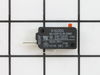
The relay switch may also be known as the door micro switch and is a part for your microwave. The function of this part is to monitor the door latch and communicate whether the door latch is open or c...
I first removed the top plate above the microwave door (3 screws), then I removed the plate containing the buttons and clock. The microwave has 3 relay switches and they are in a little holder. The holder was too difficult to remove so I just removed the bottom switch and replaced. The microwave started right up.
was told buy a repair person to check the door micro switches as it was a common problem. removed the top plastic air grill to get access to the screw that holds in place the control cover. After unplugging the unit, i took out the (2) screws that held in the switches and removed them (3). One switch was a bit melted so i tested it with a
... Read more 12 volt battery and it was bad. Ordered a new one from Part select and got it fast . Works great .
After unplugging the unit remove the control face buy removing the screws. All three door switchs are on a bracket on the left. Remove the two screws holding the bracket in place and pull out. Disconnect the wires from the three switches and test each switch indivually to determine the bad one. I used a multimeter set on ohms.Replace the
... Read morebad switch with the new one and replace all the wires. Reassemble the unit and you are good to go.