















DLHC5502W (ABWEEUS) LG Dryer - Instructions
Keep searches simple. Use keywords, e.g. "leaking", "pump", "broken" or "fit".
HST code given by dryer
Called LG on the phone and they gave the button presses for diagnostics, which then gave the HST code, saying the Humidity sensor was bad.
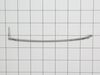
The part was described as the Humidity sensor module. Actually it's just the wire leads for the sensor which must be electronic and only accessible by disassembling the dryer. There were descriptions about cleaning the wires, perhaps because some people use dryer sheets which cause a buildup on the wires and prevent them from doing their job. I use wool balls and have no buildup on my wires and replacing them did not fix the sensor, because the module accessible inside the dryer is not the moisture sensor, but only the wire leads.
The part was described as the Humidity sensor module. Actually it's just the wire leads for the sensor which must be electronic and only accessible by disassembling the dryer. There were descriptions about cleaning the wires, perhaps because some people use dryer sheets which cause a buildup on the wires and prevent them from doing their job. I use wool balls and have no buildup on my wires and replacing them did not fix the sensor, because the module accessible inside the dryer is not the moisture sensor, but only the wire leads.
Parts Used:
-
marty from NEOSHO, MO
-
Difficulty Level:Easy
-
Total Repair Time:15 - 30 mins
-
Tools:Screw drivers
3 of 4 people
found this instruction helpful.
Was this instruction helpful to you?
Thank you for voting!