















ACM0720AW - Overview
Models starting with ACM0720AW
Click on the best match to narrow your results.
Keep searches simple, eg. "belt" or "pump".
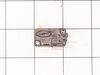
Micro Switch
PartSelect #: PS3522738
Manufacturer #: 3B73362F
This microwave door switch provides power to the various components in the microwave when the door is in a closed position, and interrupts power when the door is open. This door switch is approximatel...
$21.45
Special Order
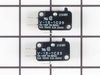
Door Interlock Switch Kit
PartSelect #: PS373050
Manufacturer #: 4392027
This part is a genuine manufacturer door interlock switch kit, also known as primary micro switch or microwave switch kit, for a microwave. The function of this part is to sense when the door of the m...
$89.70
In Stock
SCREW
PartSelect #: PS12728594
Manufacturer #: W11380570
Sold individually. For white and almond models.
$21.45
In Stock

Microwave Light Bulb
PartSelect #: PS11745088
Manufacturer #: WP8183592
Sold individually.
$35.80
In Stock
Spring
PartSelect #: PS3524607
Manufacturer #: 4970WRA001G
This spring provides tension or controlled movement within the appliance mechanism. Engineered for durability, it supports smooth operation and helps maintain proper alignment of connected components.
$13.92
In Stock
Rectifier
PartSelect #: PS11738693
Manufacturer #: WP13091701
The rectifier (also known as a diode) provides the microwave with energy to cook food. If your appliance is not producing heat or not turning on it could be due to the breakdown of the rectifier. This...
$18.56
In Stock
Common Symptoms of models starting with ACM0720AW
[Viewing 6 of 6]No heat
Fixed by
these parts
these parts

Show All
Won’t turn on
Fixed by
these parts
these parts
Show All
Doesn’t shut off
Fixed by
these parts
these parts
Show All
Door stuck closed
Fixed by
these parts
these parts

Show All
Door not closing properly
Fixed by
these parts
these parts
Show All
Tray won’t turn
Fixed by
these parts
these parts
Show All
Keep searches simple. Use keywords, e.g. "leaking", "pump", "broken" or "fit".
Microwave worked intermittently depending on how door was closed
Remove top grille (2 screws), undo control panel (1 screw). Tilt down control panel, switches are on the left. There are actually three switches that are involved with the door, two horizontally mounted, one vertically mounted. This would be an EASY REPAIR, but it took me a while to figure out which of the three switches was bad, and a
... Read more
lso took a while to figure out that there is a plastic rod that inserts through the hole in the switch body. Once i figured this out went like a breeze. Lower horizontal switch was the bad one, but since the kit came with two switches i went ahead and replaced the upper horizontal one as well. IT appears that the horizontal switches are probably more likely to fail than the vertical switch based on the position of the switch and force angles. Works great now!
Read less
Parts Used:
-
Robert from Bainbridge Island, WA
-
Difficulty Level:A Bit Difficult
-
Total Repair Time:30 - 60 mins
-
Tools:Pliers, Screw drivers
67 of 85 people
found this instruction helpful.
Was this instruction helpful to you?
Thank you for voting!
Broken door micro switch. (unit does not start heating)
Unplug the unit before servicing. Need phillips screwdriver. Open door. Use step ladder to access and remove 2 small screws from top of the room air diffuser at top of unit. Slide diffuser slightly to the left to align the diffuser's plastic tab on the left side to rotate toward you. (The wires for the front control panel are at the far l
... Read more
eft side of this difuser, but difuser is slotted for easy removal). Once the difuser is removed you will see 1 screw at the top that secures the pannel cover on the left side of the unit. Remove screw and slide this panel slightly up and out. This exposes the plastic frame that holds the upper and lower door switches. To locate the door switches and observe how they work, close and open the door and watch the door (bayonets) open and close the micro switches. Do the (red) buttons on top of the switches move up and down when the door bayonets push and release? If the buttons do not "pop" up when opened the switch is defective. The switch frame is secured with 2 screws. Remove screws and rotate the unit out for easy access to the micro switch(s). The internal (spring?) on my unit that is suposed to allow the red (visible) button on top of the switch to "pop" up when the door is opened was broken. Carefully pry the switch outward while being careful to lift the plastic holder-piece that holds the switch in place. Be careful, there is a small pin on the frame, so rotate the switch OUT toward you while lifting (carefully) the plastic holder-piece (you will see it on top of the switch). You can use an ohm meter to test the continuity of the switches. But if the buttons don't "pop" they are defective. Replace switch and reassemble.
Read less
Parts Used:
-
JAMES from BILLINGS, MT
-
Difficulty Level:Very Easy
-
Total Repair Time:30 - 60 mins
-
Tools:Screw drivers
37 of 68 people
found this instruction helpful.
Was this instruction helpful to you?
Thank you for voting!
Close the door on the microwave, punch in the # nothing happened
I removed the unit from the wall. Took the cover off. Set the unit on its side. It revealed the working parts. Removed the old micro switches. Put in the new oness. Presto, it worked. Very easy for me.
The parts was delivered almost before my notice they were shipped.
The parts was delivered almost before my notice they were shipped.
Parts Used:
-
Robert S. from Stafford, TX
-
Difficulty Level:Really Easy
-
Total Repair Time:15 - 30 mins
-
Tools:Screw drivers
15 of 23 people
found this instruction helpful.
Was this instruction helpful to you?
Thank you for voting!