















79095073311 Kenmore Range - Instructions
Keep searches simple. Use keywords, e.g. "leaking", "pump", "broken" or "fit".
oven did not heat up
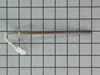
Replaced the probe because that's what this site recommended.The oven still does not heat up.
Parts Used:
-
Tim from ASHAWAY, RI
-
Difficulty Level:Really Easy
-
Total Repair Time:15 - 30 mins
-
Tools:Socket set
73 of 125 people
found this instruction helpful.
Was this instruction helpful to you?
Thank you for voting!
oven temp not consistent with setting
took off back cover and unplugged old unit and installed new unit. oven probe was not the issue. probally control panel malfunction of readings. will continue using oven temperatue gauge inside to get settings for temperture as temp is important for baking.
Parts Used:
-
john from spring, TX
-
Difficulty Level:Easy
-
Total Repair Time:30 - 60 mins
-
Tools:Nutdriver
72 of 157 people
found this instruction helpful.
Was this instruction helpful to you?
Thank you for voting!
anti-tip bracket not installed
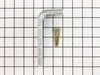
I was selling my home and did not realize that the anti-tip bracket was not originally installed. A home inspection caught the problem and the buyers required that I install one. I could not find the original and obviously the installer never put it in place to begin with. The buyers wanted this resolved within a week so I had to act fast. I could not find one locally so I found what I needed on your website. It arrived in a couple of days and was easy to install. I used the template provided in the kit and drove the screws through the bracket into the wood plate behind the drywall. Pushed the range back in place and that's it. Couldn't get any easier.
Parts Used:
-
Brian from Panama City Beach, FL
-
Difficulty Level:Really Easy
-
Total Repair Time:Less than 15 mins
35 of 47 people
found this instruction helpful.
Was this instruction helpful to you?
Thank you for voting!
trouble code F10 low oven temperature, oven not overheating,low resistance reading on ohm meter
Turned off electric,removed rear panel and replaced part.oven is now operating good as new.
Parts Used:
-
Michael J from STATEN ISLAND, NY
-
Difficulty Level:Very Easy
-
Total Repair Time:15 - 30 mins
-
Tools:Nutdriver, Screw drivers
19 of 24 people
found this instruction helpful.
Was this instruction helpful to you?
Thank you for voting!
oven would not heat up error code F10 showing on veiw screen
move the range out and unplug power supply, removing the back cover allows access to the probe, this can be done with screw driver or nut driver, loosen clamp that holds power cord in place and move backing out of the way, be careful sheet metal can be sharp, locate the probe unplug the connector and remove screw holding probe, pull old probe out install new probe, fasten down and plug in connector. attach backing and tighten clamp on power cord, plug in to power supply, turn on oven and give it several minutes for probe to work, it took only 20 minutes to replace the bad probe and the oven works like new hop this helps
Parts Used:
-
Jess from DEWEY, OK
-
Difficulty Level:Very Easy
-
Total Repair Time:15 - 30 mins
-
Tools:Nutdriver, Screw drivers
17 of 20 people
found this instruction helpful.
Was this instruction helpful to you?
Thank you for voting!
Range would start beeping and needed to be unplugged.
Remove 4 screws on back panel. Unclip wire connector and remove probe and install new probe.
Parts Used:
-
George from TURNERSVILLE, NJ
-
Difficulty Level:Very Easy
-
Total Repair Time:Less than 15 mins
-
Tools:Nutdriver
15 of 18 people
found this instruction helpful.
Was this instruction helpful to you?
Thank you for voting!
replacing the fan on a convection oven (fan was making a vibration noise)
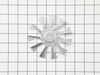
This was the first time replacing the fan. It is a lot easier to work in the oven compartment with the oven door removed, only two screws on the door and the hinges were released. I found that a couple of the screws were either rusted or stripped so I used a pair of pliers to remove the screws that were holding the diffuser in place. Once there was access to the fan I found that the fan was warped and that the blades were scraping against the back wall of the oven. The next challenge was to remove the retaining nut. I used a sheet metal screw to secure the warped fan to keep it from spinning. once I figured out that you have to turn the retaining nut to the right to loosen, it came off easily. 1/2" socket with extension. When I replace the fan I used two washers for spacers to make sure that the fan would not scrape the wall of the oven. Its been tested many times and the oven does not make that horrible sound anymore.
Parts Used:
-
John from Stevensville, MD
-
Difficulty Level:A Bit Difficult
-
Total Repair Time:30 - 60 mins
-
Tools:Pliers, Screw drivers, Socket set
17 of 26 people
found this instruction helpful.
Was this instruction helpful to you?
Thank you for voting!
Odor when range turned on.
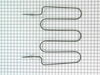
Unplugged unit and removed back panel with nut driver. Removed door, racks and unscrewed element braces from back of unit. Removed element and installed the new one. Reversed the process and then ran the unit through a preheat cycle to test it.
Parts Used:
-
Garry from Morganton, NC
-
Difficulty Level:Easy
-
Total Repair Time:15 - 30 mins
-
Tools:Nutdriver, Screw drivers
9 of 12 people
found this instruction helpful.
Was this instruction helpful to you?
Thank you for voting!
Burner indicator light lense broke off
The light apparatus was loose behind the panel. Remove the remaining part of the lens. Install the new lens from the outside of the panel and hold it in position, protruding into the inside of the panel. Slide the light apparatus onto the lens from the inside, allowing the bracket to hold it in place - it will be spring loaded, which will hold it in place.
Parts Used:
-
Kathy from NEW BERN, NC
-
Difficulty Level:Really Easy
-
Total Repair Time:Less than 15 mins
-
Tools:Nutdriver
5 of 5 people
found this instruction helpful.
Was this instruction helpful to you?
Thank you for voting!
oven temp was not heating up to desired temp and using an oven thermometer to confirm
moved the range out to access back
removed 5 screws from back panel
removed 1 screw from thermostat installed new one
replaced screws, done in 20 minutes
problem solved
removed 5 screws from back panel
removed 1 screw from thermostat installed new one
replaced screws, done in 20 minutes
problem solved
Parts Used:
-
philip from CLIFTON, NJ
-
Difficulty Level:Very Easy
-
Total Repair Time:15 - 30 mins
-
Tools:Nutdriver, Screw drivers
4 of 4 people
found this instruction helpful.
Was this instruction helpful to you?
Thank you for voting!
F10 code going off
-
edward from BRISTOL, IN
-
Difficulty Level:Really Easy
-
Total Repair Time:30 - 60 mins
-
Tools:Screw drivers
4 of 5 people
found this instruction helpful.
Was this instruction helpful to you?
Thank you for voting!
top elment didn't heat
turned power off at fuse box took of back panel about8-10 nuts unhooked wires with pliers that went to element then took2 nuts out that held element up and 2nuts holding element took out and put new one in works great
Parts Used:
-
gail from SIOUX FALLS, SD
-
Difficulty Level:Really Easy
-
Total Repair Time:30 - 60 mins
-
Tools:Nutdriver, Pliers
4 of 5 people
found this instruction helpful.
Was this instruction helpful to you?
Thank you for voting!
Oven was not heating up properly
I followed the video on the website. The probe is on back of the oven. Just unplug part and replace. That was not our fix all though as I later found that the igniter was not working. The igniter is also an easy fix but you access it through the front of the oven. Also an easy swap.
Oven is working great now.
Our issues kind of fell between two of the descriptions so I went with high percentage cheaper fix first.
If your oven is intermittingly getting hot or to temperature of 100, it is probably the igniter.
Have used PartsSelect for Washing Machine, Dryer, Refridgerator and now the Range. Super easy to figure out needed parts and videos walk you through the repair.
Thanks
Oven is working great now.
Our issues kind of fell between two of the descriptions so I went with high percentage cheaper fix first.
If your oven is intermittingly getting hot or to temperature of 100, it is probably the igniter.
Have used PartsSelect for Washing Machine, Dryer, Refridgerator and now the Range. Super easy to figure out needed parts and videos walk you through the repair.
Thanks
Parts Used:
-
Robert from GILROY, CA
-
Difficulty Level:Really Easy
-
Total Repair Time:30 - 60 mins
-
Tools:Nutdriver, Screw drivers
4 of 5 people
found this instruction helpful.
Was this instruction helpful to you?
Thank you for voting!
Oven wasn’t heating
-
Felicia from FORT MILL, SC
-
Difficulty Level:Very Easy
-
Total Repair Time:15 - 30 mins
-
Tools:Nutdriver
3 of 3 people
found this instruction helpful.
Was this instruction helpful to you?
Thank you for voting!
slow to get to temperature
first the temperature sensor then the igniter. started to do the igniter by using common sense then I used YouTube which made it a lot faster.
the temperature sensor installs from the back of the stove, the igniter installs from thr front ie, the drawer and inside oven.
the temperature sensor installs from the back of the stove, the igniter installs from thr front ie, the drawer and inside oven.
Parts Used:
-
SHAUN from ALBUQUERQUE, NM
-
Difficulty Level:Easy
-
Total Repair Time:30 - 60 mins
-
Tools:Screw drivers, Socket set
3 of 3 people
found this instruction helpful.
Was this instruction helpful to you?
Thank you for voting!