















13401 - Instructions
Keep searches simple. Use keywords, e.g. "leaking", "pump", "broken" or "fit".
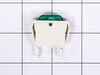
Green light indicator out
Removed cover with screwdriver used pliers unhook wires green light indicator and replaced with new one put cover back.
Parts Used:
-
Alex from PLANO, TX
-
Difficulty Level:Very Easy
-
Total Repair Time:Less than 15 mins
-
Tools:Pliers, Screw drivers
2 of 3 people
found this instruction helpful.
Was this instruction helpful to you?
Thank you for voting!