This ceramic microwave fuse is just over an inch in length. It is white in the center, and metal on both ends. This is a 20-amp fuse, and is used to power your microwave. If the touch pad on the microwave becomes unresponsive, the microwave produces little to no heat, or the appliance simply does not turn on, it could mean that your fuse ...Read moreis at fault and needs to be replaced. Because this part contains an electrical charge, remember to disconnect power to the microwave unit before you begin this repair.
NOTE: Before you start this repair, ensure that the microwave is unplugged, and the capacitor is discharged. A capacitor stores large amounts of electricity even after your microwave is unplugged.
Restore light inside the cooking area or over the cooktop with this replacement halogen lamp, it fits select microwaves, wall ovens, ranges, and microwave oven combos, disconnect the power before starting the repair, use the exact model number to confirm fit.
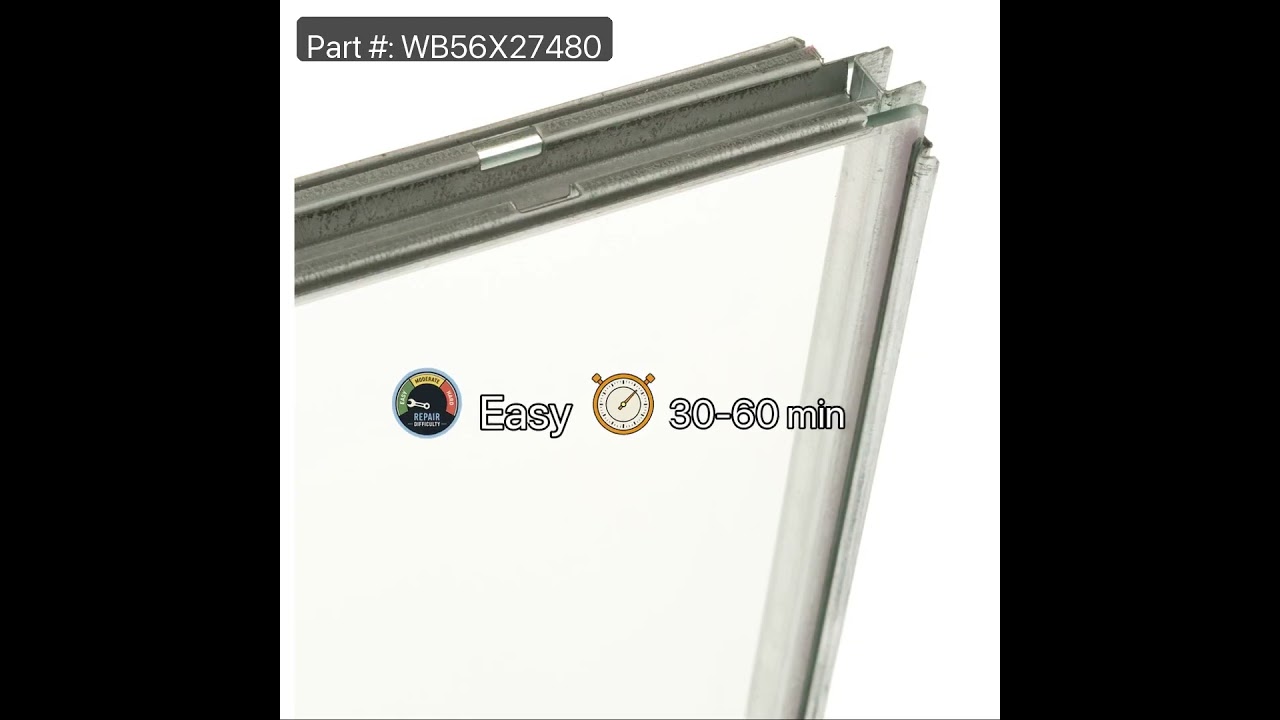
This oven window pack assembly includes a heat-resistant glass pane and its surrounding frame, designed to restore visibility, safety, and energy efficiency to your appliance. Positioned in the oven door, the window allows users to monitor cooking progress without opening the door, helping maintain consistent internal temperatures. A prop...Read moreerly sealed window also supports insulation, reducing heat loss and promoting even cooking. Replacement is recommended if the glass is cracked, fogged, or the seal is compromised, as these issues can affect performance and safety. This assembly is engineered for compatibility with select gas and electric oven models and offers a reliable solution for restoring full functionality.
This switch monitor interlock is a critical safety component designed to ensure proper communication between the microwave door latch and the control board. When functioning correctly, it confirms that the door is securely closed before allowing the microwave to operate. A damaged or faulty switch may prevent the unit from starting, even ...Read moreif the door appears latched. Replacing this genuine part restores safe and reliable operation. Installation should be performed with care, and it's recommended to disconnect power before beginning any repair.
This halogen light bulb is a genuine OEM component designed for top-mounted lighting in wall ovens and ranges. Operating at 120 volts and 40 watts, it emits a clear, warm white light (approximately 2700K) to illuminate the oven cavity during cooking. The G9 base features two looped pins spaced 9mm apart, ensuring a secure fit in high-heat...Read more environments. Built to withstand elevated temperatures, this bulb enhances visibility inside the oven without compromising performance. Installation should be done with the power off, and the bulb should not be handled with bare hands to prevent damage. Always verify compatibility before purchasing.
This oven temperature sensor assembly is a precision component designed to monitor and regulate the internal temperature of select wall ovens, ranges, and microwave-oven combinations. It continuously communicates with the control board, sending real-time temperature data to ensure the oven maintains the set cooking temperature. A malfunct...Read moreioning sensor may result in inaccurate heating, temperature fluctuations, or premature cycling of heating elements. Replacing the sensor restores consistent performance and accurate cooking results. Installation typically involves disconnecting power, accessing the rear or interior of the oven cavity, and securing the sensor in place. Common symptoms of a faulty sensor include inconsistent temperatures, error codes, and extended cooking times.
This blower motor, also known as the fan blower is supplied directly by the manufacturer for use in ovens. It is responsible for circulating hot air within the oven cavity. The blower motor helps distribute heat evenly, ensuring consistent cooking temperatures and reducing hot spots. This helps to ensure that your baking, roasting, and ot...Read moreher cooking processes run smoothly. The blower motor is typically located behind the rear panel of the oven. If the blower motor is faulty, you may notice uneven cooking, unusual noises like rattling or squealing, and error codes. This part is commonly associated with the F96 error code.
Ask our experts a question about this model and we'll get back to you as soon as possible!
We may have answered a similar question already! Search questions and answers left by others using simple keywords like "fit", "broken", "easy", or "quality" to find questions that match.
Search filter:
Clear Filter
Your search term must have 3 or more characters.
Sort by:
Prev
1
Next
Sorry, we couldn't find any existing answers that matched.Try using some different or simpler keywords, or submit your new question by using the "Ask a Question" button above!
George - For model number PT9800SH8SS
October 20, 2022
Does not microwave; it will heat with "convection bake."
Hi George, thank you for the great question. According to our research, you may need to replace the bake element, part number PS11729137. If this is not fixing the issue, you may need to replace the broil element assembly, part number PS8755292, to isolate the problem. We look forward to hearing from you if you need assistance with placing an order through our 7-days-a-week customer service. We hope this helps!
What is and where can I get a rectangular card about 6” x 5”. Card appears to have fibers, is gray colored, two tongues, indents opposite each tongue, with an open slot near one tongue?
Hello Art, thank you for writing. This a a Wave Guide Cover or Mica Canopy PS1017735. We are pleased to have been able to help.
See how others fixed this model. Time, tools, difficulty, and steps that lead to victory!View More
Search repair tips from other customers using simple keywords like "replace", "fit", "remove", "inspect". DIY doesn't mean you have to do it alone!
Search filter:
Clear Filter
Your search term must have 3 or more characters.
Microwave completely stopped working
968 of 1266 peoplefound this instruction helpful.
Kim from Cliffside Park, NJ
Really Easy
15 - 30 mins
Screw drivers
Turned out the issue was easily solved by replacing a single, inexpensive fuse.
First off, UNPLUG THE MICROWAVE.
The fuse is located under the plastic grill at the top of the microwave. It's held on by two screws. Once you've removed the screws and taken off the plastic grill, you go to the right side of the mic
... Read morerowave and remove another screw that holds a small metal grill in place. Removing the small metal grill is probably the toughest part of this repair. You kind of have to rock it back and forth a bit to get it to release. Once that's off, you can get to the fuse. I removed the burnt out one with a pair of needle nose pliers. I also put a small piece of cardboard under the fuse when I did this so I didn't accidentally drop it into the innards of the microwave. I did the same thing when I replaced the new fuse. I then plugged the appliance back in and made sure it worked. Once that was confirmed, I replaced both grills.
Read less
Was this helpful?
Thank you for voting!
I diagnosed the problem incorrectly: based on a previous repair.
66 of 141 peoplefound this instruction helpful.
Ralph from Brandon, FL
Easy
Less than 15 mins
Pliers, Screw drivers
The old fuse is perfectly good. The new ones arrived within a day.
Was this helpful?
Thank you for voting!
Microwave would turn on and count down, but not heating and not rotate turntable. Pressing door up would occasionally start heat.
40 of 67 peoplefound this instruction helpful.
Michael from Ridgefield, CT
Really Easy
Less than 15 mins
Screw drivers
First I disconnected the power and opened the door. Then I removed the top screws holding the top vent louvers, then removed the screw at the top of the touch pad. The touch pad removes by sliding up slightly then tilting top out. I unscrewed two screws holding the door latch assembly. Press the tab to remove and replace switch. Reco
... Read morennect wires, reseat latch mount by placing top bracket tab in place first, allign and secure with screws. Reseat touch pad by placing bottom tabs in first, tilt forward and press up to seat top tabs, secure with top screw. Secure vent louver screws, plug in and watch your microwave work again.




 My Orders