This light bulb is a 40 watt, 130-volt clear appliance light bulb that is manufactured to fit microwaves with small-base light bulb sockets. The light bulb illuminates the inside of the microwave while the microwave is running. You may need to replace this part if the existing one is burnt-out or broken. If the existing light bulb is brok...Read moreen, disconnect power to the microwave and remove the bulb base with a pair of needle nose pliers. This is a common wear item, so it is recommended to order a spare. These light bulbs are sold individually.
This light bulb socket that is used in microwaves. The socket is meant to fit small-base light bulbs. * Please note: The light bulb is not included with this part and is sold separately. If the following symptoms occur, you may need to replace this part: existing socket is broken or cracked, light bulb is not turning on, or new light bulb...Read more does not work. Remember to unplug microwave before installing this part and refer to the manual provided by the manufacturer for installation instructions and a detailed diagram.
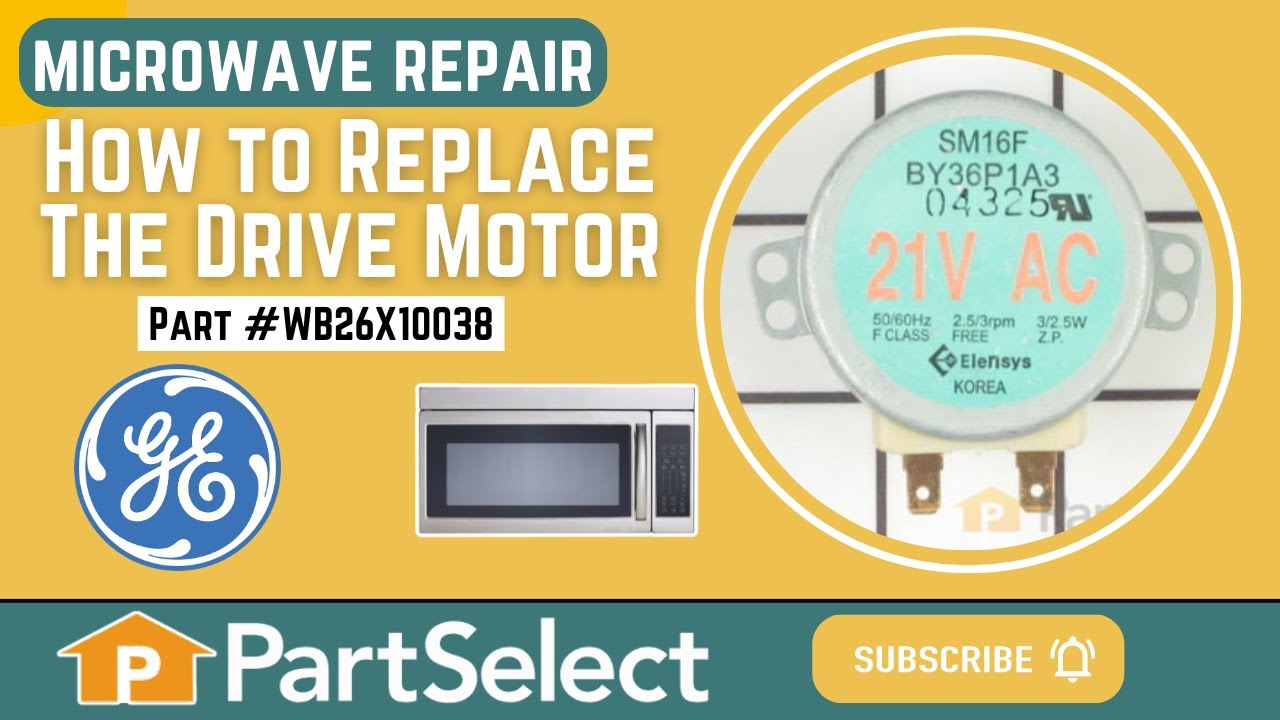
This is a microwave turntable drive motor. This is a genuine OEM replacement part. It accepts a D-shaped drive shaft. The drive motor is located under the glass microwave turntable, and allows the turntable plate to rotate while the appliance is in use. Your drive motor might be broken if it is noisy or does not turn at all. Be sure to di...Read moresconnect power to the microwave before starting this repair. Simply unscrew the bottom plate and the drive motor of your microwave, disconnect the wires, and install the replacement part. This drive shaft is 21 volts, is about 2 inches in diameter, and is made of metal.
The microwave glass light lens protects the light bulb inside the appliance. It is clear in color and measures approximately 6-1/2 inches long, and 2-1/2 inches wide. You may notice that this part is cracked or broken and will need to be replaced. You will need to remove the screw holding the cover in place. Unhook the cover from the bott...Read moreom panel. Bend the tabs up that are securing the old lens in place. The textured side should be facing up. Place the new lens into place and secure back into place.
There are two different couplers (also known as a turntable shaft) that can be used for this tray - a male D-shaped shaft and a female D-shaped shaft. The couplers are sold separately.
This part is the replacement flat cab mounting bolt for your microwave. The bolt is approximately 4 inches long. It is designed to hold the microwave in place in your cabinet. The main reason to replace this bolt, would be if the old bolt is stripped or missing, and the microwave will not stay secure in the cabinet. This is an OEM part sourced directly from the manufacturer, and it is sold individually.
Ask our experts a question about this model and we'll get back to you as soon as possible!
We may have answered a similar question already! Search questions and answers left by others using simple keywords like "fit", "broken", "easy", or "quality" to find questions that match.
Search filter:
Clear Filter
Your search term must have 3 or more characters.
Sort by:
Prev
1
Next
Sorry, we couldn't find any existing answers that matched.Try using some different or simpler keywords, or submit your new question by using the "Ask a Question" button above!
Susan - For model number JVM1660WHC02
May 31, 2026
Turns on but does not heat?
Hello Susan, thank you for reaching out to us. If your microwave turns on, but does not heat, we would suggest checking the high voltage diode, part number PS9862160. The diode converts the transformer's AC voltage to DC to power the magnetron. A failed diode could be the cause of no-heat on a functioning microwave, and often produces a loud hum when the unit tries to run. Check the diode continuity using a multimeter. If the diode is not the issue, inspect the magnetron, part number PS10054901. The magnetron actually generates the microwave energy to heat food. When it fails the microwave runs normally but produces no heat at all. We hope this information helps!
See how others fixed this model. Time, tools, difficulty, and steps that lead to victory!View More
Search repair tips from other customers using simple keywords like "replace", "fit", "remove", "inspect". DIY doesn't mean you have to do it alone!
Search filter:
Clear Filter
Your search term must have 3 or more characters.
Light bulb out, tried to remove, lamp socket broke
222 of 270 peoplefound this instruction helpful.
Gene from Urbana, IL
Really Easy
Less than 15 mins
Screw drivers
Above the stove mounted microwave. I dropped the lens cover from under the bulb and tried to remove the bulb. The bulb separated from the base. I tried to remove the base with a pliers and the lamp socket broke. I ordered the parts and dropped the bottom cover of the unit down (5 screws). Removed 1 screww from the lamp socket, unplugged t
... Read morehe wires and took it out. Simply replaced socket, fastened bottom cover of microwave, installed new bulb and closed lens cover.
The turntable motor went out and was making a horrible sound when I started the microwave
159 of 225 peoplefound this instruction helpful.
Kim from Centerville, GA
Really Easy
Less than 15 mins
Screw drivers
First I unplugged the microwave. :) Then, I removed the 6 screws found underneath the microwave, which allowed the bottom piece to hang down so I could see the turntable motor. I took the two screws out holding the motor in place and pulled the electric connectors off the motor terminals. Then I got the new part from PartSelect.com, repla
... Read moreced the electrical commectors, fit the motor back into the slot it came from (cause the pin has to be seated up in the hole) and replaced the 2 screws holding in the motor. Then I put the bottom metal piece back up and put the 6 screws back in. It was really easy - and I'm a chick! ;)
Read less
Was this helpful?
Thank you for voting!
bulb had broken off in base that was still screwed into socket
93 of 109 peoplefound this instruction helpful.
william from san antonio, TX
A Bit Difficult
15 - 30 mins
Pliers, Screw drivers
At first I tried to use pliers to unscrew the base,very uncomfortable working position,upside down and backwards(the microwave is installed over the range top)very limited space for your body and arms to manuver and you really cant see the base,all of this took place after the breaker was turned off ofcourse,finally figured out that you c
... Read morean drop the entire bottom housing of the microwave by unscrewing 6 screws and the light sockets are easily accessable once you lower it,take out 1 retaining screw ,remove the entire socket and unscrewed the broken base and replaced the bulbs,I said bulbs,there is no sense in having to replace another bulb in who knows how long since only one had burned out but they were both the same age



 My Orders