EasyApplianceParts is now PartSelect! We've merged our sites to provide a better shopping experience for you.   Full Details
✖

Find Parts

Parts Departments

Top Model Types

Top Brands

Repair Help

Expert Repair Videos

Keep typing for more specific results...

Parts That Fix LG Dryer DLE2050W Not Heating

Not Heating is a commonly reported symptom for the DLE2050W LG Dryer, and we have put together a full guide on how to fix this. This advice is based on feedback from people who own this exact appliance. We have listed the most common parts for your DLE2050W LG Dryer that will fix Not Heating. We have included repair instructions, and helpful step-by-step video tutorials. If you are experiencing this issue, not to worry, DIYers just like you have fixed this, and shared their experience to help you!

Fixes Symptom 41% of time

This thermal fuse acts as a high-limit thermostat, and shuts off the heating element when the dryer overheats by cutting off power to the dryer. If the thermal fuse has blown, the dryer will not start. These fuses cannot be reset, so if yours has blown, you will need to replace it. A common reason for the thermal fuse to blow on a dryer is if the exhaust vent on your dryer is restricted or blocked. Hot air will be confined in the dryer and the fuse will trip and stop the electricity from flowing to the gas valve or heating element.

$ 19.30
In Stock
Part #6931EL3003D

Replacing your LG Dryer Thermal Fuse

Replacing your Thermal Fuse

Customer Repair Stories

The dryer worked fine except the dryer did not heat up
29 of 32 people found this instruction helpful.
  • Catherine from COVINGTON, WA
  • Really Easy
  • 30 - 60 mins
  • Screw drivers
I unplugged the dryer and disconnected the vent.
I pulled the dryer away from the wall so I had room to work on it.
Pulled the top cover off (slides back).
Took the door off
Took the front adjustable feet on the bottom off
Unscrewed all of the face screws on the front of the dryer
Took the two screws off of t he back of the control panel holding the control panel to the metal frame.
Gently pulled on the control panel to reveal 4 screws under the control panel to be able to take the front cover off.
Pulled the front cover off (the dryer door front cover).
Pulled the dryer vent cover off (two screws).
I could now see the heating element with sensor/fuse (right side).
Did a continuity test (beep) on all visable sensors/fuses on the heating element. No beep on the thermal fuse (used website diagram to locate parts to test and replacement part numbers).
Got the part after about a week, tested the parted (it beeped), replaced with new part and put dryer back together, plugged in and the dryer heated. Problem solved.
Was this helpful?
Thank you for voting!
Dryer would run with no heat
98 of 116 people found this instruction helpful.
  • Richard from ORMOND BEACH, FL
  • Easy
  • 30 - 60 mins
  • Screw drivers
I actually went to mr fix it on u tube. Great instruction on how to take dryer apart. First I unplugged the dryer. I found I could reach the heating system by removing the lint tube in the back of the dryer. I put my I phone with the light on inside the back of the dryer and tested the connections to see if all were working. The thermal f use was not working. I removed the two wires , red on top and white on the bottom. Then used a small Phillips screwdriver to remove the two mounting screws and removed the fuse. I then used a vacuum to clear any lint from the back of the dryer and inside the dryer. This took me about an hour and a half. I did it this way because I did not want to disassemble the entire dryer to get to the components. I received the fuse in 3 days and tested it. It was fine. I then put it in the dryer screwed it in place, connected the wires. Replaced the lint tube. This took about 10 minutes. Dryer is running great.
Was this helpful?
Thank you for voting!

Fixes Symptom 30% of time

This dryer thermistor temperature sensor helps monitor and regulate the temperature inside a dryer. This part includes the wire harness. If your dryer overheats, does not produce enough heat, or takes too long to dry, then the thermistor might be defective or damaged. This can cause a fault code and could begin either prolonging or shortening drying time. As a safety precaution, make sure to unplug the dryer from the power source before beginning this installation, and wear gloves to protect your hands. Refer to the installation instructions provided by the manufacturer for further guidance.

$ 96.17
In Stock
Part #AGM30045804

Replacing your LG Dryer High Limit Thermostat and Thermistor Kit
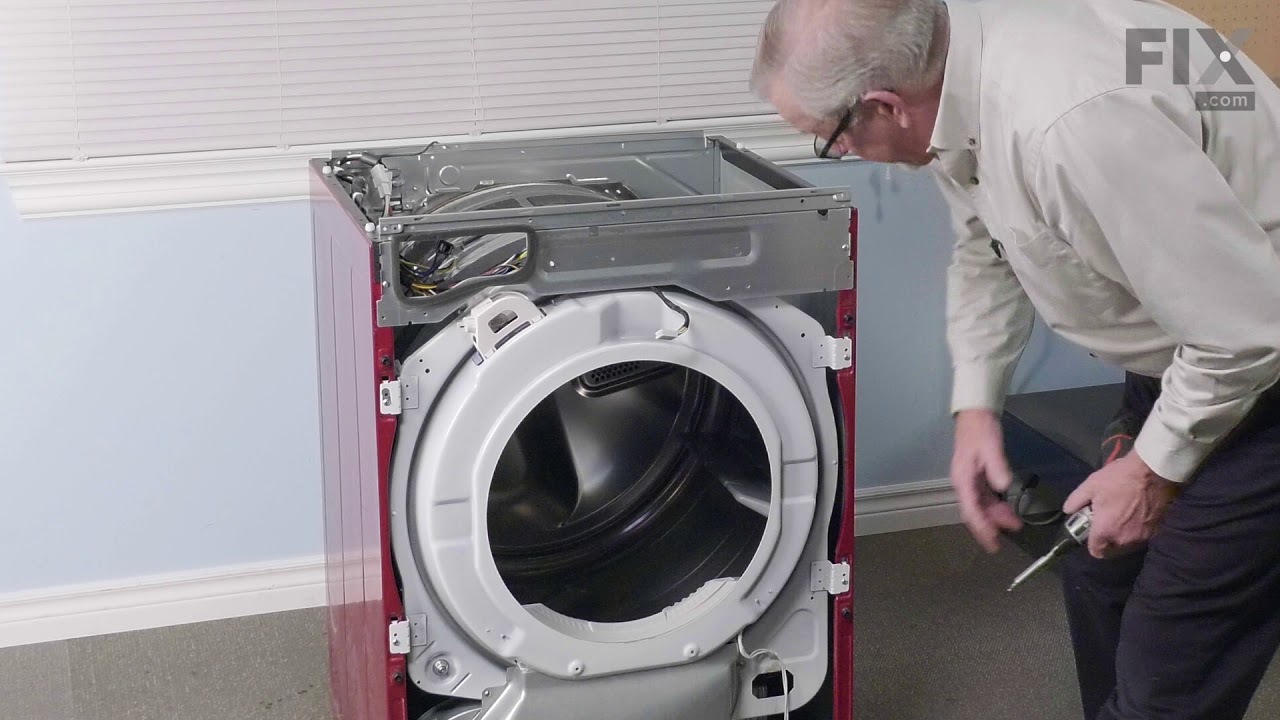
Replacing your High Limit Thermostat and Thermistor Kit

Customer Repair Stories

No heat
5 of 7 people found this instruction helpful.
  • Brent from HINCKLEY, UT
  • Really Easy
  • 30 - 60 mins
  • Screw drivers
Pull off the top and front of the dryer and reached in and replaced the part it was easy. Had to clean all the dryer out real good with from the lint
Was this helpful?
Thank you for voting!
No heat; flow-sense error diagnosed but no blockage in exhaust.
17 of 17 people found this instruction helpful.
  • Daniel from MANALAPAN, NJ
  • A Bit Difficult
  • 1- 2 hours
  • Screw drivers
The first thing I did was locate a copy of the Service Manual (not the User / Owner Manual). After looking at that and looking online I learned that there is no sensor for the Flow Sense feature itself. The Flow Sense doesn't detect a blockage. It detects excessive heat and the manufacturer has simply concluded that too much heat is most likely caused by a blocked duct and then it activates the Flow Sense safety feature: cutting off the heat source. Since I knew it was a heat problem I figured I'd get inside and check the two thermostats and the igniter. Igniter was fine, one thermostat was fine, the other one - the High Limit Thermostat - was giving inconsistent readings. I replaced it. Here's how: First I took the dryer apart. This is a little time consuming. There are a lot of parts that need to come out. I recommend that you put the screws in small baggies with a note as to where you took them out of so that you know where they go when you put it back together. You need to remove part of the back, the top and the front. I removed the electrical box because that is what is shown in the manual but I'm not convinced that I needed to. See if you can get the rest of the dryer apart without removing it but if you have to remove it it's not that big of a deal. It's a little tricky to detach the wire harnesses is all. And extra steps, of course. I did not remove the drum. Instead I just reached inside with the front off and pulled the wires off the thermostats to test them for resistance with a multimeter. It was kind of a pain and a little awkward but I did not want to mess with the drum tensioner. Once I figured out that the High Limit Thermostat was the likely culprit I removed it - which required a very short Phillips head screw driver and some patience since I could not actually see one of the screws. But all good. Just remember which wire goes on which terminal. Make a note for yourself: gray back / red front - something like that. Then I ordered the part and installed the new one and rebuilt the dryer in reverse from what I did.

Now, here's the thing: I actually did two things: aside from changing the thermostat I also thoroughly cleaned out the dryer. Somehow a lot of lint built up in there - no idea how since it all appeared to leave the dryer through the vent. but there must be some small gap somewhere. I cleaned everything including the flame detector. When I put it all back together it worked but I'm not 100% sure that the thermostat was bad. It's at least possible that all the lint and dirt was messing with the way the thermostats behaved. So what I would recommend, if you have this problem, is to clean it out first and then put it back together enough to run it and see of the heat comes on. It will take maybe 30-60 seconds for the heat to come on while the igniter lights. If not, go ahead and replace whichever thermostats or other parts you think are broken.
Was this helpful?
Thank you for voting!

Fixes Symptom 10% of time

The sensor controls the temperature in your dryer and will turn off once your clothes have reached the desired dryness level. If you notice that your dryer is not giving off enough heat to dry the clothes or is taking too long to dry, this may indicate that a repair to the senor is required. To access this part, you will need to remove the front bulk head. To remove this, you will need to remove the screws securing the top. Uninstall the screws that support the control panel and lift. Remove screws holding the support bracket in place so you can detach this piece. Detach the wire harness and remove the wire, then set the bracket aside. You will now open the dryer door and release it by taking out the bottom two screws. Disconnect the wire harness and moisture sensor wire harness, remove screws from front bulk head, and remove screws that secure the duct housing. You should be able to completely remove the bulk head. You will find the sensor underneath the lint filter grill, which will also need to be removed.

$ 21.45
In Stock
Part #6500EL3001A

Customer Repair Stories

HST code given by dryer
3 of 5 people found this instruction helpful.
  • marty from NEOSHO, MO
  • Easy
  • 15 - 30 mins
  • Screw drivers
Called LG on the phone and they gave the button presses for diagnostics, which then gave the HST code, saying the Humidity sensor was bad.
The part was described as the Humidity sensor module. Actually it's just the wire leads for the sensor which must be electronic and only accessible by disassembling the dryer. There were descr iptions about cleaning the wires, perhaps because some people use dryer sheets which cause a buildup on the wires and prevent them from doing their job. I use wool balls and have no buildup on my wires and replacing them did not fix the sensor, because the module accessible inside the dryer is not the moisture sensor, but only the wire leads.
Was this helpful?
Thank you for voting!
Insufficient drying in reasonable time.
5 of 8 people found this instruction helpful.
  • Ronald from Conyers, GA
  • Really Easy
  • 15 - 30 mins
  • Pliers, Screw drivers
Remove lint filter. Remove plastic frame for filter with phillips screwdriver. Detach both moisture sensor wires with needle nose pliers. Reattach wires to new sensors and reassemble frame.
Was this helpful?
Thank you for voting!

Fixes Symptom 8% of time

This is a thermostat for various models of LG dryers. This thermostat specifically is the rear high limit thermostat, and it is designed as a safety device to shut off power to your dryer if the internal temperature gets too high. This thermostat comes with a mounting bracket, so you only need the securing screws to fully install it, along with connecting the appropriate wire, after removing the old thermostat. If your dryer is no longer heating properly, or will not start, this thermostat may have been used and is no longer operational. Replacing this thermostat will require you to partly disassemble your dryer, as it is located on the heating element housing. This thermostat is a genuine OEM part and is sold individually.

$ 55.29
In Stock
Part #6931EL3001F

Fixes Symptom 7% of time

The thermostat is a part for your dryer, and it is roughly 1 inch long by roughly 1.5 inches wide. The purpose of the thermostat is to measure the temperature of the air inside your dryer drum. As the air is being measured, it will turn the heat on or off in order to maintain a stable temperature within the drum. The most common reason you would need to replace your thermostat is if your dryer is not receiving enough heat, or any heat at all.The tools you will need to complete this repair include a Phillips screwdriver, and a flat-head screwdriver.

$ 51.61
In Stock
Part #6931EL3002M

Customer Repair Stories

Dryer wasn't heating
2 of 3 people found this instruction helpful.
  • Greg from Haddonfield, NJ
  • Really Easy
  • 15 - 30 mins
  • Screw drivers
Followed the video ..
Was this helpful?
Thank you for voting!

Fixes Symptom 3% of time

They are all strung with a coiled wire made of a nickel and a chrome alloy. This wire receives, but resists, a controlled electric current and as a result, the wire heats up. The heat produced is used to dry the clothes in your dryer

$ 243.42
In Stock
Part #5301EL1001J

Replacing your LG Dryer Heating Element Assembly
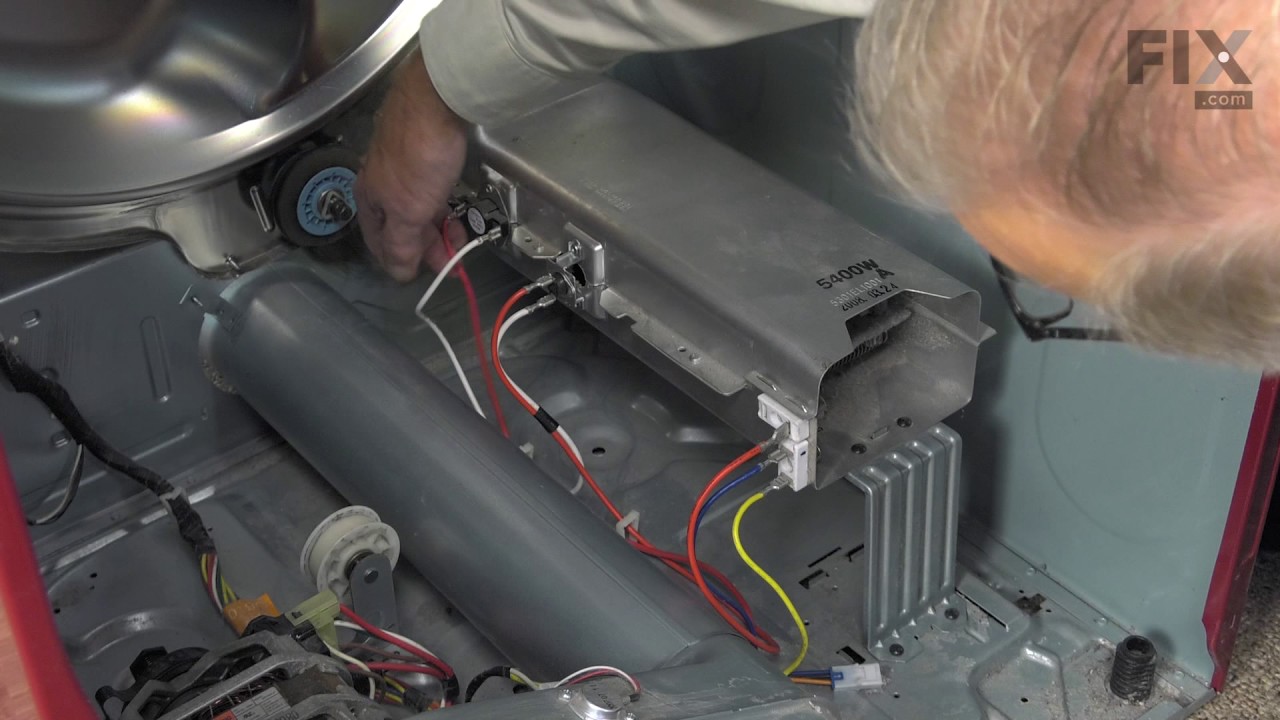
Replacing your Heating Element Assembly

Customer Repair Stories

dryer wouldn't heat
  • Bryan from Spokane, WA
  • A Bit Difficult
  • 1- 2 hours
  • Screw drivers
Removed the heating element, tested it, purchased a new element and installed.
Was this helpful?
Thank you for voting!