EasyApplianceParts is now PartSelect! We've merged our sites to provide a better shopping experience for you.   Full Details
✖

Find Parts

Parts Departments

Top Model Types

Top Brands

Repair Help

Expert Repair Videos

Keep typing for more specific results...

8770RV Magic Chef Cooktop - Overview

Diagrams for 8770RV

See every part. Know exactly what you need.

Enter a part description. DIY Heroes keep it simple, eg. "belt" or "pump".

Search filter:
Clear Filter
Your search term must have 3 or more characters.
Dryer Screw – Part Number: WP90767
$7.47
In Stock
Dryer Screw
★★★★★
★★★★★
(2)
Part #WP90767
This screw is sold individually.
Surface Burner Switch - 240V – Part Number: W11120791
$78.26
In Stock
Surface Burner Switch - 240V
★★★★★
★★★★★
(14)
Part #W11120791
This surface burner switch, also known as an infinite switch, controls and regulates the heat output of the burners on a stovetop. The user simply adjusts the knob on the user interface panel, which in turn controls this switch. Made for various ranges, wall ovens and cooktops, this is a genuine OEM part that comes by itself, without any hardware like screws or nuts. This burner switch is an electrical component that you also handle directly, so it can become faulty leading to problems like your stovetop not heating enough, overheating or staying at a fixed heat. This burner switch is a vital component for your stovetop and if it presents any of those issues, it needs to be replaced immediately. A screwdriver, set of pliers and wiring diagram will be needed for the replacement and installation process, and you will need to remove your appliance from the wall outlet first. Remove the knobs from the control panel and then gain access to the underneath portion of it with your screwdriver and disconnect the switch. Remove the wires from the burner switch with a set of pliers and disconnect the securing screws holding the switch in place. Now, you can install the new switch and reassemble the panel, being mindful of wiring each connector to the appropriate wire.
Range Screw 632 X 5/16 – Part Number: WP74004005
$7.47
In Stock
Range Screw 632 X 5/16
Part #WP74004005
This screw is well under an inch long, and is made of metal.
Range Screw – Part Number: WP7101P309-60
$7.47
In Stock
Range Screw
Part #WP7101P309-60
Sold individually.
Indicator Light – Part Number: Y706125
No Longer Available
Indicator Light
Part #Y706125
Zip Tie – Part Number: WPW10339879
$7.47
On Order
Zip Tie
Part #WPW10339879
A zip tie, also known as a cable tie or a wire tie, is a fastening device that holds wires or tubing together. If a machine has wires or tubing that are easily shifted, you need to hold them tightly together using a zip tie. It is a flexible, plastic strip that has serrated teeth and a locking mechanism. If the zip tie is damaged, it should be replaced. Freely moving wires may rub against surfaces, causing them to break over time. Zip ties are single-use and may not be reused after they are removed from a machine. To release the locking mechanism, you will need to insert a small flat tool into the head of the zip tie, between the tongue and the serration, and depress the bar. You can then pull the teeth out of the mechanism to loosen the cable tie. This part is produced by the original equipment manufacturer and is sold individually.
PAD, GLASS SUPPORT (Qty 10) (Series 10) – Part Number: 71001239
$8.55
Special Order
SPRING- EL – Part Number: 74007134
$12.85
Special Order
SPRING- EL
Part #74007134
WIRE- VIOL – Part Number: Y04100425
No Longer Available
WIRE- VIOL
Part #Y04100425
WIRE- YELL – Part Number: Y04100424
No Longer Available
WIRE- YELL
Part #Y04100424
Screw – Part Number: WP71001171
$7.47
Special Order
Screw
Part #WP71001171
USE WPL 4011F387-51 – Part Number: 74006976
No Longer Available
USE WPL 4011F387-51
Part #74006976

Common Symptoms of the 8770RV

How this model fails, and the parts that fix it.

Watch our pros, then fix it yourself.

See how others fixed this model. Time, tools, difficulty, and steps that lead to victory! View More

Search repair tips from other customers using simple keywords like "replace", "fit", "remove", "inspect". DIY doesn't mean you have to do it alone!

Search filter:
Clear Filter
Your search term must have 3 or more characters.
Burner had one temperature--hot, regardless of setting
110 of 132 people found this instruction helpful.
  • James H from Oxford, NY
  • Really Easy
  • Less than 15 mins
  • Pliers, Screw drivers
1. Killed power and removed the regulator's knob, noted the position of the old control.
2. Took off the cover for the center vent and loosened the two screw holding the housing in place--the screws didn't have to come out completely as it is a U-shaped friction hold.
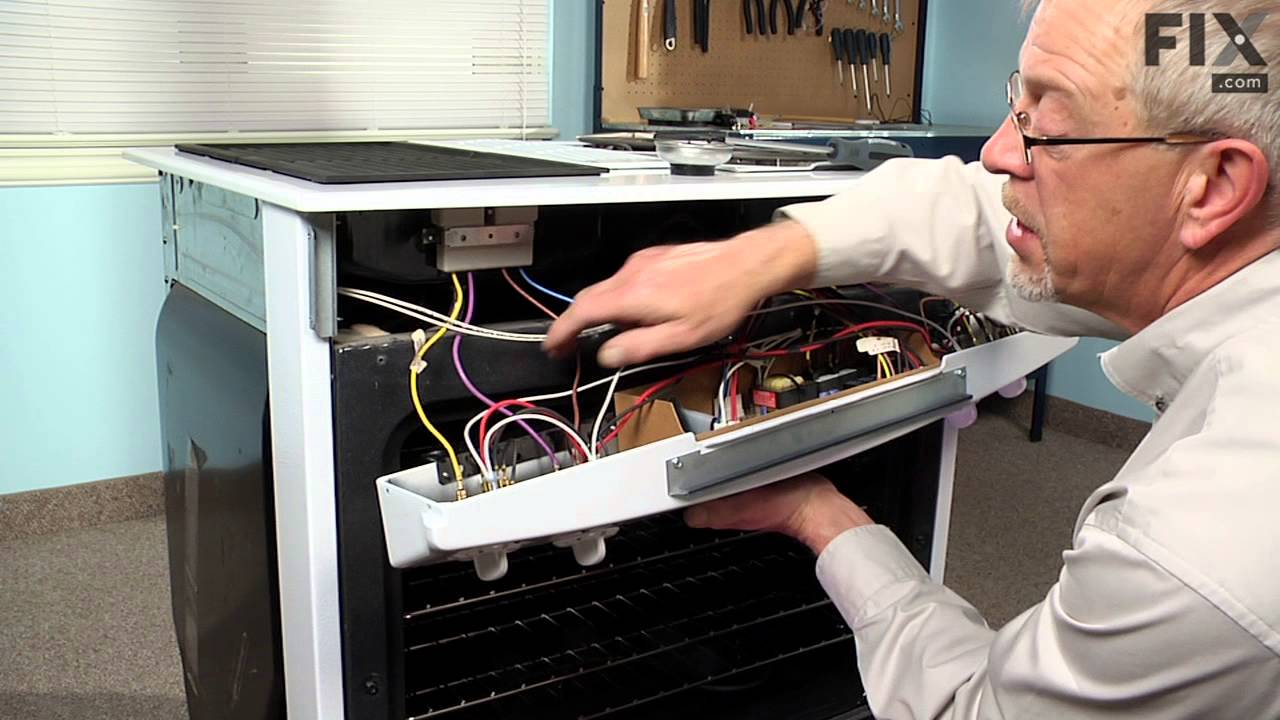
3. Unscrewed the two screws holding the old control switch in place--lifted the housing enough to get at the old switch and carefully pulled it loose--it was a front burner so the control switch was about as far back as it could be but still wasn't that hard to get at.
4. Turned the new switch to orient the wire connectors, then, using a needle-nose pliers, removed each friction connector, one at a time, and fitted them on the new switch (note: one of the wires fitted best if it went under as opposed to around the base of the new switch).
5. Replaced the control back through the housing and screwed it in place, making sure the orientation of the control matched the way it looked originally.
6. Slide the housing back over the two screws and tightened, replace vent.
7. Replaced the knob and turned on the power.

(The above took me about twice as long to write as it did to make the repair and I write professionally but am not a professional electrician.)

Also, I bought a second control switch because, given the age of the unit, I'm sure another one will go. The second one will assure that it won't happen :-).
Was this helpful?
Thank you for voting!
Burner Control not Functioning
27 of 35 people found this instruction helpful.
  • Randall from Mohnton, PA
  • Easy
  • Less than 15 mins
  • Pliers, Screw drivers
Simple Repair!
Turn off Power
Remove four screws under panel.
Remove old burner knob.
Drop Burner Panel from range
Remove 5 wire connectors from old burner control
with pliers
Remove 2 screws that held burner control to range
panel
Install new burner control
Rplace two screws to burner control
Replace 5 wire connectors to new burner control
Replace 4 screw under panel
Replace knob to new burner control
Turn on electricity
Made wife happy!
Was this helpful?
Thank you for voting!
Dual element burner only stays on high
17 of 21 people found this instruction helpful.
  • Sherman from Perry, GA
  • A Bit Difficult
  • More than 2 hours
  • Pliers, Screw drivers
The replacement switch was not exactly as my original and none of the other instructions matched exactly with my unit. So I had to figure it out, but they matched mostly what Micheal from Colliervile wrote. Safety is paramount. Turn off circuit breaker and ensure there is no power to unit with a test light. You don't have to remove the g lass top. Open oven door and remove 4 screws at bottom of control panel, then remove two screws on each end while suppoting the panel with one hand. Rest control panel on top of door or hang by wires. Remove two screws to detach switch from panel. I took pictures of the wire placement on old switch and drew a diagram of what color wire went to each terminal. I used the instruction sheet diagram of new switch and marked where each wire color goes. Here is where I put them: DOUBLE BLACK to L1,2; New jumper from P1 to S1; RED to 2: DOUBLE RED to P2; new jumper with small connector from S2 to "element on" indicator lamp (it's longer than and replaces existing jumper); YELLOW to 4a; TAN to 4. The letters in parenthesis on the instruction sheet almost matched up to my old switch so I used them to help with the placement. I didn't have to seperate any compound red wires. Double check wire placement and put it all back together in reverse order.
Was this helpful?
Thank you for voting!