Your coupon for will be reflected when you check out!
✖
Your coupon for
✖
Hello!
You're visiting the PartSelect site in U.S.
Would you like to shop on the Canadian site?
Stay on this site
Go to Canadian site
✖
Model Number Locations
1Select Category Type
Select Category Type
2Select Product Type
Select Product Type
3Select {MODEL} Type
Select {MODEL} Type
Sample Model Number Tags
Model numbers can be made up of numbers (1005400, for example) or a combination of letters and numbers (LAT1000AAE). The model number will most likely appear on either a paper sticker or a metal plate. Your appliance's model number tag may look similar to the sample model number tags shown here (model number highlighted in yellow):
Model has been saved to My Models. If you're not signed in, your lists are available on this device and will expire within 30 days.
Model has been saved to My Models.
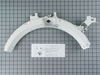
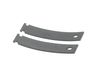
This authentic, white Drum Bearing Slide, also known as the bearing drum slide, glide, or pad, is a plastic, easy-to-install part for your dryer. It replaces the dryer's front drum slide to allow for ...
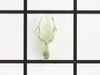
This original equipment manufacturer Drum Bearing Slide is a plastic, green, easy-to-install part for your dryer. It replaces the dryer's front drum slide to allow for easier movement. You'll know if...
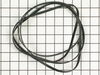
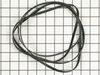
This Drive Belt is 89.5" long and comes in black, featuring four ribs on the inside for a better grip. This is a long belt that wraps all the way around the dryer drum, around a tension pulley, and th...
This is a duct felt seal for a dryer. The duct felt seal allows the front-load dryer drum to glide smoothly on the front panel. Your dryer will not function properly if the drum felt seal is compromis...
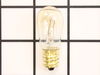
This light bulb, also known as a drum lamp, illuminates and lights up the dryer drum when the door is open. If the light bulb in the dryer is burnt out or lighting is inconsistent, replacing it can so...
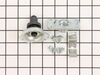
This rear drum bearing kit includes a shaft, ground strap, bearing, seven screws, and installation instructions. The bearing plate comes with a slot in it for the ground strap. This part helps keep yo...
The drum slides are not included with this part. The top bearing helps your dryer operate as quietly as possible. This part will require two green drum slides and 2 white drum slides.
This door latch is designed for your dryer, and is mounted to the dryer frame. The door latch holds the door of your dryer closed while the machine is operating. If your dryer door is not catching on ...
This rear drum bearing sleeve is a critical support component located at the back of the dryer drum, designed to reduce friction and ensure smooth rotation during operation. As the drum spins, the sle...
The interlock switch may also be referred to as a belt switch. This part is a simple on/off mechanism that prohibits the appliance from operating when the door is open. This is a part for your dryer. ...
TThe door strike for your dryer is mounted on the dryer frame that the door shuts onto. It fits into the door catch on the door and keeps the door closed. If the door strike is damaged or missing, the...
A door switch is a simple on/off mechanism that prohibits the dryer from operating when the door is open.
$39.46
In Stock
Order now and your part arrives by May 2
Questions And Answers for GFMN100EL0WW
We're sorry, but our Q&A experts are temporarily unavailable.
Please check back later if you still haven't found the answer you need.
3 questions answered by our experts.
Sort by:
< Prev
1
Next >
Search filter:
Clear Filter
Your search term must have 3 or more characters.
Keep searches simple. Use keywords, e.g. "leaking", "pump", "broken" or "fit".
Sorry, we couldn't find any existing answers that matched.Try using some different or simpler keywords, or submit your new question by using the "Ask a Question" button above!
Matthew
December 24, 2019
I can’t change the cycles. It is stuck on cottons.
For model number GFMN100EL0WW
Hi Matthew, thank you for your question. It sounds like you are having an issue with your control board. Try unplugging the appliance for about 10 minutes and then plugging it back in. If you still have the issue, then you may need to replace your board. Good luck with your repair.
4 people found this helpful.
Did this question help you?
Thank you for voting!
Michael
March 24, 2020
How do i replace the power cord? There doesn't appear to be an access panel.
For model number GFMN100EL0WW
Hi Michael,
Thank you for your question. This will provide you with information on how to install a 4-pronged plug. Before you begin any repair please unplug the dryer from the electrical outlet. Then remove the screws securing the terminal block access panel and remove it. Then remove the terminal block screws and detach the wires. Loosen the screws securing the strain relief and pull the old power cord out. Then remove the screw from the old strain relief and remove it from the panel. To install the new cord, you will need to remove the screws securing the strain relief on the new cord and separate the 2 halves. Then insert the 2 strain relief halves on the back panel and then insert the screws to hold them loosely in place. Next, insert the power cord into the strain relief and position the wires onto the terminal block. These wires should be color coded to make installing them easier. Remove the screw securing the existing grounding connection. Then align the red and black power cord wires with the outside terminals and secure them with the screws. The old ground connection is now neutral and should be secured with the cord’s white neutral wire to the middle terminal. Position the green grounding wire on the rear panel and secure it with the screw. Then tighten the strain relief screws to secure the cord and then reposition the terminal block panel. Secure the panel with the screws. You can now plug the new cord and verify if the dryer is working properly. We hope this helps. Thank you and have a great day.
Did this question help you?
Thank you for voting!
Haslyn
September 29, 2025
Message clear long filter
For model number GFMN100GL0WW
Hello Haslyn, thank you for getting in touch. A dryer's “Clean Filter” or similar message means the lint filter needs cleaning or that a sensor has a blockage, often caused by fabric softener residue. Clean the lint filter after every use, and for persistent messages, first wash the filter thoroughly and then clean the internal sensor bars and vent path for airflow blockages. We hope this helps.
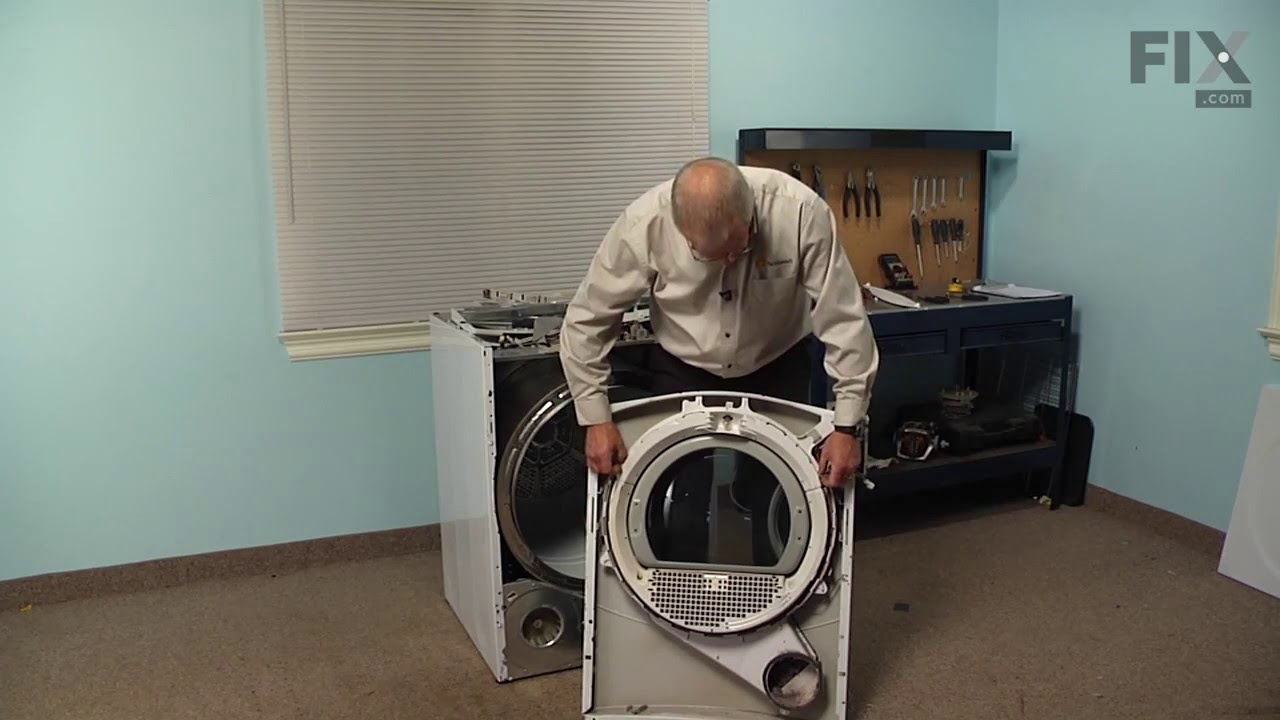
It was pretty easy. After already taking apart the dryer to install a new belt I knew exactly my plan of action. I removed the two screws that hold the top panel of the dryer to the front panel. I then removed the top panel and removed the screws that hold the front to each side panel. I than pulled the front away from the cabinet and
... Read more drum. I put the new slides in place and installed a new felt strip. I put it back together and that was that. Very easy.
1. Removed top cap on lid by removing the 3 - phillips screws. 2. removed front digital display panel from PC board. 3. removed bolts with nut-driver on the top of the front panel, removed bottom screws with #2 square bit. 4. removed "snap-in" plastic top bearing ( paying attention to where wiring is routed within this fram
... Read moree. 5. cleaned all areas of plastic and felt debris, installed new bearing, felt, and glides. 6. Re-installed all wiring and panels.
*** make sure to order all of the glides, there should be a total of 4 for the top assembly.
Removed the front Dryer panel. Left drum in place and lifted it up slightly to get access to motor drive. Slipped belt in place and put panel back on. This was a first attempt ever at fixing an appliance and it was no big deal.