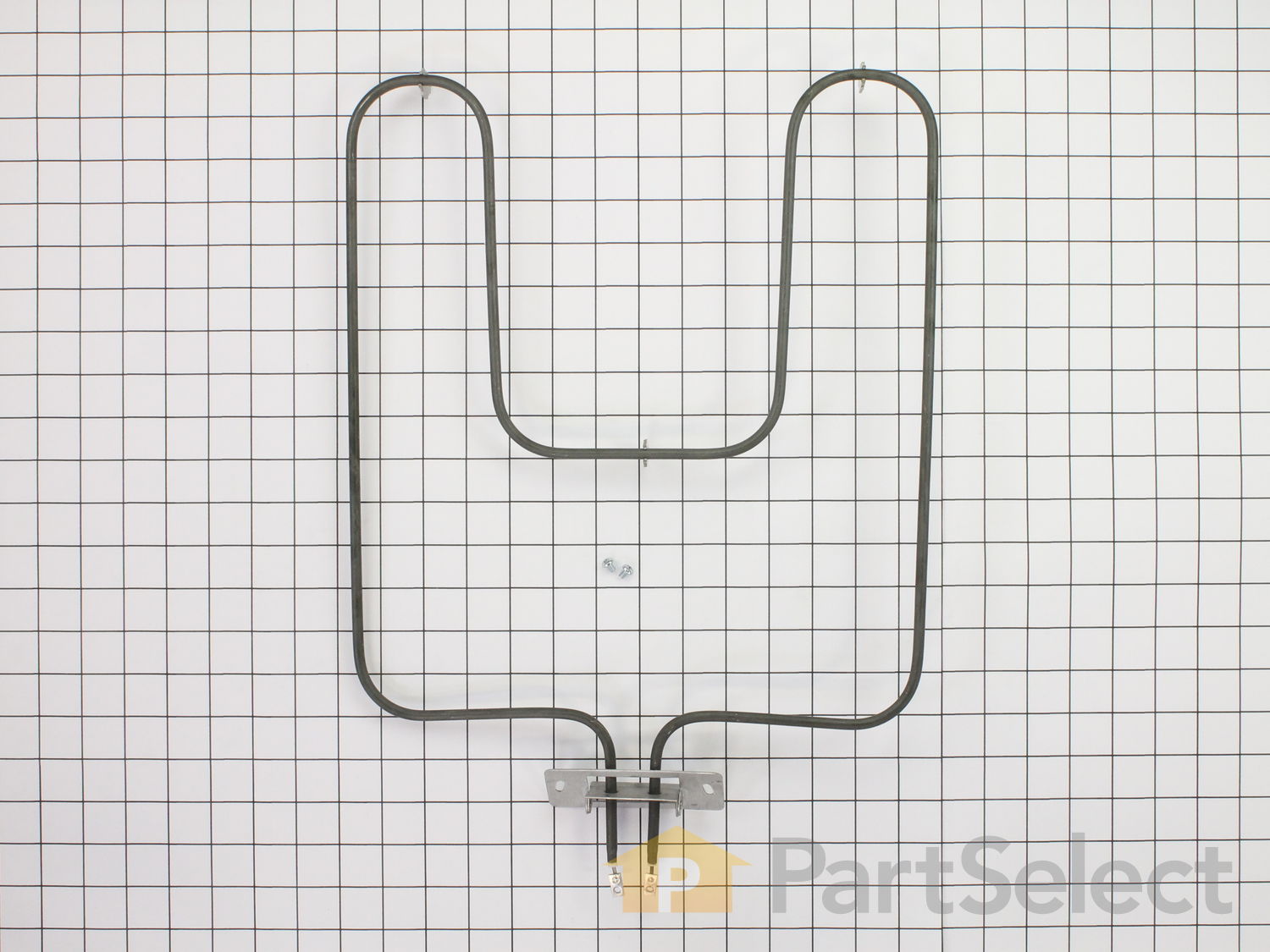
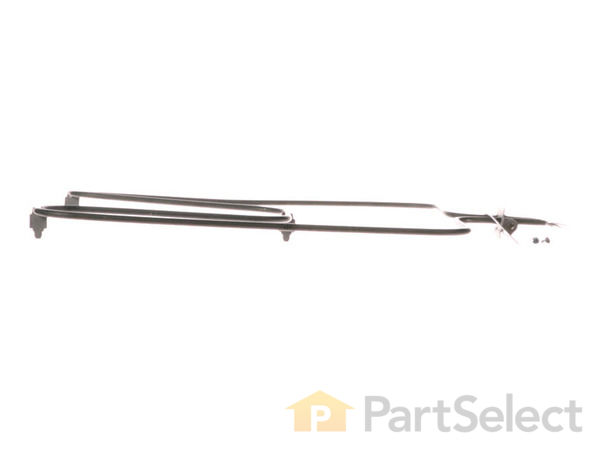
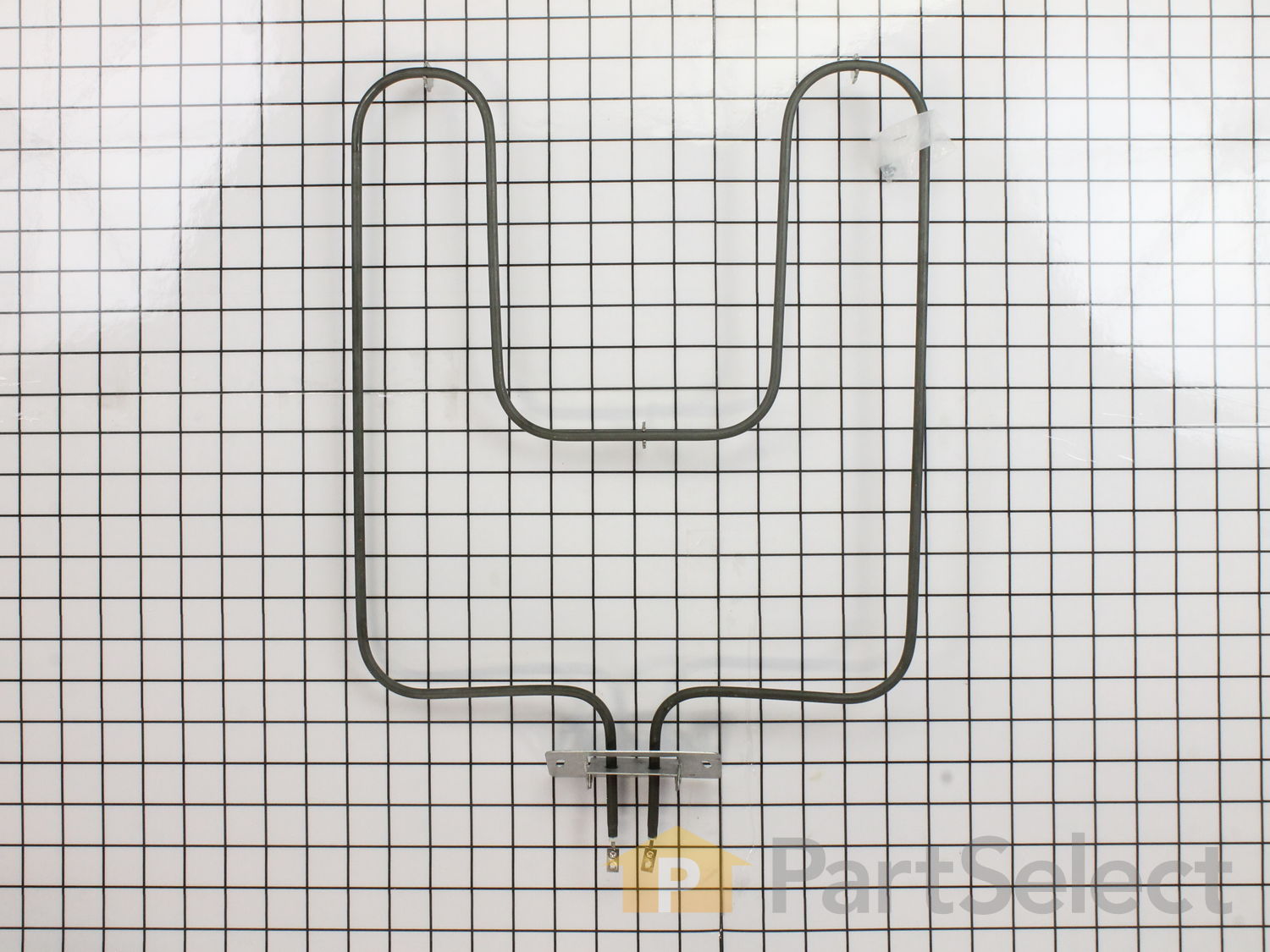
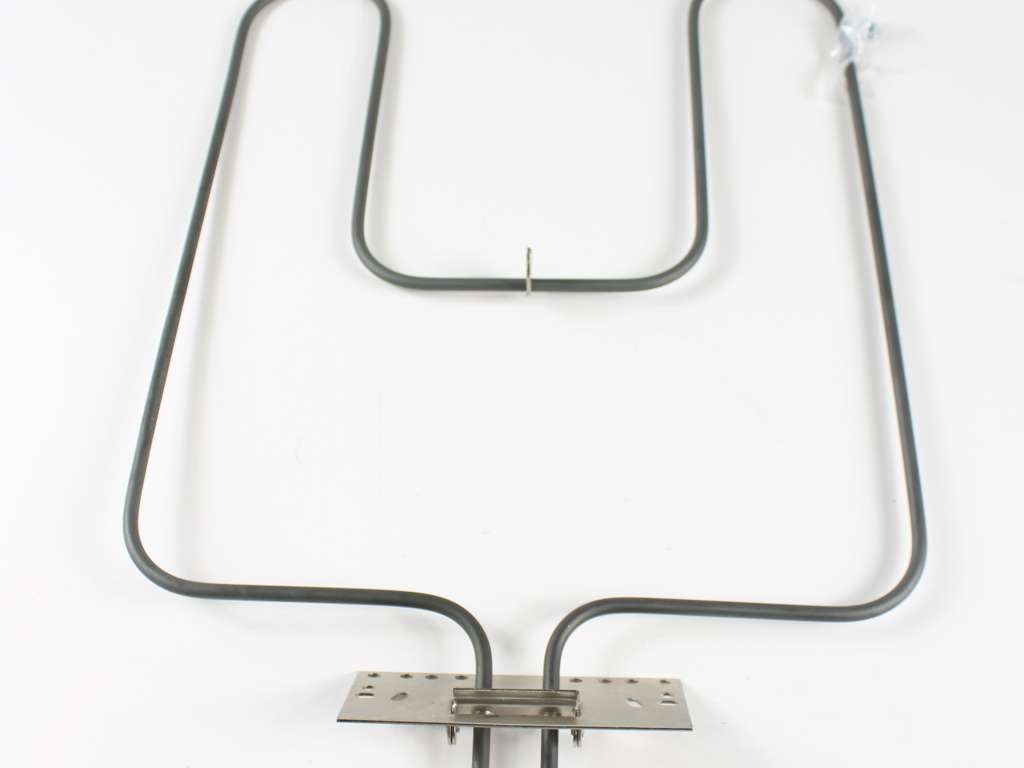
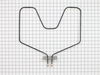
This is a 240 volt bake element for your oven or range. The kit comes with two installation screws and the element. The element functions by supplying heat from the bottom of the oven to bake or cook your food. You may need to replace the bake element if your oven is not heating properly. This is a black metal part (Width 13 inches, length 16.5 inches, depth 1-1/2 inches ) which can be installed onto your range with a screwdriver. Installation is rated as "medium" difficulty. This element is the part that heats to allow cooking, and if broken or missing you'll be unable to cook. This part attaches to the lower section of the range. Refer to your model number and user manual to ensure this part is right for you. Each screw gets screwed into each wire terminal with a Phillips screw driver. Hold the wires forward to make sure the wires do not fall back through the rear of the oven. Unplug your appliance or shut off your circuit breaker to the appliance before installing the new part.
How Buying OEM Parts Can Save You Time and Money
Troubleshooting
This part fixes the following symptoms:
Little to no heat when baking | Element will not heat | Oven not heating evenly | Will Not Start
Keep searches simple. Use keywords, e.g. "leaking", "pump", "broken" or "fit".
Sorry, we couldn't find any existing reviews that matched. Try using some different or simpler keywords.
★★★★★
★★★★★
Denise P - February 15, 2024
Verified Purchase
Perfect Fit
Thank you for having this item in stock. I was almost afraid of having to buy a new oven, which was not in our budget. We have an older oven and it had become impossible to find the exact replacement element for it anywhere in our area. I went online after my husband told me that I would not be able to find anything. Within a couple minutes I had found the replacement part in the exact model number. I will continue to purchase this element from your company. With the amount of baking we do, I'm sure I will be reordering another replacement element in another couple of years. You are my go to oven parts company. It was delivered exactly as described on my order. The packaging was excellent in a big well cushioned box. The price was excellent.
★★★★★
★★★★★
Gary M - February 13, 2024
Verified Purchase
Good part.
Came as ordered. Is a back-up for new one just installed. Great place for parts and fast delivery
★★★★★
★★★★★
Doug J - January 26, 2024
Verified Purchase
Saved us about $1500
Genuine part and customer service looked up all specs and made sure it was a good fit. Very happy with company, part and customer service. Well done
★★★★★
★★★★★
John F - October 21, 2023
Verified Purchase
Perfect fit
Quality part and easy to install
★★★★★
★★★★★
Greg C - October 6, 2023
Verified Purchase
works fine
all is well
★★★★★
★★★★★
Joseph T - October 5, 2023
Verified Purchase
Easy Repair
Part came in great condition with all the necessary hardware. 5 minutes later my oven was working again.
★★★★★
★★★★★
Barry B - August 12, 2023
Verified Purchase
Bake Element
Part replacement went fine.
★★★★★
★★★★★
Todd D - July 25, 2023
Verified Purchase
Oven repair
Fit perfect
★★★★★
★★★★★
Elle H - April 25, 2023
Verified Purchase
PERFECT
Matched up the voltage to my current unit, installed within minutes. Been a few months and it's still going strong. Fast shipping too!
★★★★★
★★★★★
DONNA C - April 6, 2023
Verified Purchase
Perfect purchase
The part was in perfect condition, came really fast and oven is back in working condition. We love partselect , we have been ordering from them for years my appliances are old . And works perfect ! Thanks to partselect.
< Prev
1
2
3
Next >
Customer Repair Stories
Average Repair Rating: 4.3 / 5.0, 181 reviews.
What's this?
Sort by:
< Prev
1
2
3
Next >
Search filter:
Clear Filter
Your search term must have 3 or more characters.
Keep searches simple. Use keywords, e.g. "leaking", "pump", "broken" or "fit".
Sorry, we couldn't find any existing installation instruction that matched.
Baking unit was inoperable
Replaced baking lower element by disconnecting the mounting plate and wire connectors at the base of the element and then reinstalling new element by reconnecting the wire connectors and mounting plate. Key to this project: Know how to identify the cause of the problem as the crack in the baking element was not immediately visible until
... Read more it was removed. One could easily have assumed that some other part of the range controls were defective.
Read less
Dan from ANTIOCH, IL
Difficulty Level:
Very Easy
Total Repair Time:
15 - 30 mins
Tools:
Nutdriver, Screw drivers
5 of 5 peoplefound this instruction helpful.
Was this instruction helpful to you?
Thank you for voting!
Bake Element - 240V needed to be replaced
Ordered Bake Element - 240V from Partselect , when part received removed broken element with a screwdriver., replaced with new Bake Element with a screwdriver. Very easy to do.
KETA from BIG SPRING, TX
Difficulty Level:
Very Easy
Total Repair Time:
Less than 15 mins
Tools:
Screw drivers
3 of 3 peoplefound this instruction helpful.
Was this instruction helpful to you?
Thank you for voting!
second time repaired in about ten years
removed parts from carton,,shut off breaker to over,,cradled the flash light,removed cover plate,,removed element,,removed screws from wires,,reversed to install,,screwed wires to element,,placed element in place and installed plate nuts,,,turned breaker back on...
william from CLAYMONT, DE
Difficulty Level:
Very Easy
Total Repair Time:
Less than 15 mins
Tools:
Nutdriver, Screw drivers
3 of 4 peoplefound this instruction helpful.
Was this instruction helpful to you?
Thank you for voting!
BURNT-OUT ELECTRIC BAKE OVEN ELEMENT
USE A MAGNETIZED SCREW DRIVER. BE CAREFUL THE OVEN ELECTRIC WIRES DO NOT FALL BACK INSIDE OF THE OVEN. HAVE LONG NOSE PLIERS HANDY. MAKE SURE YOU TILT THE ELEMENT SO THAT THE ELEMENT TERMINALS ALIGN PROPERLY WITH THE THE SCREWS AND ELECTRIC WIRES. THAT'S IMPORTANT ELSE YOU CANNOT GET THE SCREWS STARTED TO ATTACH THE ELEMENT.
RONALD from MT PROSPECT, IL
Difficulty Level:
A Bit Difficult
Total Repair Time:
15 - 30 mins
Tools:
Pliers, Screw drivers, Socket set
2 of 2 peoplefound this instruction helpful.
Was this instruction helpful to you?
Thank you for voting!
Baking element broken
Turned off the power to the stove, pulled out the racks, unscrewed the old element and pulled off the electric connectors...easy so far...installed the new element to the electric connection, pushed back into the back of the stove and reinstalled the screws. Turned on the power and then the stove...now I can bake an apple pie!
Mary C from KISSIMMEE, FL
Difficulty Level:
Very Easy
Total Repair Time:
Less than 15 mins
Tools:
Nutdriver, Pliers
3 of 3 peoplefound this instruction helpful.
Was this instruction helpful to you?
Thank you for voting!
Burnt out element
As instructed in your directions
Joe from TABERNACLE, NJ
Difficulty Level:
Really Easy
Total Repair Time:
30 - 60 mins
Tools:
Nutdriver, Screw drivers
3 of 4 peoplefound this instruction helpful.
Was this instruction helpful to you?
Thank you for voting!
Heating element severed
Removed old new one fit perfectly
Fred from DANVILLE, KY
Difficulty Level:
Really Easy
Total Repair Time:
15 - 30 mins
Tools:
Screw drivers
3 of 3 peoplefound this instruction helpful.
Was this instruction helpful to you?
Thank you for voting!
Bake element failed
Took out old one and replaced with new one. The only problem I had was my arms were not quite long enough. I had to climb into the oven to get to the electrical connection.
Two 1/4 inch screws and then two Phillips head screws that was it
Michael from JONESBORO, AR
Difficulty Level:
Very Easy
Total Repair Time:
15 - 30 mins
Tools:
Nutdriver
3 of 3 peoplefound this instruction helpful.
Was this instruction helpful to you?
Thank you for voting!
Burnt bake element
Removed door. Take out two hold down screws for element. Hold electrical tab with pliers and remove screw on each tab. Reverse directions to reinstall. Door may have screws to remove.
James from SPARTANBURG, SC
Difficulty Level:
Really Easy
Total Repair Time:
Less than 15 mins
Tools:
Nutdriver, Pliers, Screw drivers
2 of 2 peoplefound this instruction helpful.
Was this instruction helpful to you?
Thank you for voting!
< Prev
1
2
3
Next >
Questions and Answers
Ask our experts a question about this part and we'll get back to you as soon as possible!
118 questions answered by our experts.
Sort by:
< Prev
1
2
3
Next >
Search filter:
Clear Filter
Your search term must have 3 or more characters.
Keep searches simple. Use keywords, e.g. "leaking", "pump", "broken" or "fit".
Sorry, we couldn't find any existing answers that matched.Try using some different or simpler keywords, or submit your new question by using the "Ask a Question" button above!
Rick
August 1, 2017
What are the dimensions of this element?
For model number Hotpoint
Hi Rick.
Thank you for your question. Only counting from the mounting plate and onward. The bake element is approximately 16 1/2 " x 13 ". I hope that helps!
41 people found this helpful.
Was this helpful?
Thank you for voting!
Cindy
April 13, 2018
Will this element work for this model?
For model number JKP070D2AD
Hello Cindy,
Thanks for your question. Yes, this part is compatible with your model.
I hope this helps.
17 people found this helpful.
Was this helpful?
Thank you for voting!
Dale
November 22, 2017
I need to replace the bake element. I believe this is a 1990 model. What is the proper replacement part number i need?
For model number JKP07G0J5BG
Hi Dale,
Thank you for your inquiry. The part number for the baking element for your appliance is PS249424. I hope this helps. Thank you and have a great day!
10 people found this helpful.
Was this helpful?
Thank you for voting!
Garylyn
February 13, 2018
I have a GE wall mount oven, serial #vs604190g. I need the bottom baking element replacement. The oven is approximately 40 years old.
For model number JKP07G0H1BG
Hello Garylyn, Thank you for contacting us. I have researched the model you have provided and have found the part you’re looking for is Part Number: PS249424. Hope this helps!
9 people found this helpful.
Was this helpful?
Thank you for voting!
Edward
August 4, 2018
Our GE wall oven/microwave combo needs a bake element. What is the correct part number? Can a neophyte safely do the replacement?
For model number JKP62G0K2 BG
Hello Edward, thank you for your question. The bake element is part number PS249424 for this appliance. This repair is very easily done by a do-it-yourselfer. You can see installation stories and instructions when you search the part on our site. I hope this helps!
7 people found this helpful.
Was this helpful?
Thank you for voting!
PAMELA
April 29, 2018
I need to find a replacement bottom heating element for my self-cleaning single wall oven.
For model number JKP07001AD
Hi Pamela,
Thank you for your question. The part number listed under your model number for the bake element is PS249424. I hope this helps. Thank you and have a great day!
6 people found this helpful.
Was this helpful?
Thank you for voting!
Joy
May 2, 2018
My bake element is not heating but looks ok. The light does not come on the knob when i turn to bake but when i turn to broil the light comes on and the broil element heats. Do you think replacing the bake element will fix the problem? Thanks
For model number JK140R3HT
Hi Joy,
Thank you for your question. It could be your bake element but it could also be your control. I would suggest testing the bake element with a multi meter first to see whether or not that part is working. If that part is fine then it would be your control that you would have to replace. I hope that helps. Good luck with your repair.
3 people found this helpful.
Was this helpful?
Thank you for voting!
Willie
May 3, 2018
Need element for upper oven. 1980 model. Model number not found on your search.
For model number JKP27G006BG
Hello Willie, thank you for your question. The upper oven elements are as follows: Range bake element
Parts #: WB44X200 and Range broil element Parts #: WB44X185. Please enter the part number into the site for current price and availability. Good luck with your repair!
2 people found this helpful.
Was this helpful?
Thank you for voting!
Linda
March 30, 2018
Get no results when searching this model for baking element. Is it too old ?
For model number RJ7420012
Hello, Thank you for your inquiry. We are showing that part# WB44X200 would fit the model you provided. Hope this helps!
2 people found this helpful.
Was this helpful?
Thank you for voting!
Robert
December 6, 2018
Will this fit GE Hotpoint wall oven model #rk747g0j5?
For model number RK747G0J5
Hello Robert, Thank you for contacting us. I have researched the model you have provided and have found the part you are looking for is PartSelect Number PS249424. Thank you for your inquiry, good luck with this repair!
2 people found this helpful.
Was this helpful?
Thank you for voting!
< Prev
1
2
3
Next >
✖
Ask a Question
Ask our experts a question on this part and we'll respond as soon as we can.