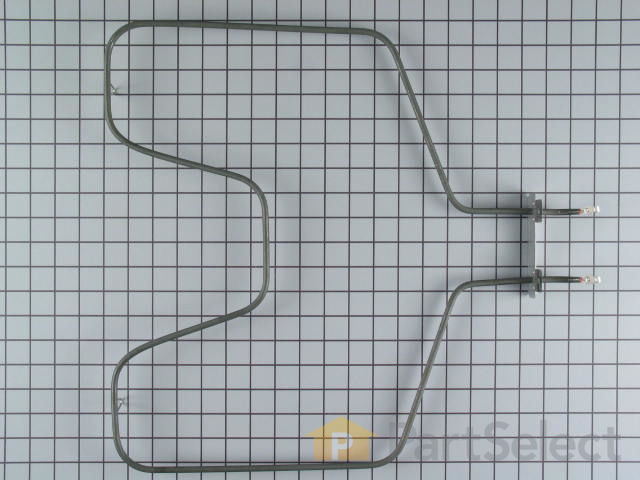
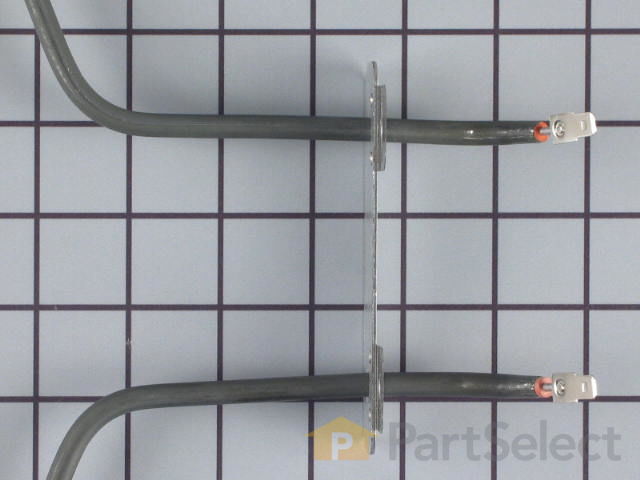
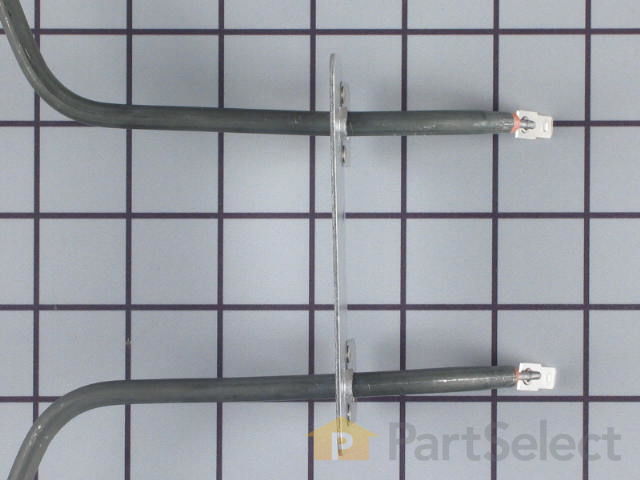
Bake Element - Push On Terminals - 240V Specifications
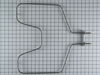
This is an OEM bottom bake element for your oven. Make sure to wait until your oven is cool before replacing this part, and disconnect power to the oven. In order to replace this part, you will need to pull out the oven and open up the back panel to disconnect the bake element wires and install the new ones.
How Buying OEM Parts Can Save You Time and Money
Troubleshooting
This part fixes the following symptoms:
Little to no heat when baking | Element will not heat | Oven not heating evenly | Will Not Start
This part works with the following products:
Range.
This part works with the following products:
General Electric, Kenmore.
Part# WB44T10010 replaces these:
AP2030996, 770549, WB44T10010
Customer Reviews
Average Rating:
★★★★★
★★★★★
115 Reviews
4.9
Filter By Rating:
5 Stars
107
4 Stars
6
3 Stars
0
2 Stars
0
1 Star
2
Sort by:
< Prev
1
2
3
Next >
Search filter:
Clear Filter
Your search term must have 3 or more characters.
Keep searches simple. Use keywords, e.g. "leaking", "pump", "broken" or "fit".
Sorry, we couldn't find any existing reviews that matched. Try using some different or simpler keywords.
★★★★★
★★★★★
Tom T - February 25, 2024
Verified Purchase
Quick delivery...
Part was exactly what I needed in a quick manner. Would use Partselect again.
★★★★★
★★★★★
Patricia G - July 6, 2023
Verified Purchase
Easy repair
This part was in great condition, very easy to install. Now my oven is back in working order.
★★★★★
★★★★★
Richard L - May 20, 2023
Verified Purchase
Worked great, 5 minute repair.
Removed old element, put clips on wires so they didn't pull back into opening, connected new element. That easy.
★★★★★
★★★★★
Dave R - February 15, 2023
Verified Purchase
Great Part Easy to fix saved me a bunch of Money
The part came in great shape and fixed in under 30 minutes
★★★★★
★★★★★
EDWIN V - January 20, 2023
Verified Purchase
Bake element
Was shipped and received in a quick manner and installed with ease . I would recommend them for sure ?? ??
★★★★★
★★★★★
John R - January 14, 2023
Verified Purchase
Cost
Lowes wanted 179.00 for a part they said was compatible to our oven. Upon n further research found out their part wouldn't fit and was non returnable. Your website was very user friendly and provided the compatible part at a more affordable price. Thank you
★★★★★
★★★★★
Cindy D - January 12, 2023
Verified Purchase
Worked great!
Fast delivery, 10 minute install, works great.
★★★★★
★★★★★
Katherine J - December 17, 2022
Verified Purchase
Easy repairs
Oven element. Followed directions how to replace it and it went smoothly. Thank u.
★★★★★
★★★★★
Richard J - November 2, 2022
Verified Purchase
Oven bake element
Fit and work perfectly, identical to factory element.
★★★★★
★★★★★
Kevin M - September 26, 2022
Verified Purchase
Bake element
Part arrived as scheduled. For perfectly and oven works again
< Prev
1
2
3
Next >
Customer Repair Stories
Average Repair Rating: 4.4 / 5.0, 106 reviews.
What's this?
Sort by:
< Prev
1
2
3
Next >
Search filter:
Clear Filter
Your search term must have 3 or more characters.
Keep searches simple. Use keywords, e.g. "leaking", "pump", "broken" or "fit".
Sorry, we couldn't find any existing installation instruction that matched.
oven was not working
was very easy job glad I was able to do it myself , saved me a lot of money on repair man , thank you for the how to repair video..
Having done this replacement before, it was very easy. My advice to anyone having a similar case is to approach the connections from the back of the stove by removing the center back panel for easy access to the connection terminals.
Ronald from ENFIELD, CT
Difficulty Level:
Really Easy
Total Repair Time:
Less than 15 mins
Tools:
Nutdriver
1 personfound this instruction helpful.
Was this instruction helpful to you?
Thank you for voting!
After years of great service the bittom bake element went up like a sparkler in two locations. Looking back, the heating effeiciency had probably dropped off subtly over time too.
The repair was very easy and your video was extremely helpful. Especially regarding pulling the oven out and removing the back wiring cover to get to the spade terminals, rather than trying to do it all from inside the oven. Added bonus was that I got that pocket for the oven cleaned out like new! Eww! Pulling it out also gave me enough r
... Read moreeach without having to remove the oven door (didn't realize you cold do that). Best part though was your mention that GE often DROPPED the zeros in their parts numbers. Couldn't locate the part on any website until yours noted this. so.. you got the sale. Went back to GE's website, located it and found your quality part was also less expensive! 11 minutes start to finish, quick shipping and works great! I'll be back! Thank you!
Read less
Greg from LOUISBURG, NC
Difficulty Level:
Very Easy
Total Repair Time:
Less than 15 mins
Tools:
Nutdriver, Pliers
1 personfound this instruction helpful.
Was this instruction helpful to you?
Thank you for voting!
unit burned out
To 80 year old (young) brothers worked together. One hooked the wires the other one plug it in. Very simple install.. Neither one knows anything about electricity. Thank you for your service.
Robert from KALISPELL, MT
Difficulty Level:
Really Easy
Total Repair Time:
Less than 15 mins
1 personfound this instruction helpful.
Was this instruction helpful to you?
Thank you for voting!
bake element burned out
Had to move the range out of its little cubby hole in the kitchen so that I could have access to the back of the range. This process probably took the longest. After that it was a piece of cake. Took about 15 minutes to complete the job. So easy, eve a caveman could do it.
Gary L from DEER PARK, WA
Difficulty Level:
Very Easy
Total Repair Time:
15 - 30 mins
Tools:
Screw drivers, Socket set
1 personfound this instruction helpful.
Was this instruction helpful to you?
Thank you for voting!
Broken bake element
Remove screws on bake element and on back cover to wires (unplug unit first) remove terminal ends , replace element put cover back on and screw in element hold down screws.
Scott from ROCHESTER, NH
Difficulty Level:
Really Easy
Total Repair Time:
30 - 60 mins
Tools:
Screw drivers, Socket set
1 personfound this instruction helpful.
Was this instruction helpful to you?
Thank you for voting!
Rusted burner bowls and bad bake element
The rusted burner bowls were a given, simple remove and replace. The bake element was bad, meaning the loop was open (cracked). The element replacement should have been easier if I had read all of the feed back given on the reviews. The number one thing I must stress is that the stove needs to be powered down. Either via breaker or unplug
... Read moreged. I found out the hard way and had sparks flying all over the place. I figured that with the oven in the off position the element had no power, boy was I wrong! Don't ever assume that the appliance was designed for safety! I pulled out the stove and unplugged it, after that the replacement was very easy. One 1/4" nut driver was all that was needed.
Baking element : Pull range away from wall. Disconnect the power. Remove back center panel. Remove range door. Remove range racks. Disconnect push on terminals fron baking element. Remove two hex head screws. Remove baking element. Reassemble in reverse order..........Temperature sensor: with back panel removed, unclip the electrical co
... Read morennector. Remove one hex head screw. Remove temperature sensor. Install in reverse order.
Unplugged the stove from wall, pulled out oven racks. Unscrewed 2 screws that attached the burner to the oven. Pulled the two wires off, be careful not to let them go back into or behind the oven wall, then you would need to take the back center panel off and push them back through. But I bent the wire enough when taking them off to make
... Read moresure they rested on the inside of the oven wall, got the new burner attached it to the two wires, screwed it back in the oven wall and I was done. Plugged it back in and works beautifully. Whole thing took maybe 15 minutes 30 minutes tops.
Read less
Richard from HERMITAGE, TN
Difficulty Level:
Really Easy
Total Repair Time:
15 - 30 mins
Tools:
Pliers, Screw drivers
1 personfound this instruction helpful.
Was this instruction helpful to you?
Thank you for voting!
heating element in oven
I first pulled the stove away from the wall to unplug and look from the rear. Look at the wiring from the back (you may have to remove 2 screws and the plate that covers the wiring) and take a picture of it if you can with your smart phone - this way when you go to put it back you have a reference. I then removed the oven racks and the 2
... Read morelittle bolts holding the element in place. Wiggle it toward you slowly so the wires don't pull off. It's easier if you use needle nose pliers to get the fittings off, if its hard wiggle the fitting it will come off. I put the connections on the new element and squeezed them tight not to move. I did put a small piece of electrical tape on the connection ends for my piece of mind. Screw it back in and, plug it in and turn on. If the element starts to glow your done, put the cover back on over the wires and slide it back in place. If your kind of handy you can do it.
Read less
John from BOCA RATON, FL
Difficulty Level:
Really Easy
Total Repair Time:
30 - 60 mins
Tools:
Pliers, Screw drivers, Socket set
1 personfound this instruction helpful.
Was this instruction helpful to you?
Thank you for voting!
< Prev
1
2
3
Next >
Questions and Answers
Ask our experts a question about this part and we'll get back to you as soon as possible!
54 questions answered by our experts.
Sort by:
< Prev
1
2
3
Next >
Search filter:
Clear Filter
Your search term must have 3 or more characters.
Keep searches simple. Use keywords, e.g. "leaking", "pump", "broken" or "fit".
Sorry, we couldn't find any existing answers that matched.Try using some different or simpler keywords, or submit your new question by using the "Ask a Question" button above!
Esther
September 14, 2017
This model does not come up when i search. I need a bottom element for my spectra GE cooktop stove. I want to be sure to order the correct one. Please indicate which one works with my stove. Thank you. I am 77 and i need help.
For model number JBP67BOD1WH
Hi Esther,
Thank you for your inquiry. GE sometimes removes the zeros from their model numbers so you would find the parts under JBP67BD1WH. The part number for the bake element from your appliance is PS249285. I hope this helps. Thank you and have a great day!
51 people found this helpful.
Was this helpful?
Thank you for voting!
Landon
March 17, 2018
Do you have a video available showing how to install this bake element part? If so, please let me know how to access it?
For model number JBP68WDWW
Hello Iandon,
Thanks for your question. We do not have a video for installing this part, so I will write out the instructions for installation. Unplug the oven. Remove the rear access panel by unscrewing any screws on the back panel. Use pliers to remove the wires from the bake element terminals. Go to the front of the range and remove the oven racks. You may want to remove the oven door to make accessing the element easier as well. Use a nutdriver to remove the screws and remove the bake element. Bring the new bake element to the oven and install it with the screws, put the door back into place, replace the racks, then wire up the element in the back and replace the access panel.
I hope this helps.
20 people found this helpful.
Was this helpful?
Thank you for voting!
Karen
November 6, 2017
My bake element just died and actually a piece broke off and is laying on the bottom of my stove. What is the correct part # for my model. I need it asap
For model number JBP24BHCT
Hello, Thank you for contacting us. I have researched the model you have provided and have found the part you’re looking for is PartSelect Number PS249285. Good luck with this repair!
6 people found this helpful.
Was this helpful?
Thank you for voting!
Robert
November 5, 2017
When you turn the oven on, the top element lights up and the bottom element does not. The light on the top is flashing preheated, but doesn't stay consistent like it was before and only cooks like its on broil. Should I replace the bottom element to fix the issue or should I check into wiring and the thermostat, or all of the above?
For model number JBP76GS3WW
Hi Robert, Thank you for the question. If it is just the Bottom Bake Element not working I suggest replacing the Bake Element. Hope this helps!
5 people found this helpful.
Was this helpful?
Thank you for voting!
Linda S.
January 4, 2019
My bottom heating element burned like a fuse on a firecracker. Went to shut the oven off while i was cooking and when i pushed the off button, it sparked. So does mean i am going to have a bigger problem than just replacing the heating element?
For model number Jbs55dm2bb
Hello Linda, thank you for your question. No, the issue is probably just the element itself. When these parts have a crack or burn in them and arch, they can burn like a firecracker. Replace the element and you should be just fine! I hope this helps!
4 people found this helpful.
Was this helpful?
Thank you for voting!
Thomas
February 7, 2018
I am looking for a replacement wire that runs between the terminal and the bake element. The wire has a ring connector on the terminal block and a spade connector on the bake element. The original wire is 16 awg. Thanks.
For model number MAYTAG C?E8600ACW Range
Hi Thomas, Thank you for the question. Very sorry but we do not list the wiring for the element. I suggest contacting the manufacture directly to see if the wiring is available. If they can provide a part number you can contact us back to see if it is something we carry. Hope to hear from you!
3 people found this helpful.
Was this helpful?
Thank you for voting!
Patrick
August 26, 2017
GE stove......when heating up the oven it announces that it is at the correct heat, such as 350, but is actually much lower. the digital readout says 350 but two thermometers show that it is about 200 degrees. i just received the new sensor (and a new light bulb) that i ordered from you last week. i have them installed and have tested the oven but find the same issue. i don't really want to change out the stove because the exterior is in great shape, not even a scratch on the top surface. does this sound like the element is failing?
For model number JBP67BH2CT
Hi Patrick,
Thank you for your question. Yes it does most likely sound like it is your bake element that you will need to replace however you may have to look into your control board. You can test your bake element with a multi-meter to test if it is not working correctly. I would also suggest taking a look at the gasket around your door, just to make sure that it's not worn down. If it has been worn, that could be the reason heat will not stay inside of your oven. Good luck with your repair. I hope this helps.
2 people found this helpful.
Was this helpful?
Thank you for voting!
Anthony
November 1, 2017
Is the part number for this model wb44t10010
For model number jbs55bk2bb
Hi Anthony,
Thank you for your question. Yes, this is the correct part for your appliance. Good luck with your repair.
2 people found this helpful.
Was this helpful?
Thank you for voting!
Delores Hagerman
October 5, 2017
I am looking at the pictures of bottom oven element on your page for my GE electric stove. Mine does not heat up. I need the measurement of the one i am looking at. The measurement of mine is 17 3/4 inch wide, 12 inch long, 3 1/4 inch apart push in termimals. See if you have one with that measurement. Thank you
For model number J2B918BEK5BB
Hi Delores,
Thank you for your inquiry. The part number for the correct bake element for model number J2B918BEK5BB is PS249238. I hope this helps. Thank you and have a great day!
1 person found this helpful.
Was this helpful?
Thank you for voting!
MIKE
November 11, 2017
How do i remove the bottom heating element of my GE elec. Stove ???
Hi Mike,
Thank you for your inquiry. There is a video on our website that you can reference on how to install the. You will find the video under part number PS249247. I hope this helps. Thank you and have a great day!
1 person found this helpful.
Was this helpful?
Thank you for voting!
< Prev
1
2
3
Next >
✖
Ask a Question
Ask our experts a question on this part and we'll respond as soon as we can.