















MV1645AGTL (CSBELGA) LG Microwave - Instructions
Keep searches simple. Use keywords, e.g. "leaking", "pump", "broken" or "fit".
did not include screw to secure it to celing of the microwave rempved
removed old cover put the new one in place found right size screw from my tool box, tightened it.
Parts Used:

-
Bill from TAMARAC, FL
-
Difficulty Level:Really Easy
-
Total Repair Time:30 - 60 mins
-
Tools:Screw drivers
2 of 3 people
found this instruction helpful.
Was this instruction helpful to you?
Thank you for voting!
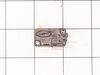
Door switch malfunction
Take cover off microwave. Check door switches to determine which one was faulty.Remove and replace faulty switch.
Parts Used:
-
Sherry from PINELAND, SC
-
Difficulty Level:Very Easy
-
Total Repair Time:Less than 15 mins
-
Tools:Nutdriver, Screw drivers
2 of 3 people
found this instruction helpful.
Was this instruction helpful to you?
Thank you for voting!
The new part was too thick for the worn out plastic ring which is obsolete.
Needed to raise the part to match the ring. I used peanut butter to hold plastic shim while replacing to hold it in place. Built in Oct. 2009.
Parts Used:

-
James from PURCELLVILLE, VA
-
Difficulty Level:A Bit Difficult
-
Total Repair Time:30 - 60 mins
1 person
found this instruction helpful.
Was this instruction helpful to you?
Thank you for voting!
Leek
-
Krzysztof from NEW BRITAIN, CT
-
Difficulty Level:Easy
-
Total Repair Time:30 - 60 mins
1 person
found this instruction helpful.
Was this instruction helpful to you?
Thank you for voting!
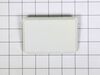
Replace resin cover in microwave
Used fingers to pull damaged cover away from microwave interior body. Used fingers to snap replacement cover into open slots.
Cover snap right into special slots.
Cover snap right into special slots.
Parts Used:
-
Paul from MCMINNVILLE, OR
-
Difficulty Level:Very Easy
-
Total Repair Time:Less than 15 mins
1 person
found this instruction helpful.
Was this instruction helpful to you?
Thank you for voting!
Air Filter Replacement
Originally called it "grease filter" until I found very small print "air filter" on damaged original. Part #PS3527528
Slipped into place with ease -- right bottom of microwave
Slipped into place with ease -- right bottom of microwave
Parts Used:
-
Claude from PARK CITY, UT
-
Difficulty Level:Very Easy
-
Total Repair Time:Less than 15 mins
1 person
found this instruction helpful.
Was this instruction helpful to you?
Thank you for voting!
turntable wobbled
removed power cord replace turntable motor by lowering bottom panel removing two screws holding the motor on and two wires and reinstalled
Parts Used:

-
James from Rantoul, IL
-
Difficulty Level:Really Easy
-
Total Repair Time:30 - 60 mins
-
Tools:Screw drivers
1 person
found this instruction helpful.
Was this instruction helpful to you?
Thank you for voting!
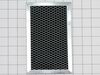
Change the Charcoal Filter and Microwave Grease Filter (Normal Maintenance)
Both were easy to replace. I followed the instructions in the users manual which came with the microwave. On the grease filter, I removed the 2 Phillips head screws which hold the grill plate in place. I had to open the microwave all the way to remove the grill plate. The grease filter was easy to remove and replace with a new one. I then put the grill back in and secured it with the 2 screws. Easy Peasy!
Parts Used:
-
Lynwood from GONZALES, LA
-
Difficulty Level:Very Easy
-
Total Repair Time:Less than 15 mins
-
Tools:Screw drivers
1 person
found this instruction helpful.
Was this instruction helpful to you?
Thank you for voting!
suddenly stopped working while in use
i unplugged the unit,unscrewed the outer shell so that all the wiring and internal components were visible.starting at the first of three micro switches i removed the slip on terminals installed the alligator clips too the wires so the switch would now be bypassed.i made sure the wires and clips were not touching anything plugged unit in and it worked.i then installed the new switch and closed up the outer shell
Parts Used:
-
Kevin from Colonia, NJ
-
Difficulty Level:Easy
-
Total Repair Time:Less than 15 mins
-
Tools:Pliers, Screw drivers
2 of 4 people
found this instruction helpful.
Was this instruction helpful to you?
Thank you for voting!
Microwave failed to head and light, fan, and turntable failed to come on.
Problem was due to a faulty door switch. Replaced with a new switch and the microwave now works fine! Only thing that was tricky was that LG uses the hex screws with a peg in the middle to keep the microwave cover on. Had to use a small screwdriver and pliers (on the screwdriver) to unscrew the screws.
Parts Used:
-
Robert from Cedar Park, TX
-
Difficulty Level:A Bit Difficult
-
Total Repair Time:30 - 60 mins
-
Tools:Nutdriver, Screw drivers
1 of 2 people
found this instruction helpful.
Was this instruction helpful to you?
Thank you for voting!
Wanted to see the instructions before I install it.

-
Rene from MORENO VALLEY, CA
-
Difficulty Level:Really Easy
-
Total Repair Time:30 - 60 mins
2 of 5 people
found this instruction helpful.
Was this instruction helpful to you?
Thank you for voting!
Shaft socket was worn out
-
Cesar from Miami, FL
-
Difficulty Level:Really Easy
-
Total Repair Time:Less than 15 mins
0 of 1 people
found this instruction helpful.
Was this instruction helpful to you?
Thank you for voting!
Microwave operated but did not heat
Initial failure of over range microwave Aug 3rd. Control Panel worked but no heat. Took to local LG authoriaed local repair place. They fixed it quickly and we re-installed it. Worked fine for 2 months then had similar failure again. Agaim took to same authorized repairer. They kept unit for 3 months but finally concluded theu could not fix it and suggested we contact LG for a partial refund. When they tested the unit during re-assembly in my presence, there was a blue flash and the fuse blew. Since we had built a custom tile mural back splash around this unit, I brought it home, ordered a number of time delay fuses new capacitor and two new high voltage diodes. However, using my Fluke DMM, I checked the existing capacitor and high voltage diode and they checked OK so I just replaced the time delay fuse. The high voltage transformer leads had 2 possible ways to connect to capacitor and diode. Tried one way, plugged unit in and turned it on, and immediatly blew the fuse. Replaced the fuse and reversed the high voltage transformer connections,amd turned unit pn, and it worked perfectly. Since we had experienced several power failures during the time of the original failure, the repairer concluded that power spikes might be at fault, so I also purchased a TrippLite ISOBAR4ULTRA 3300 Joule surge protector between wall outlet and microwave, and re-installed over range. It has worked perfectly since.
Parts Used:

-
Donald from Oak Ridge, TN
-
Difficulty Level:Easy
-
Total Repair Time:1- 2 hours
-
Tools:Screw drivers
3 of 10 people
found this instruction helpful.
Was this instruction helpful to you?
Thank you for voting!
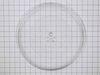
Broken Tray ,Glass
Received my replacement Tray,Glass in only 2 days. Opened it and placed it in the Microwave. Yep, it was that easy!
Parts Used:
-
Gena from ROSICLARE, IL
-
Difficulty Level:Really Easy
-
Total Repair Time:Less than 15 mins
Was this instruction helpful to you?
Thank you for voting!
microwave turntable will not turn
removed screws from bottom of microwave... lowered bottom plate.. unplugged motor and replaced with new motor/AC synchronous. Reinstalled bottom plate......... DONE!!
Parts Used:
-
LINDA from OCEAN CITY, MD
-
Difficulty Level:Really Easy
-
Total Repair Time:Less than 15 mins
-
Tools:Screw drivers
Was this instruction helpful to you?
Thank you for voting!