















CX9875VYV Maytag Wall Oven - Instructions
Keep searches simple. Use keywords, e.g. "leaking", "pump", "broken" or "fit".
Inside Door Glass Broke
Repair was super easy, Remove Screws. (the hardest part was trying to remove the edging of the door without cracking it, or breaking the tabs used to secure it) Once I got the edges off, I slid the front of the door off, removed the screws and braces holding the outer glass. Picked out the broken pieces, cleaned all the glass and inside the door and put it all back together. If I didn't clean everything, it would've taken half the time.
Parts Used:
-
Donn from South Plainfield, NJ
-
Difficulty Level:Really Easy
-
Total Repair Time:15 - 30 mins
-
Tools:Screw drivers
Was this instruction helpful to you?
Thank you for voting!
The oven was not heating up to temperature
I replaced the oven sensor which was easy to replace. A pigtail wire was provided with the sensor which is intended to be installed first so you don't have to reach around the front and back of the oven at the same time. The replacement was easy. However, that turned out not to be the problem. The real problem was the maytag electronic clock control timer, temperature control unit. The part number is 7601P177-60. This device has been discontinued and I was fortunate enough to find the part at a local supplier. Once I replaced this, the problem went away. The oven heats up normally. My original symptom was that when setting the oven temperature to something like 350 degrees, the display would rapidly report heating up the oven to that temperature, and the oven was only mildly warm. If you have that symptom, it is probably not the oven sensor. It is the electronic clock unit. Hope you can find one. If you can't, I think you need to by a new oven. Regards
Parts Used:
-
Max from Bothell, WA
-
Difficulty Level:Really Easy
-
Total Repair Time:15 - 30 mins
-
Tools:Screw drivers
Was this instruction helpful to you?
Thank you for voting!
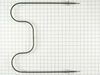
Bake Element Quit Working
Easy fix, second time repairing the element in the 12+ years we've had the oven. Disconnect power to the oven; unscrew the element from the back wall of the oven. Gently pull the element from the back wall of the oven exposing the slip on connectors. Disconnect old element by gently pulling the connectors apart. Connect new element and gently push the new element's connector back into the back wall of the oven and tighten down with the screws - that’s it!
Parts Used:
-
Steven from Woodstock, GA
-
Difficulty Level:Really Easy
-
Total Repair Time:15 - 30 mins
-
Tools:Screw drivers
Was this instruction helpful to you?
Thank you for voting!
Fan runs continually ,door locked,error code f2,f3,f7
Turned off breaker,opened door with bent coat hanger by sliding right to left the coat hanger to open the door, remover 2 screws holding in the sensor in upper left corner of the oven. Remove the sensor (gently) with the wire connection from back of oven pulling sensor out a out 8 inches . Disconnect plug. Install new sensor with matched harness /.connection, installed 2 screws ,turned on breaker.
Parts Used:
-
John from Dacula, GA
-
Difficulty Level:Really Easy
-
Total Repair Time:Less than 15 mins
-
Tools:Screw drivers
Was this instruction helpful to you?
Thank you for voting!
change oven sensor
-
Lloyd from Eau Claire, WI
-
Difficulty Level:Really Easy
-
Total Repair Time:Less than 15 mins
-
Tools:Screw drivers
Was this instruction helpful to you?
Thank you for voting!
Had code F1 and F3 on my oven. Oven wouldn't heat.
Watched the video and it was as easy as described. Not many things go as easily as this.
Parts Used:
-
Cindy from Polson, MT
-
Difficulty Level:Really Easy
-
Total Repair Time:Less than 15 mins
-
Tools:Screw drivers
Was this instruction helpful to you?
Thank you for voting!
Element burned out
Excellent experience with Part Select. Ordered the part on Sunday and received it on Tuesday. Super speedy service and easy installation.
Parts Used:
-
Barbara from Sauk City, WI
-
Difficulty Level:Really Easy
-
Total Repair Time:Less than 15 mins
-
Tools:Pliers, Screw drivers
Was this instruction helpful to you?
Thank you for voting!
Light lens broke when self clean cycle was used
I searched Whirlpool, Sears and random appliance stores and Part Select was the only company to have the lens available. All other manufacturers said the lens was no longer manufactured as a stand alone piece and I would have to buy the entire light assembly. Thank you Parts Select!!!!!
Parts Used:

-
James from Buford, GA
-
Difficulty Level:Really Easy
-
Total Repair Time:Less than 15 mins
Was this instruction helpful to you?
Thank you for voting!
the nylon disc broke
I removed the broken hinge and installed the new one, however the oven door didn't stay ajar but dropped open fast. So I took the old spring and installed it on the new hinge and it was improved. It just took a screwdriver.
Parts Used:

-
Clare from Seattle, WA
-
Difficulty Level:Really Easy
-
Total Repair Time:1- 2 hours
-
Tools:Screw drivers
Was this instruction helpful to you?
Thank you for voting!
Oven would overheat
Followed directions as supplied. New part did not work, so it must be in the control unit which is no longer available. So time for a new range.
Parts Used:
-
MARK from roseville, MN
-
Difficulty Level:Really Easy
-
Total Repair Time:Less than 15 mins
-
Tools:Screw drivers
Was this instruction helpful to you?
Thank you for voting!
Inner door glass shattered
There are five Phillips head screws to remove from the door (2 top, 3 bottom); the only touch part is that there are no screws on the sides, but instead plastic tabs on each side that "latch" inside the door frame; you have to use a flat blade screwdriver to work each tab and press on the door frame to unlatch each tab (yup I broke one, not knowing the setup the first time, but it went back together OK anyway). Once the tabs are unlatched from the frame, the entire front or the door will come off (be ready for this); then, just a few screws to take off the 2nd inner door glass frame (remove second glass carefully), and your to the inner glass, which just fits within the frame. Then, carefully backwards and the door is together again (once again, provide support as you take the last tab/screw off the outside of the front door, or you'll have more broken parts).
Parts Used:
-
Carol from Oceano, CA
-
Difficulty Level:A Bit Difficult
-
Total Repair Time:15 - 30 mins
-
Tools:Screw drivers
Was this instruction helpful to you?
Thank you for voting!
My oven was not holding temperature.
I removed the old sensor via the two screws holding it in, unplugged it and replaced it with a new one.
Parts Used:
-
Anthony from Acworth, GA
-
Difficulty Level:Really Easy
-
Total Repair Time:15 - 30 mins
-
Tools:Screw drivers
Was this instruction helpful to you?
Thank you for voting!
temperature varied in oven.couldn't set
removed 2 screws in probe and pulled it out.had to take back off as wire was tangled from factory and couldn't do quick repair
Parts Used:
-
tom from winter haven, FL
-
Difficulty Level:Really Easy
-
Total Repair Time:15 - 30 mins
-
Tools:Screw drivers
Was this instruction helpful to you?
Thank you for voting!
F1 Fault Code - Replace the Temperature Sensor
The sensor inserts into a slot in the back side of the range. By removing screws on the heat shield on the backside of the range, the sensor wires will be exposed can be unplugged. Then remove the screws that attach the sensor to the back inside panel in the oven. Next, pull the old sensor out. The wire leads will get caught on the insulation blanket, no big deal. Reverse the process to install the new sensor. The new sensor comes with two connector sets for the wiring. I did the whole job for less than the cost of a service call.
Parts Used:
-
Dennis from Tampa, FL
-
Difficulty Level:Easy
-
Total Repair Time:15 - 30 mins
-
Tools:Screw drivers
Was this instruction helpful to you?
Thank you for voting!
Upper oven shut down after reaching temperature
The hardest part was deciding if this part would fix the problem. The upper oven became unusable. Both elements worked fine until reaching temperature. The oven would not come back on after that. I took two screws out. Then I pulled the wires out and unsnapped the coupling. The install was reverse. I just snapped the coupling in place and replaced the two screws. All works fine now. Saved a couple thousand as wife was prepared to buy a new one.
Parts Used:
-
Earl from Globe, AZ
-
Difficulty Level:Really Easy
-
Total Repair Time:15 - 30 mins
-
Tools:Screw drivers
Was this instruction helpful to you?
Thank you for voting!