Keep searches simple. Use keywords, e.g. "leaking", "pump", "broken" or "fit".
Sorry, we couldn't find any existing reviews that matched. Try using some different or simpler keywords.
★★★★★
★★★★★
Anthony O - November 16, 2021
Verified Purchase
It worked great
Part came early and fit perfect
★★★★★
★★★★★
Otis A - May 3, 2021
Verified Purchase
Front panel blue
Hey folks, been working on these things a while and front panel is worst to reset than the door handle switch.
Took an extra day to get here but same part I took off ( plug & play).
Thanks Parts select team.
O A handyman services
★★★★★
★★★★★
Eugene B - October 5, 2019
Verified Purchase
Quick Delivery, quick and easy repair
THe part was perfect. Took me 15 minutes to install it. No Problems. Saved me a lot of money by avoiding a service call.
★★★★★
★★★★★
Ginny W - June 7, 2019
Verified Purchase
Fast & Easy
Part came quickly. After a brief viewing, new part installed in a couple of minutes. Works perfectly.
★★★★★
★★★★★
Jan T - December 15, 2018
Verified Purchase
Selfrepair
I followed the replacement instructions- loosened 6 screws, replaced the latch, put things together and ther washer works again.
NOTE: I e-mailed the seller a Q: if they want the old part back refurbishing/re-manufacturing. They allegedly CAN NOT help me. Is it such a problem prevent a waste?
★★★★★
★★★★★
Kathy R - December 4, 2018
Verified Purchase
Worked great!
The part we needed was delivered quickly and it is back working again!
★★★★★
★★★★★
Dennis T - October 12, 2018
Verified Purchase
Excellent experience
Ordered the part (a door handle for a dishwasher) and I had it installed a day later. Thank-you.
★★★★★
★★★★★
Ken E - October 2, 2018
Verified Purchase
Excellent company service
The part was the right number but Electrolux must have made a (nearly imperceptible) change in newer model years. Not quite a fit. Parts Select was exceptional in their response. I definitely recommend them with 5 stars.
★★★★★
★★★★★
Tavynn T - October 2, 2018
Verified Purchase
Dishwasher handle
A little pricy for a door handle for a dishwasher but order came fast and it worked perfect. Now my dishwasher opens and closes like new.
★★★★★
★★★★★
Rose G - September 1, 2018
Verified Purchase
Just what I needed
Dishwasher back up and running ??
< Prev
1
2
Next >
Customer Repair Stories
Average Repair Rating: 3.4 / 5.0, 10 reviews.
What's this?
Sort by:
< Prev
1
Next >
Search filter:
Clear Filter
Your search term must have 3 or more characters.
Keep searches simple. Use keywords, e.g. "leaking", "pump", "broken" or "fit".
Sorry, we couldn't find any existing installation instruction that matched.
Door would not close so couldn't start dishwasher
The handle was floppy and the door wouldn't close so we looked up the problem on the Internet and it seemed like a simple repair. The lights on the panel would go on but without the latch engaging we couldn't start the machine. The dishwasher is about two years old and was working fine up until about a month ago.
We looke
... Read mored up a video on You Tube and followed the instructions.
However, after changing the handle. the lights go on but the door still won't close and we are still without a working dishwasher so it looks like we will need to call in a repair man. Very disappointing.
Read less
Luis from TUCSON, AZ
Difficulty Level:
Easy
Total Repair Time:
30 - 60 mins
Tools:
Nutdriver, Screw drivers
2 of 2 peoplefound this instruction helpful.
Was this instruction helpful to you?
Thank you for voting!
Door won't close
This would have been easy if either of the 2 parts sent to me were good. Both failed the test shown in their troubleshooting video. They did allow me to return the parts and refunded my money for both shipments. It still needs repair, if only I had a good part.
David from FALLBROOK, CA
Difficulty Level:
Very Easy
Total Repair Time:
Less than 15 mins
1 personfound this instruction helpful.
Was this instruction helpful to you?
Thank you for voting!
Door won't close
I used their troubleshooting to determine the door latch was defective. I ordered a replacement and it did not fix the problem, I looked at the video they provide for testing and found the replacement was defective as well. I ordered a 2nd part and tested it without removing from the packaging, it failed the test. I tried 3 times to call
... Read morefor help and they are not taking calls. I am in the return process for both parts and I guess they are going to make me eat the shipping cost for both bad parts. Time to buy a new dishwasher, it will not be a Frigidaire. All this said, if the part wasn't bad, this is an easy fix and anyone could do it.
Read less
David from FALLBROOK, CA
Difficulty Level:
Very Difficult
Total Repair Time:
More than 2 hours
Tools:
Screw drivers
2 of 2 peoplefound this instruction helpful.
Was this instruction helpful to you?
Thank you for voting!
Needed another set of hands to replace faceplate
Unscrew faceplate. Disassemble latch and replace. Very easy . Replace faceplate
Jim from Petaluma, CA
Difficulty Level:
A Bit Difficult
Total Repair Time:
30 - 60 mins
Tools:
Screw drivers
1 personfound this instruction helpful.
Was this instruction helpful to you?
Thank you for voting!
The lights on the control panel were on permanently, machine did not start - dead.
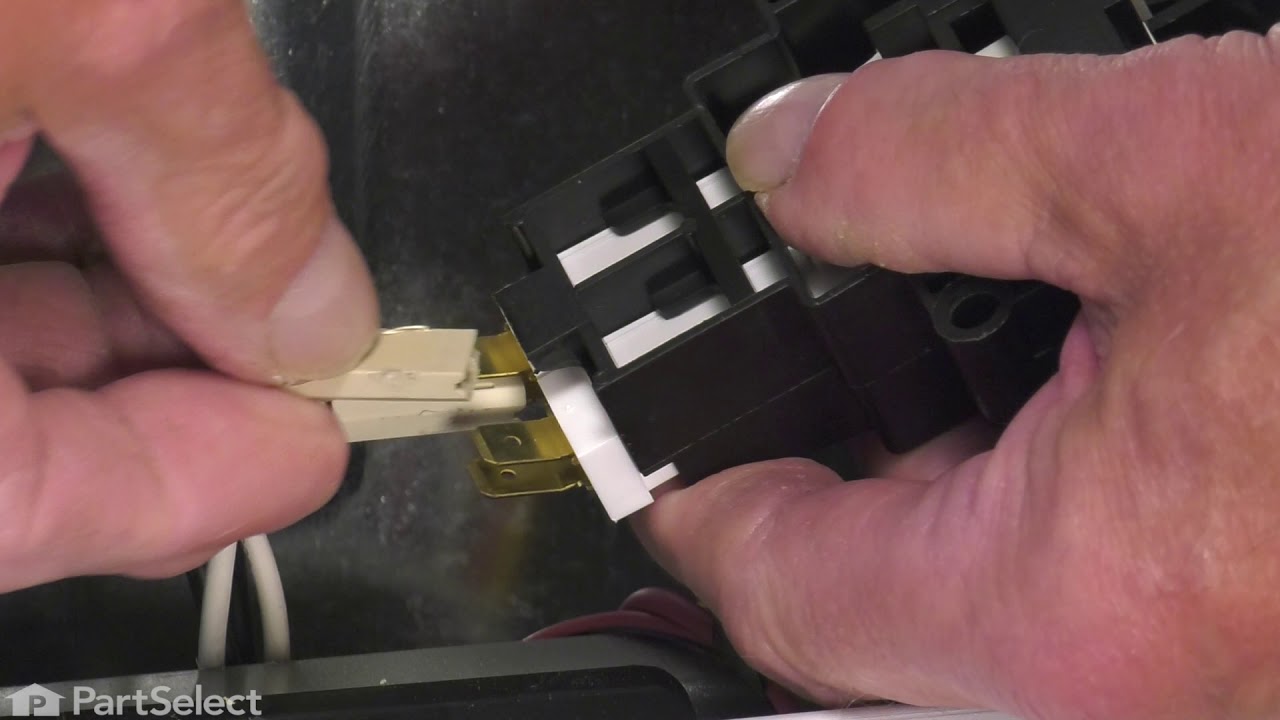
I removed the interior plastic covers 2 + 6 screws. Disconnected the latch/ with switch, unscrewed the two screws holding the latch, did the same in the reverse with the new/ latch switch. Before the work tripped the circuit breaker. Used Philips and Star tipped screw drivers.
Jan from NORTH AUGUSTA, SC
Difficulty Level:
Really Easy
Total Repair Time:
30 - 60 mins
Tools:
Screw drivers
1 personfound this instruction helpful.
Was this instruction helpful to you?
Thank you for voting!
Handle assembly for dishwasher broke
After being told by a repairman that it would be cheaper to replace the dishwasher than to fix the handle I found this sight. When the part came in I simply removed 6 screws for the control panel. Once that was off the handle assembly was connected by two screws that required a different tool (allen wrench). I removed those screws unpl
... Read moreugged the 4 contacts that connected to the old assembly. Plugged them to the new part and reversed the process with the screws. Works like it is new and I am oh so glad to prove the repairman wrong!!!
Read less
Dee from Jonesboro, AR
Difficulty Level:
Easy
Total Repair Time:
15 - 30 mins
Tools:
Nutdriver, Screw drivers
7 of 9 peoplefound this instruction helpful.
Was this instruction helpful to you?
Thank you for voting!
latch was broken
took out the screws holding the inside of the door on, pulled out the old switch, plugged in the new and put the screws back in done in 20 min.
Kim from King City, MO
Difficulty Level:
Really Easy
Total Repair Time:
15 - 30 mins
Tools:
Screw drivers
3 of 4 peoplefound this instruction helpful.
Was this instruction helpful to you?
Thank you for voting!
Door Latch Broken
So even use ladies can do this super super easy why replace dishwaher when I got the part super fast the part was great super price thank you for this website
julia from madison, WI
Difficulty Level:
Really Easy
Total Repair Time:
Less than 15 mins
Tools:
Pliers, Screw drivers
5 of 10 peoplefound this instruction helpful.
Was this instruction helpful to you?
Thank you for voting!
Dishwasher wouldn't turn on - Wash Light Blinking
The "Wash" light on my dishwasher began blinking continuously. I tried to reset it by turning off the power for 5 minutes. No change. I tried the "test" sequence per the dishwasher service booklet. No luck. Knowing it was either the control panel (expensive) or the door latch assembly (cheap), I first tested the door latch. With a m
... Read moreulti-meter, I was able to determine that the door latch assembly was not functional. This gave the dishwasher a false signal that the door was always open. To change door latch assembly: 1: Open dishwasher door and remove all the screws holding the front door faceplate on. 2: Remove the front door faceplate as well as the control panel. 3: Locate and remove the (2) torx screws holding the door latch assembly on. 4: Take note of the placement of the four electrical connectors on the old latch assembly. ( I simply removed them one by one from the old assembly and re-connected with the new one to eliminate confusion) 5. Once electrical connectors are completed, simply reverse the process.
Done! Very happy wife afterwards!
Read less
Daniel from Burgettstown, PA
Difficulty Level:
Easy
Total Repair Time:
Less than 15 mins
Tools:
Screw drivers
63 of 86 peoplefound this instruction helpful.
Was this instruction helpful to you?
Thank you for voting!
Dishwasher door would not latch
First I removed the six Phillips head screws that hold the control panel on. Next I removed the two Phillips screws holding the door latch in place. Then attached the new latch and reversed the procedure. Best part was the prompt delivery of the new part. My wife had herself convinced she would be without her dishwasher for several da
... Read moreys.
Read less
Nels from Montgomery, TX
Difficulty Level:
Easy
Total Repair Time:
15 - 30 mins
Tools:
Screw drivers
10 of 14 peoplefound this instruction helpful.
Was this instruction helpful to you?
Thank you for voting!
< Prev
1
Next >
Questions and Answers
Ask our experts a question about this part and we'll get back to you as soon as possible!
13 questions answered by our experts.
Sort by:
< Prev
1
2
Next >
Search filter:
Clear Filter
Your search term must have 3 or more characters.
Keep searches simple. Use keywords, e.g. "leaking", "pump", "broken" or "fit".
Sorry, we couldn't find any existing answers that matched.Try using some different or simpler keywords, or submit your new question by using the "Ask a Question" button above!
Juditj
December 14, 2019
The doesn’t click shut and therefore the dishwasher doesn’t turn on just keep flashing Green light
For model number FDB105ORECO
Hi Juditj, you would want to replace the latch assembly. Thank you for your question and good luck with your repair!
4 people found this helpful.
Was this helpful?
Thank you for voting!
Robert
January 13, 2020
6 year old Frigidaire/Electrolux dishwasher, worked yesterday. No sign of power. No lights or sounds. I thought it might be a fuse, but this model doesn't seem to use a fuse.Any advice is appreciated.
r. hagan
For model number FFBD2408NS0A
Hello Robert and thank you for writing.
Have you checked the breaker in your house panel box as it might have been tripped? if this checks out ok then It sounds like it could be a faulty handle and latch assembly PS6448153, you should check for signs of damage, and replace if necessary. We hope this helps. Please contact us anytime if you require further assistance.
3 people found this helpful.
Was this helpful?
Thank you for voting!
Daniel
January 29, 2018
I know the 2 black wires attach to one side and the 2 white wires to the other... so one side is hot and the other is neutral... i close the latch and it shows no continuity from hot to neutral. oddly enough though it does show it across both hots... but only with the switcn closed. am i missing something here?
For model number 154556703A
Hello Daniel, Thank you for contacting us. I have researched the model you have provided and have found the part you’re looking for is PartSelect Number PS4235738. Hope this helps!
3 people found this helpful.
Was this helpful?
Thank you for voting!
Deb
February 25, 2019
Dishwasher doesn't always turn on with first try, i open close door push other buttons, then will turn on, could this be door latch? I should be able to press once for it to start? Help!!
For model number fdb1050reco
Hello Deb, Thank you for contacting us. I suggest checking the following parts: PS2352995 Control Board With Selector, and PS6448153 Handle and Latch Assembly with Switches. You can test the parts with a multimeter. If you are unfamiliar with how a multimeter functions, we have videos available to assist you.
2 people found this helpful.
Was this helpful?
Thank you for voting!
Diana
September 9, 2021
Door on Frigidaire dishwasher won’t lock i think it is broke
For model number LFBD24112SFO8
Hi Diana,
Thank you for your question. If the door will not lock, the door latch will need to be replaced. The door latch listed for your model, part number 5304527418, has been discontinued by Frigidaire and you will need to contact them to see if they have information on a replacement. If they provide you with a part number for a replacement, you may call us back with it and we will verify if we have it available for you. If you have any questions, please let us know.
Door won't lock, l guess it's stuck in lock position so the system thinks that the door is shut and will start washing, also unable to stop the machine even when pressing the cancel button.
For model number Gallery
Hi Jerry,
Thank you for your question. If your door latch will not lock, then it will need to be replaced. We hope this helps! Good luck with the repair!
1 person found this helpful.
Was this helpful?
Thank you for voting!
Jerry
July 22, 2021
Do you carry the door latch for it?
Hello Jerry, thank you for contacting us, In order for us to locate the correct parts and repair information we will require the model number of the unit. Once you have located the model number please feel free to resubmit the question and we will be happy to help you. We are looking forward to hearing from you!
Was this helpful?
Thank you for voting!
Tina
August 18, 2021
Ffbd2409ls0a is the Frigidaire dishwasher model number. Will this handle work for a replacement?
For model number FFBD2409LS0A
Hello Tina, thank you for your question. We have researched the model you have provided, and the part number PS6448153 is the correct part for your appliance. We hope this helps!
Was this helpful?
Thank you for voting!
Claire
December 6, 2022
I have a Frigidaire Dishwasher and the latch no longer works. I need to know if Handle Part Assembly Part #A00099902 is compatible gor this model.
For model number LFBD2409LF0B
Hello Claire, thank you for your inquiry. Yes, the Handle and Latch assembly is part PS6448153 you had chosen is compatible with your model. Please feel free to give us a call. We look forward to hearing from you.
Was this helpful?
Thank you for voting!
Shirley
January 10, 2023
Have to wiggle the latch to get the circuit to light up many times before starting on my Kenmore dishwasher
For model number 665 15639000
Hello Shirley, thank you for contacting us. It looks like the door switch kit, part number PS358749, may be loose or misaligned, which can cause it to not make proper contact with the circuit until it is wiggled into place or the door switch kit may be worn or damaged, which can cause it to not make proper contact with the circuit even when it is properly aligned. We would also recommend checking the door latch, part number PS11741367. Customer service is available 7 days a week if you require assistance placing an order. Thanks again for reaching out!